
matching colors in adjoining Layers
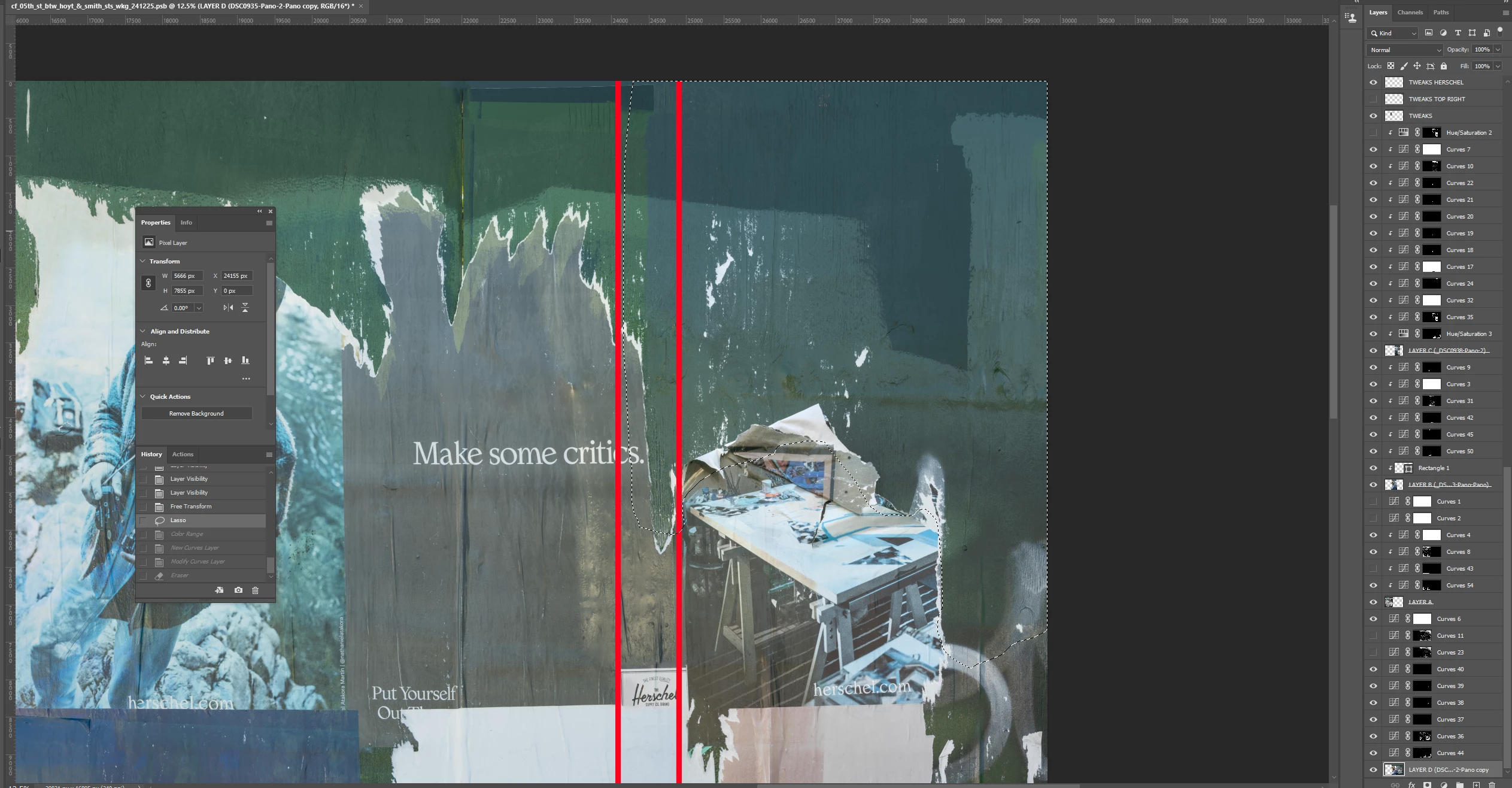
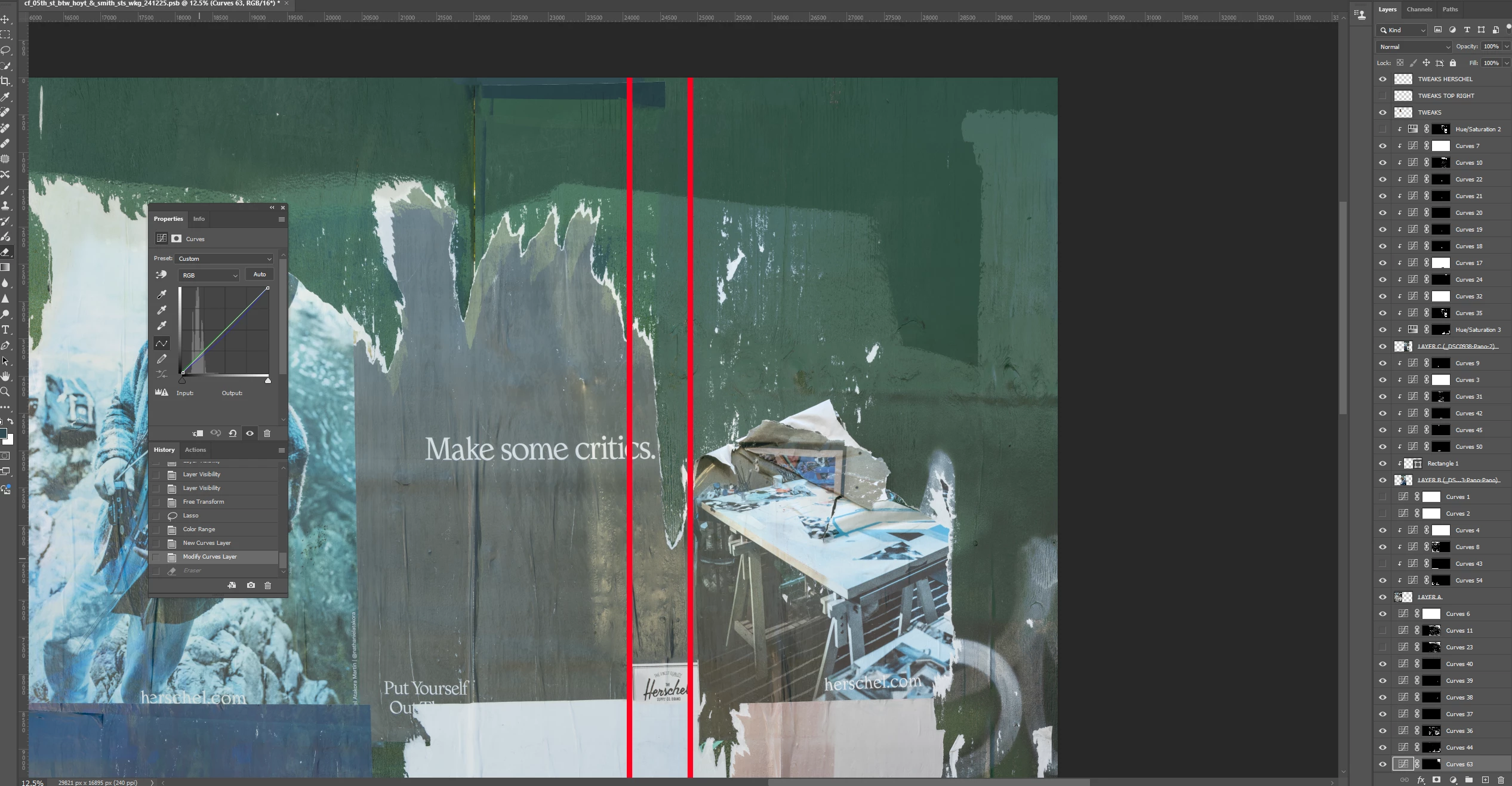
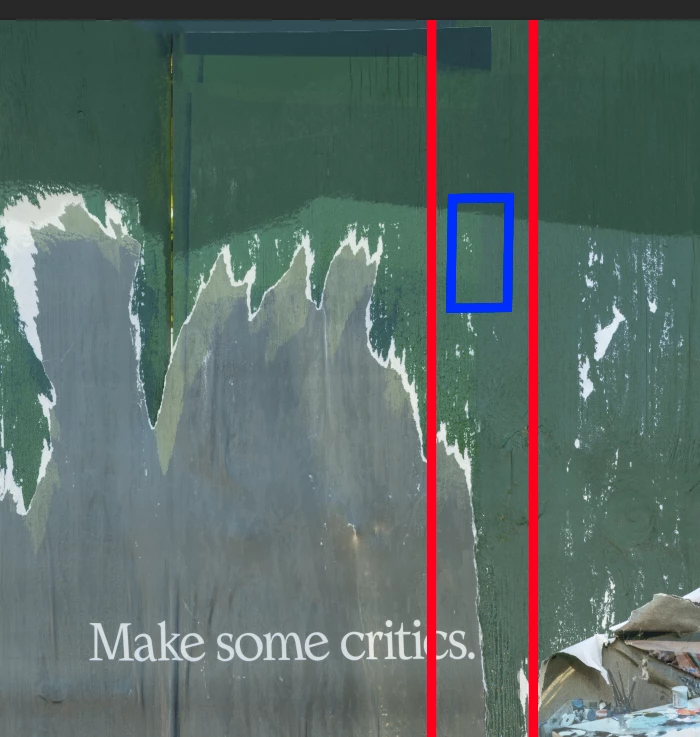
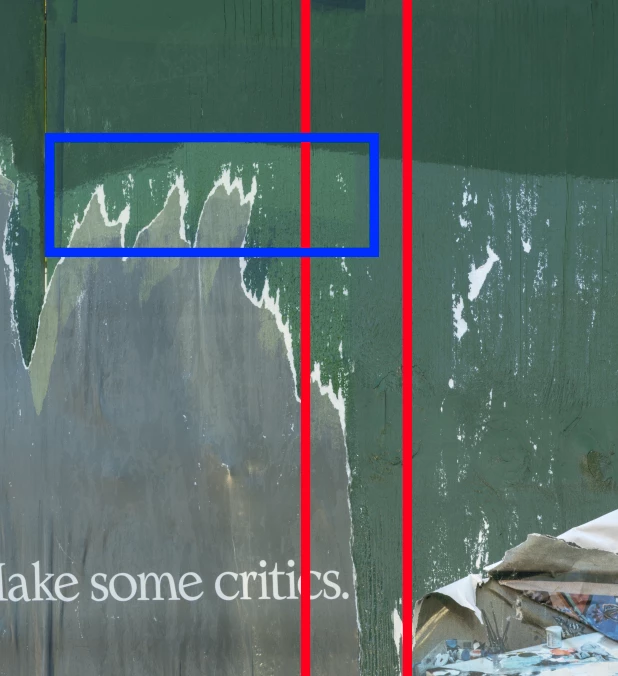
I wonder if anyone has suggestions on the following. I needed to match the greens in the upper part of LAYER D (rightmost layer) to LAYER C adjoining it to the left. I lassoed the area and used Color Range to select the darker green and match it to the left using a Curves Layer. The red rectangle surrounds the seam dividing the 2 Layers. But the lighter green underneath the darker green was also selected in the Color Range selection and now these areas in LAYERS C & D (divided by the seam in the blue rectangle, screenshot 3) don't match. Is there a tool or technique that would enable me to match these areas by, preferably, matching the color in the area of LAYER C defined approximately by the blue rectangle in screenshot 4? I don't think Color Range will work for the same reason that it didn't distinguish between the 2 different greens in the other instance. Many thanks.


 AdChoices