
Participant
April 16, 2025
Question

Measurement log scale in inches

  • April 16, 2025
  • 2 replies
  • 177 views

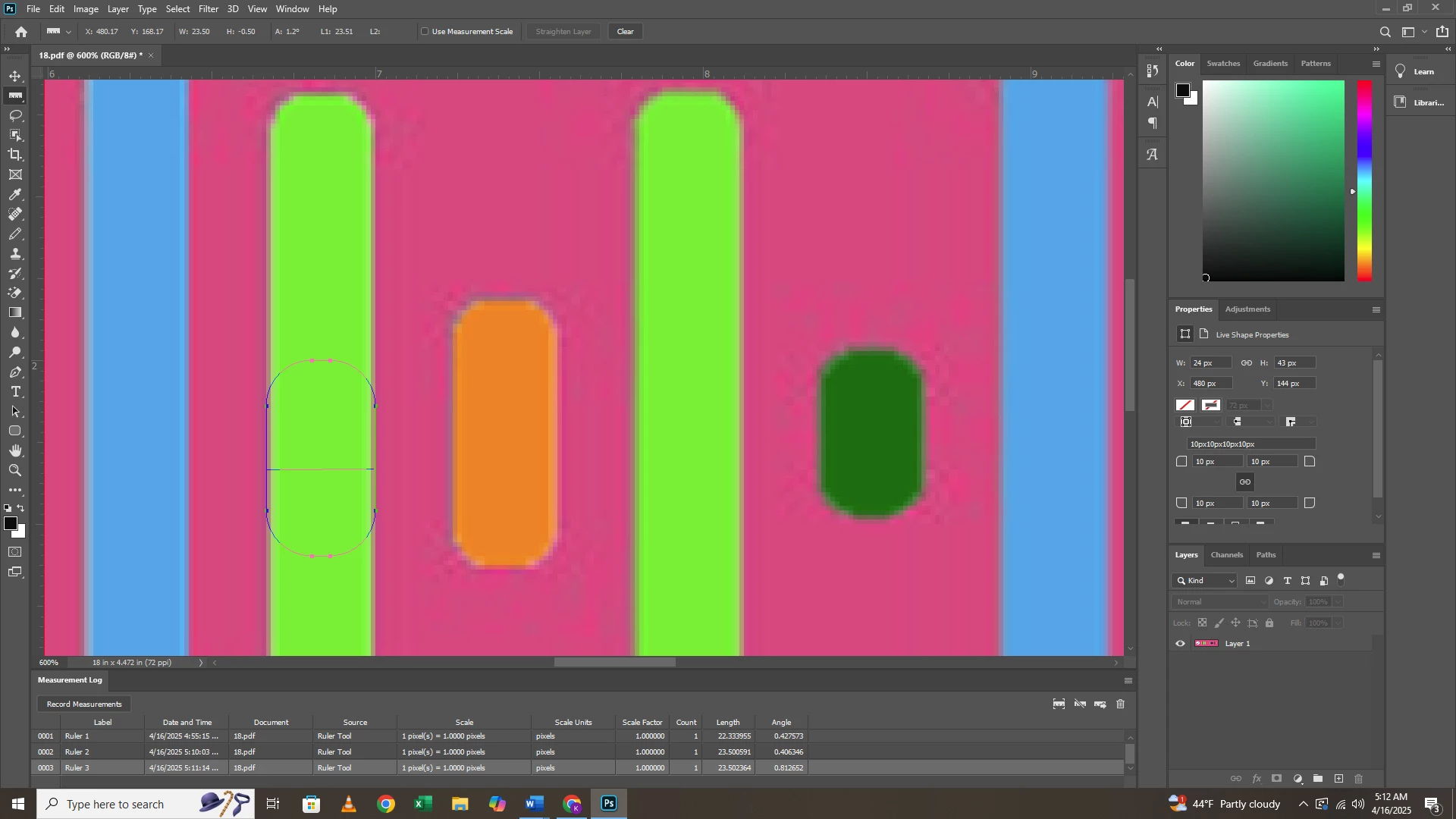
I have everything i can for the ruler set to inches, yet when i measure something, in the measurement log, it still shows my scale as pixels. How can i change this, or what is the best way to get this into inches, so i can measure something for wood working purposes? 


v 21.0.1 is that helps


Thanks!
2 replies

Semaphoric
Community Expert
Community Expert
April 16, 2025

Go to Image > Analysis > Set Measurement Scale > Custom.

Sameer K
Community Manager
Community Manager
April 16, 2025

Hey, @roadwarrior721. Welcome to the Photoshop Community. 

You're using Photoshop 2020, it'll be difficult for us to help & troubleshoot it. Please update Photoshop to the latest version via the Creative Cloud desktop app. 


Thanks! 
Sameer K