



Merge Adjustment Layers
Hi all,
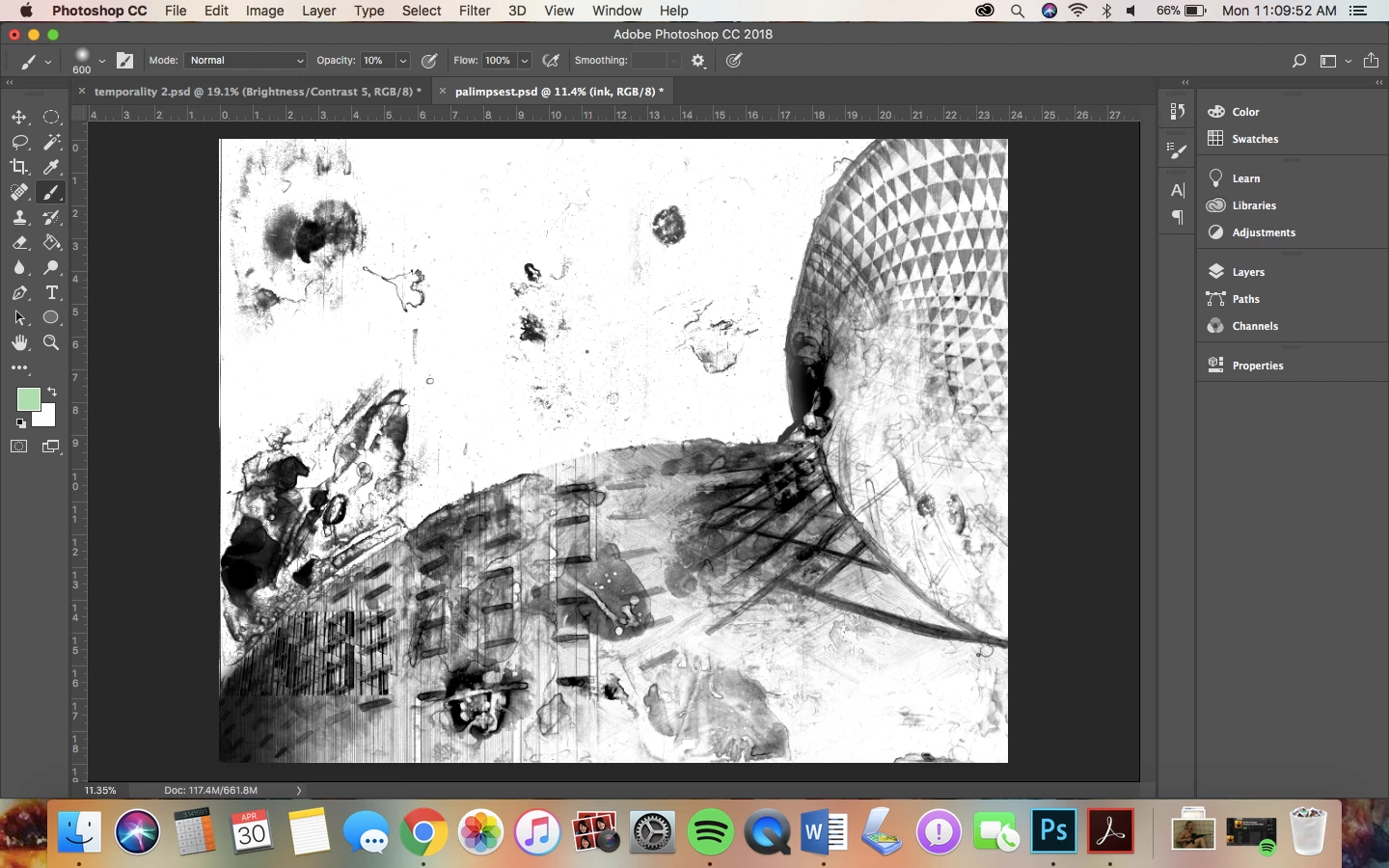
I'm having a lot of trouble with photoshop. I'm working on a file with a couple of drawings placed in them, but I have layered and masked each of them to only show certain parts of the whole. Each of these layers have between 1 and 4 adjustment layers as well. When I go to merge all of the layers, I lose a lot of contrast and my adjustment layer masks change and I get a very different document. When I try to merge adjustment layers with their drawing layer, even, they change and my drawing changes. It was not a problem until I had to duplicate my image on top of itself multiple times, and now there are too many layers to keep track of. I would like to be able to flatten it all down to one layer so that I can directly edit that at this point.
This is the edited drawing
This is the drawing once I try to flatten it all at once. This is the same as when I attempt to merge each individual layer down.
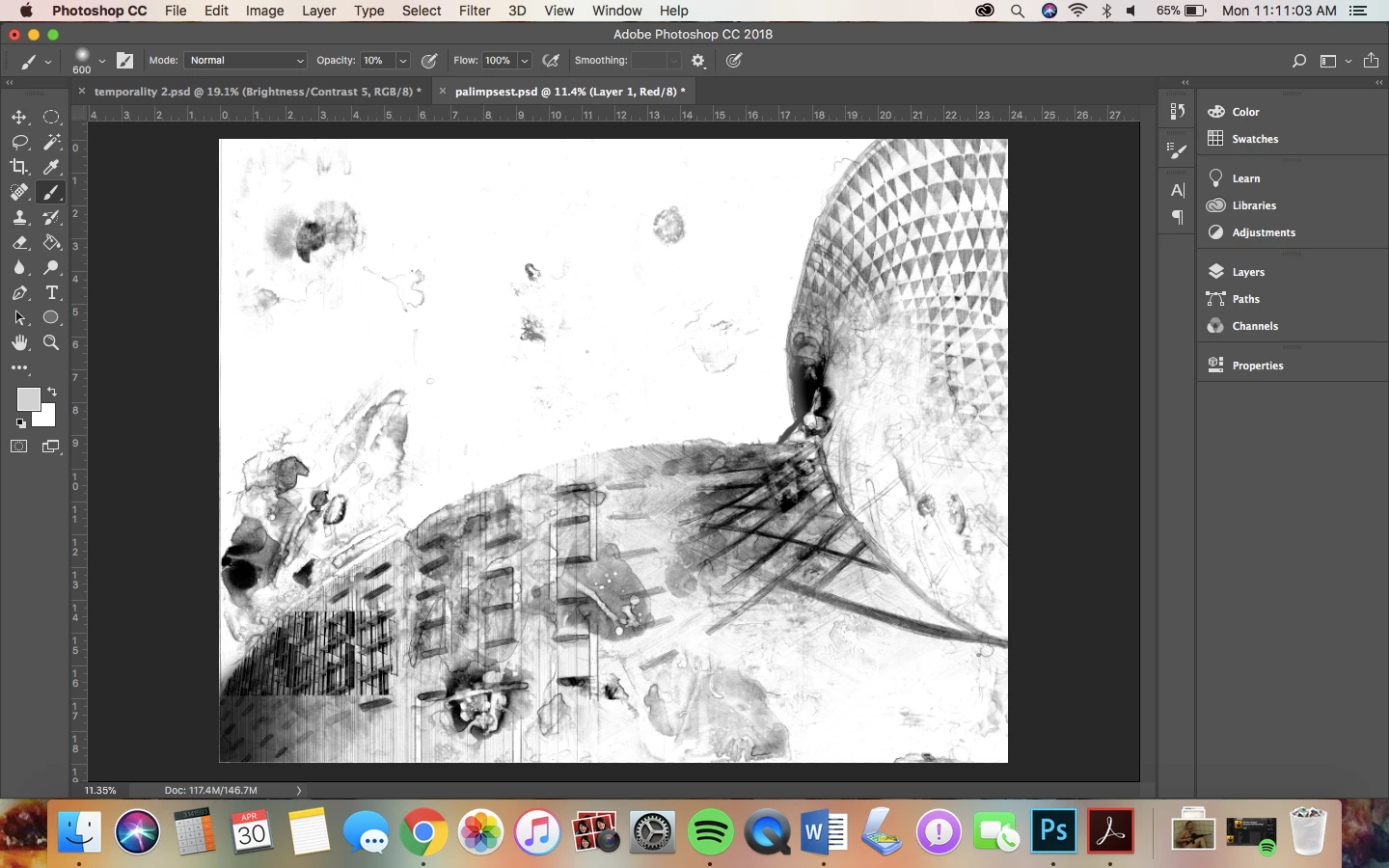
I lose a lot of detail and quality to the drawing, but I would like to make the file smaller, and I would like to be able to have it as a PDF or JPEG so that I can easily print the image. It also will make the next part of my assignment easier to be able to have one layer that I can directly edit instead of worrying about which layer I'm on. If anyone knows how to fix this, I would greatly appreciate it. I have been researching this issue for a couple of weeks now and none of the answers I am finding online are solving my issue, and none of the tech people at my college can solve the issue. Thank you.
 AdChoices