
MahaB82A
March 26, 2026
Answered

Method limited to Image Option?

  • March 26, 2026
  • 4 replies
  • 208 views

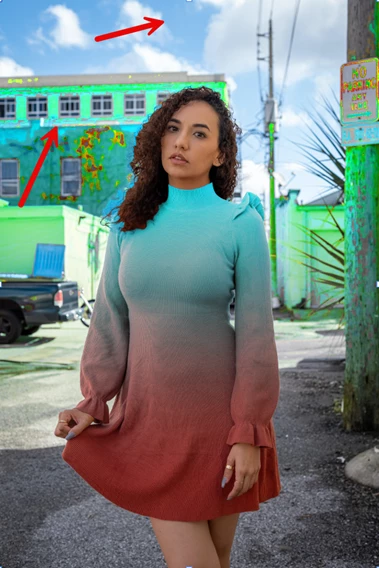
This method is limited to image option. If background [BG] of the image is “sky” it is intact otherwise it affects. What do you think? I use my own image to replicate the work & original image I used is attached as well. 


 The Easiest Way to Add Gradients to Any Object in Photoshop 


    Correct answer davescm

    To avoid the Hue/Sat layer impacting the background, adjust the mask. The object selection tool selects the dress (with just a few tweaks needed). After that you can set a gradient using the brush tool, or the gradient tool, on the mask setting the brush or gradient to multiply so that it combines with the dress selection.


    Dave

    4 replies

    MahaB82A
    MahaB82AAuthor
    March 28, 2026

    XXXXXXXXXX

    FrameRender
    Participant
    March 26, 2026

    This method is limited to image option. If background [BG] of the image is “sky” it is intact otherwise it affects. What do you think? I use my own image to replicate the work & original image I used is attached as well. 


     The Easiest Way to Add Gradients to Any Object in Photoshop here
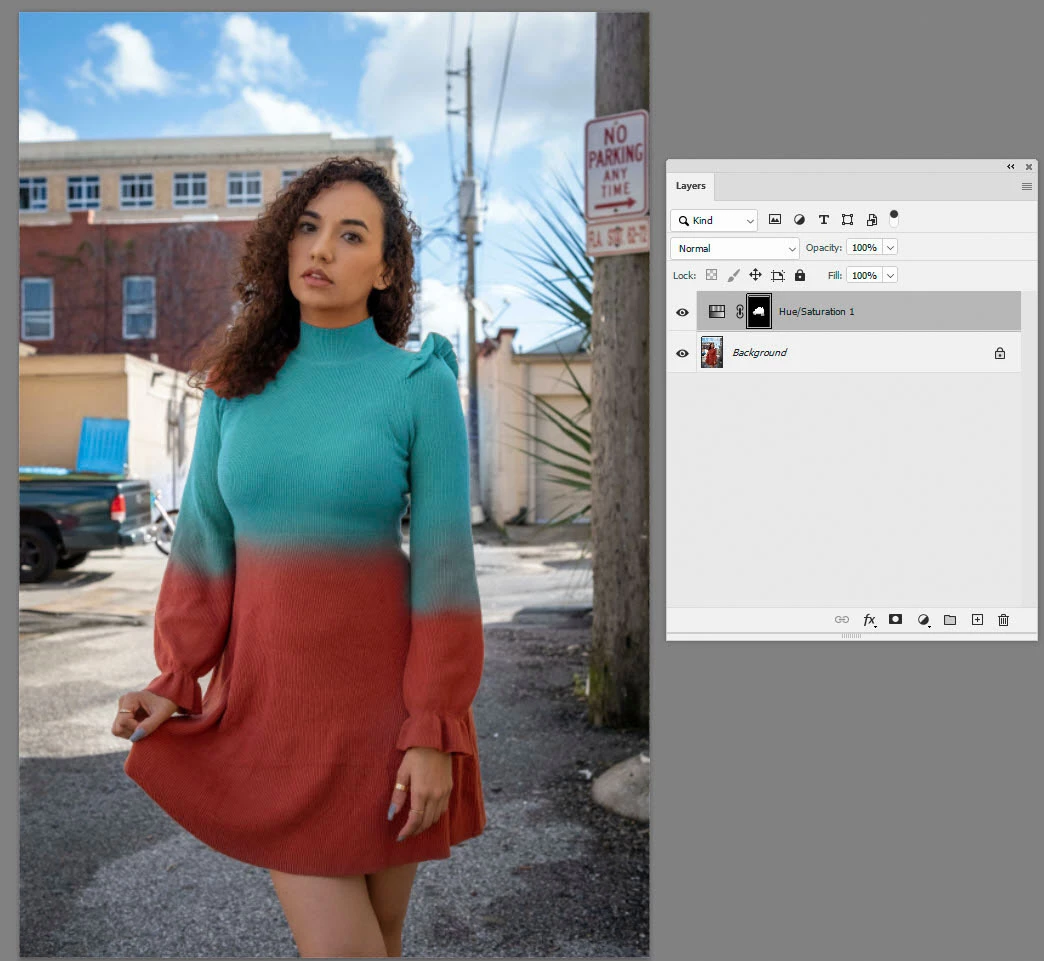
     

    It sounds like the issue isn’t really that the method is “limited to image option,” but more about how the selection and masking are being handled.

    From what you describe (sky stays intact, other backgrounds get affected), it usually means the mask isn’t isolating the subject cleanly. The suggestions above about using Select Subject / Object Selection are a good starting point, but in cases like this I’ve found that refining the mask manually (especially around edges and similar colors) makes a big difference.

    Also, if the background shares tones with the subject, the adjustment layer will bleed unless the mask is tightened or painted back in. Sometimes switching to a softer brush and lowering opacity while refining helps keep things natural.

    So I’d say the method itself is fine, it just needs a bit more precise masking depending on the image you’re working with here


    davescm
    Community Expert
    davescmCommunity ExpertCorrect answer
    Community Expert
    March 26, 2026

    To avoid the Hue/Sat layer impacting the background, adjust the mask. The object selection tool selects the dress (with just a few tweaks needed). After that you can set a gradient using the brush tool, or the gradient tool, on the mask setting the brush or gradient to multiply so that it combines with the dress selection.


    Dave

    MahaB82A
    MahaB82AAuthor
    March 28, 2026

    Thanks for help.

    MahaB82A
    MahaB82AAuthor
    March 28, 2026

    How remove this color?


    Chris 486
    Community Expert
    Community Expert
    March 26, 2026

    IYou should be able to manually mask out any unwanted selection so it’s not affected by the color gradient you are changing. I would assume the select subject option would get you in a great place to start.


    The colors you chose for the dress is great! It will really standout when you bring the natural brick color back in the photo.