This topic has been closed for replies.
Correct answer tom attix

5 replies

Participating Frequently
July 27, 2017

New Photoshop does not for all user

more Lag

more big size

more Crash

and more feature for toy's and show boy not for true hard work

tom attix
Adobe Employee
Adobe Employee
November 11, 2016

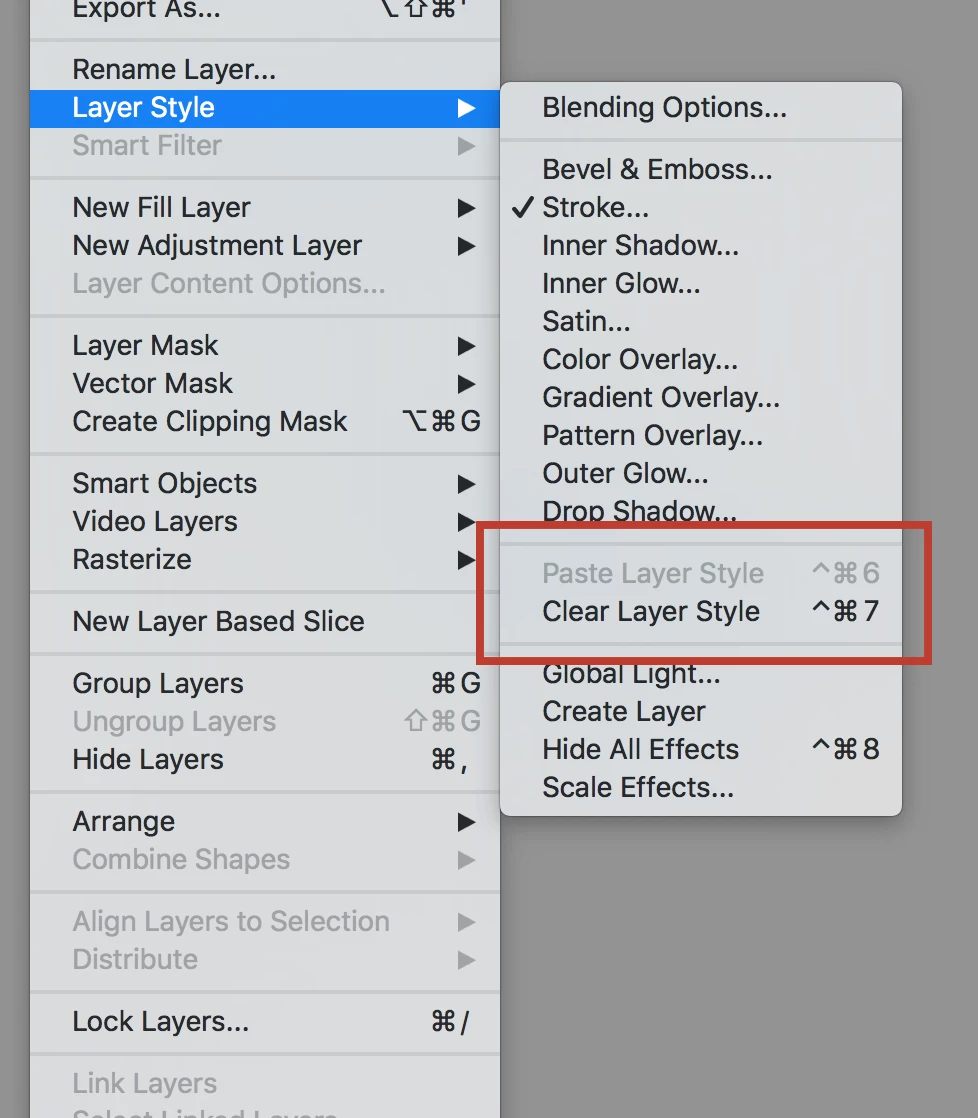
OK, this is a little embarrassing but it was moved. We will be moving it back. In the mean time, it's under Edit/Copy Special/Copy Layer Styles.

Participant
December 2, 2016

Thank you! I realized it was missing when resetting my keyboard shortcuts. Use it all the time so thanks for the heads up on where to find it to set the shortcut.

Akash Sharma
Legend
December 14, 2016

Hi All,

This issue should be fixed in the latest update of Photoshop (2017.0.1).

See New features summary for the 2017 release of Photoshop CC

Regards,

Akash

Chuck Uebele
Community Expert
Community Expert
November 7, 2016

You can also right click on the layer in the layer panel to copy the style. That's what I've always done, and seems faster than using the main menu.

Participant
November 7, 2016

Yup, right click on the layer as well as Alt-Drag are my alternatives. The reason I'm looking for the command in the menu, is for the ability to add a shortcut. In my workflow I constantly copy&paste layer filters and I find it easier with shortcuts. Looking forward for the fix.

gener7
Community Expert
Community Expert
November 7, 2016

You can also install and use 2015.5 until then.

Install a previous version of any Creative Cloud application

War Unicorn
Community Expert
Community Expert
November 7, 2016

In the meanwhile, if you want to copy a layer style to another layer (and you didn't know), hold down Opt (Alt on Windows) + click and drag to the desired layer; release.

tom attix
Adobe Employee
tom attixCorrect answer
Adobe Employee
November 7, 2016