
Answered
Missing Proper Layer Icon In Layers Palette
- Windows 10 Pro 64 bit
- Photoshop 19.1.4
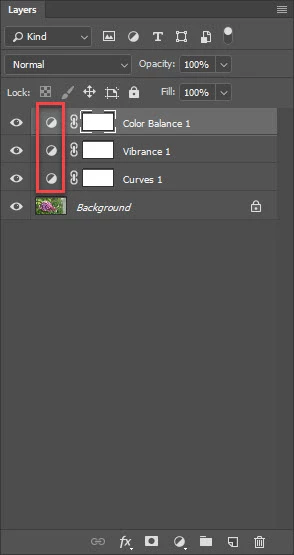
In my Layers Palette, I am missing the proper icon for the different adjustment layers. Please see the enclosed picture. More specifically, I expect to see the following:
- Curves: a grid with a curve
- Vibrance: a triangle
- Color Balance: a set of scales
I have tried resetting my workspace and have tried using the default "Photography" workspace. Neither worked.
Any ideas what I should try next?



 AdChoices