


Participating Frequently
January 18, 2026
Question

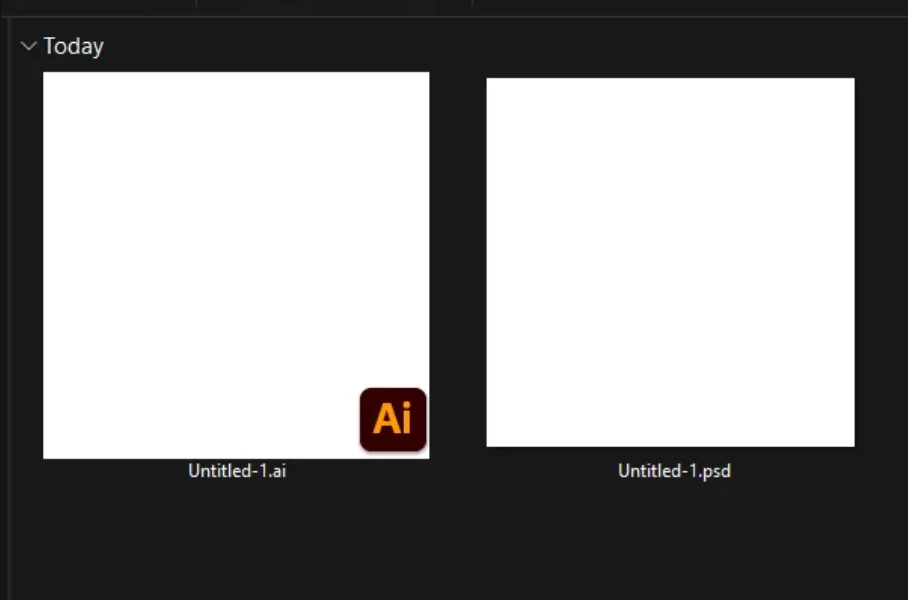
Missing "Ps" file badge on thumbnails after Photoshop update

  • January 18, 2026
  • 2 replies
  • 63 views

Windows 11 - Recently updated Photoshop and now the "Ps" badge is missing from thumbnail previews (using FPV codec pack). Photoshop is still set as the default app for .psd files, so no problem there. Has anyone experienced and resolved this issue before?
 

wilson_wilson_1-1768769222834.png


2 replies

J E L
Community Expert
Community Expert
January 19, 2026

Hi @wilson_wilson

This is usually a broken file association or cache issue.

  • Right click any .psd file and select Open with > Choose another app.
  • Select Adobe Photoshop 2026 from the list and check the box for “Always use this app to open .psd files”
  • Click OK.
  • If 2026 isn't listed there, navigate to the latest Photoshop version and find the Photoshop.exe file via “Choose an app on your PC”. (Look in C:\Program Files\Adobe\Adobe Photoshop 2026). 
  • Restart your computer to allow Windows to rebuild the icon cache.


If that doesn't work, come back to let us know, and we'll run you through cache deletion steps.

JEL_0-1768863659428.pngJEL_1-1768863712988.png

JEL_3-1768863876274.png

creative explorer
Community Expert
Community Expert
January 19, 2026

@wilson_wilson honestly, I don't think I ven paid attention to that. If it opens, I am fine with that! 

m