
Participant
January 16, 2024
Question

Missing Toolbar

  • January 16, 2024
  • 3 replies
  • 312 views

Hi,

I am new to Photoshop. I am trying to find the toolbar across the top with file, save, layer etc. I have tried everything I can think of. I want to change the spacing between text rows.
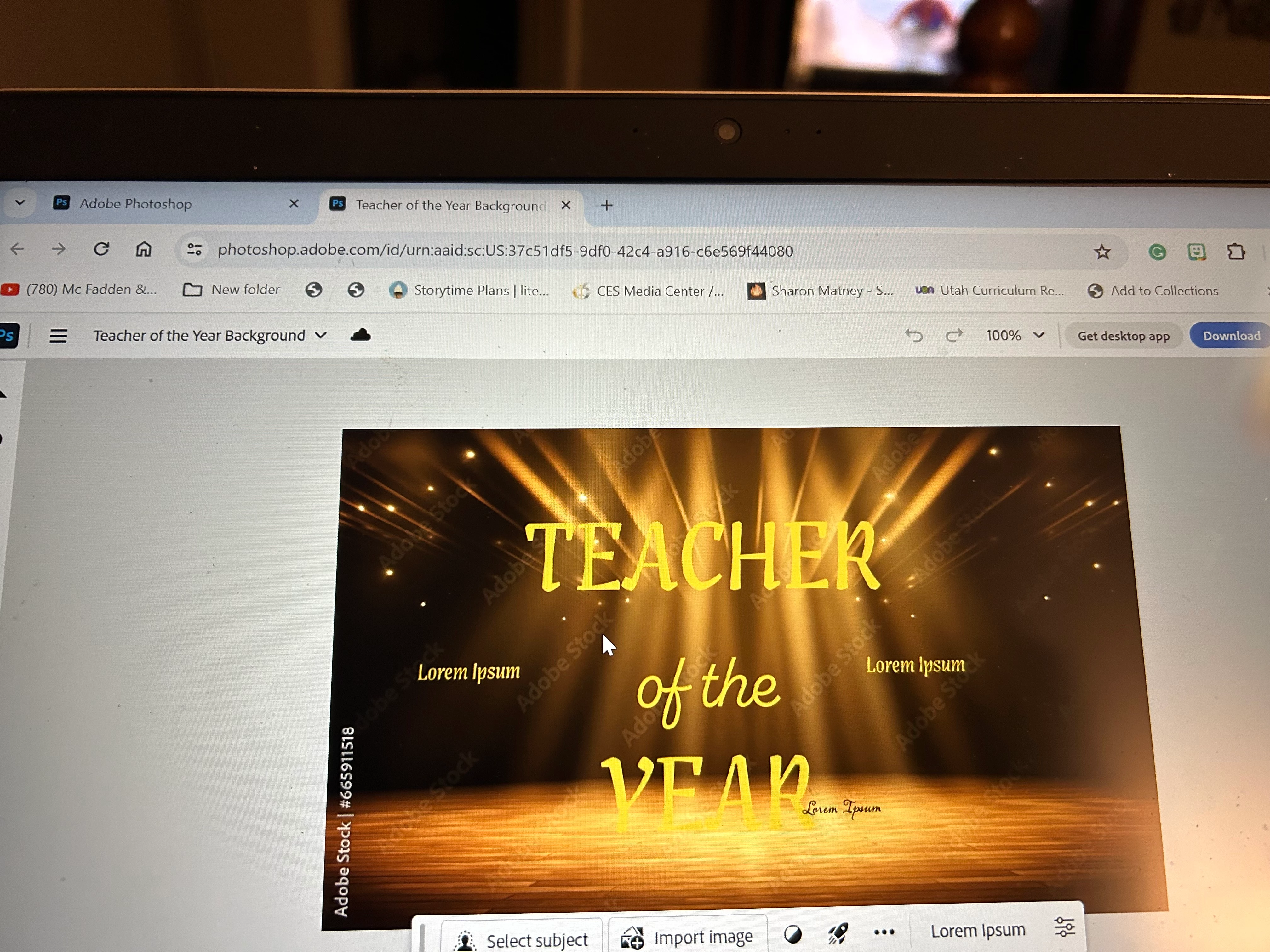
 am

attaching a photo. Thanks for any and all suggestions! Kristin

    This topic has been closed for replies.

    3 replies

    Conrad_C
    Community Expert
    Community Expert
    January 17, 2024

    Your screen shot clearly shows that you are in Photoshop for the Web, running in a web browser. Photoshop on the web does not use a menu bar, so you won’t find the menu bar you’re looking for in that version. The familiar menu bar is available only in the full macOS and Windows desktop versions of Photoshop, which is what you’d get if you clicked the Get Desktop App button at the top of your picture. Photoshop on the Web is designed to be similar to the Photoshop mobile app for iPad, not desktop Photoshop. Adobe mobile apps don’t use the desktop menu bar.


    quote

    I have tried everything I can think of. I want to change the spacing between text rows.

    By @kristinrast


    To do that in Photoshop for the web:

    1. In the Layers panel on the right, select the layer of type that you want to edit. (If there is no type layer, it’s all pixels and can’t be edited as text.)

    2. Select the Type tool in the toolbar on the left, and select the type you want to change.

    3. If the Properties panel is open on the right, expand Advanced Settings, and then you can adjust Leading (line spacing).


    Trevor.Dennis
    Community Expert
    Community Expert
    January 17, 2024

    If you have Photoshop open, and can't some or all of the User Interface:


    Tab will turn on the Toolbar and Panels.

    F toggles between the three screen modes. 


    If you can't even see the Menu bar then use


    Alt F — File

    Alt V — View (to access Screen Modes)

    Alt W — Window (to turn on Options Bar, and any other window)

    John T Smith
    Community Expert
    Community Expert
    January 17, 2024

    You need to ask program questions in the forum for the program you are using
    To ask in the forum for your program please start at https://community.adobe.com/
    Moving from Using the Community (which is about the forums) to the correct forum