Known Participant
December 16, 2023
Answered

Mission options in print menu

  • December 16, 2023
  • 1 reply
  • 872 views

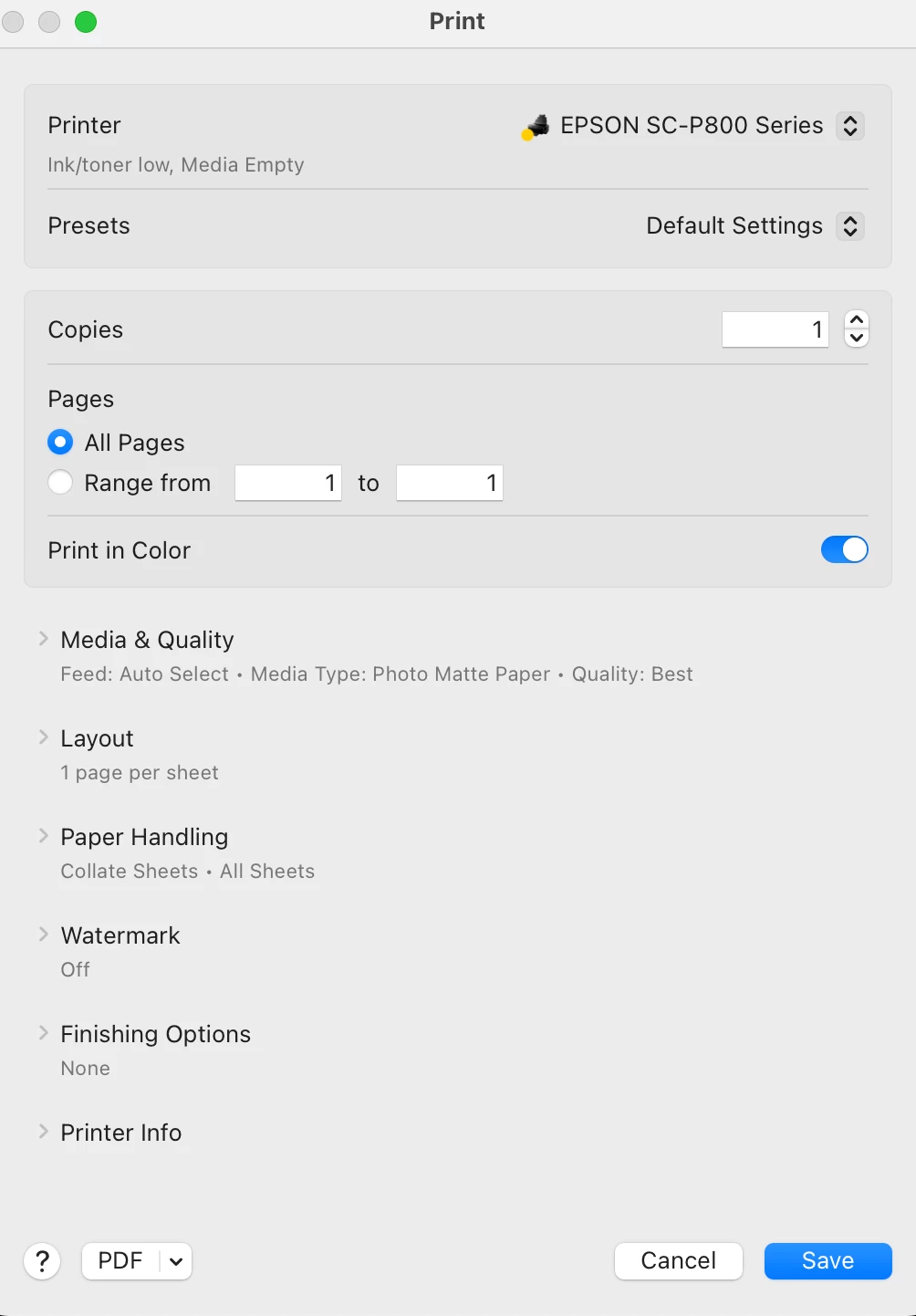
Weird thing.  I just got a mackbook pro with an M3 chip and loaded with Sonoma.  And I have the latest iteration of PS CC.  When I go to print, the normal appearing menu comes up.  That is where I change the icc profile for the paper I'm using, but when I go to the Printer Options tab, the drop down no longer shows the Printer Settings menu, so I can't change the ink, quality or the other options I would normally choose.  I have no idea if it is an Epson problem, something with PS or with Sonoma.  What happens is I manually set the printer to use matte ink, but when I print it shift over to PK (gloss ink).  


The first screen shot is from my old computer and you click on "printer settings"  to get the next menu below.  But on the new computer, it does not show "printer settings", so can't do any of the other settings (ink, paper type, fine art, etc)
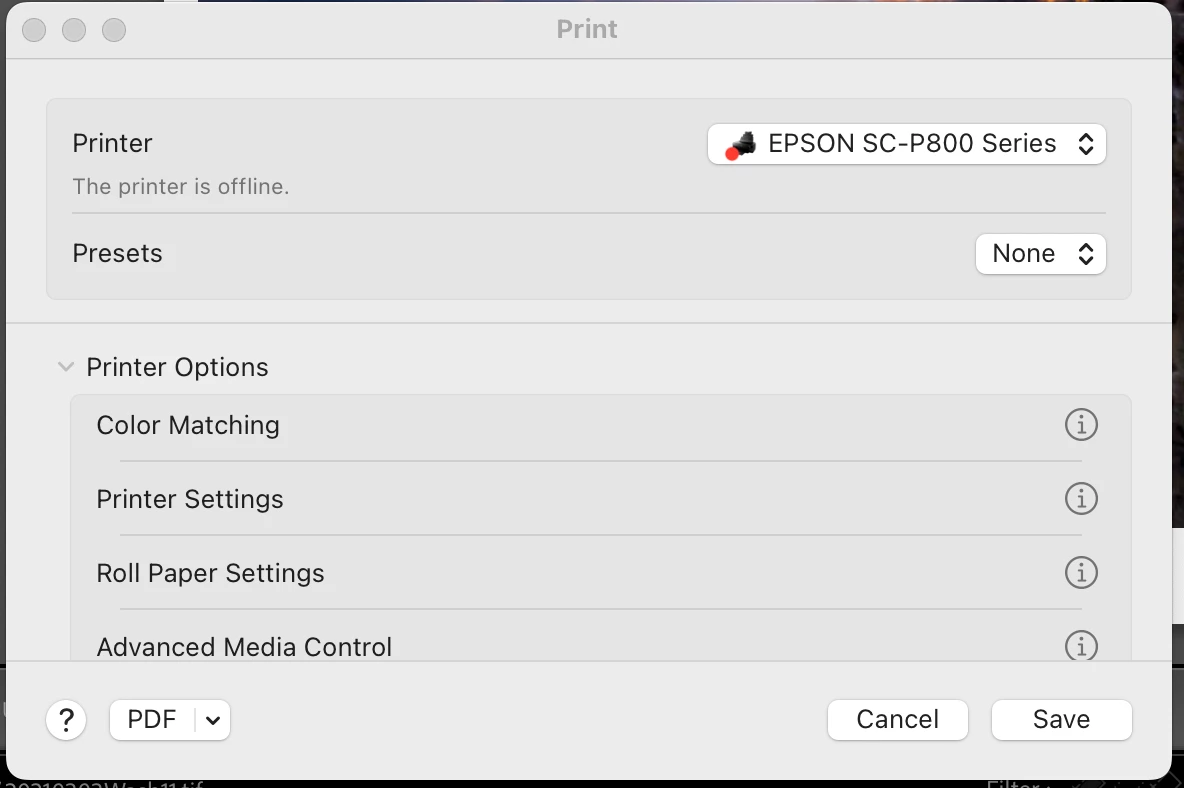
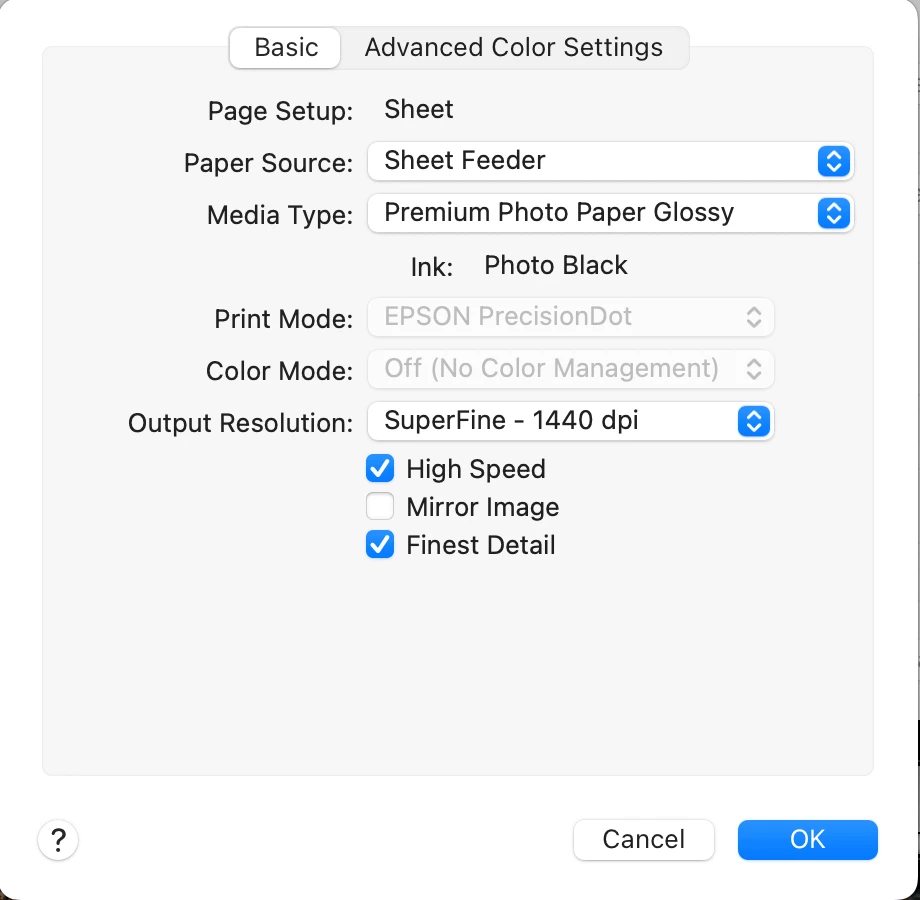


There seems to be no way to handle this within the print menu.  Any ideas?  Thanks

This topic has been closed for replies.
Correct answer NB, colourmanagement

@TmpArt1 yes, the AirPrint option seems to call upon a different driver software. Always look for the printer by name under "use" when installing the printer. 


I hope this helps
neil barstow, colourmanagement net - adobe forum volunteer - co-author: 'getting colour right'
google me "neil barstow colourmanagement" for lots of free articles on colour management
Help others by clicking "Correct Answer" if the question is answered.
Found the answer elsewhere? Share it here. "Upvote" is for useful posts.

1 reply

Conrad_C
Community Expert
Community Expert
December 17, 2023

Make sure the Mac isn’t just using whatever Epson software was automatically installed on the new Mac.  Go to the Epson web site and download and install that model’s full printer driver software that Epson says is compatible with macOS 14 Sonoma. What might have happened is that the Mac might currently only have the basic or AirPrint version of the Epson 800 printer driver, because a symptom of that is missing options, especially missing professional print options.


This is a problem that has existed for a long time, so for more details, refer to these articles:

https://www.macworld.com/article/224167/the-trick-to-finding-the-right-printer-driver-for-your-mac.html

https://www.redrivercatalog.com/infocenter/how-to-fix-missing-paper-media-type-selection-osx.html


TmpArt1Author
Known Participant
December 18, 2023

Wow. Now that was a confusing mish-mash, but that's almost what happened to me.  

I had installed the printer (downloading the driver from Epson first).  It gave the driver in the list of things compatible with Mac OS14, but as it turns out, it downloaded some other printer driver, not the P800, so I think the computer defaulted to the driver provided by Mac.  So it's kind of a mess.  I've deleted everything and am waiting for Epson to provide a driver that will run this printer.  ah, well....Nothing to do with PS or Adobe