
Moving Fill Layer Masks
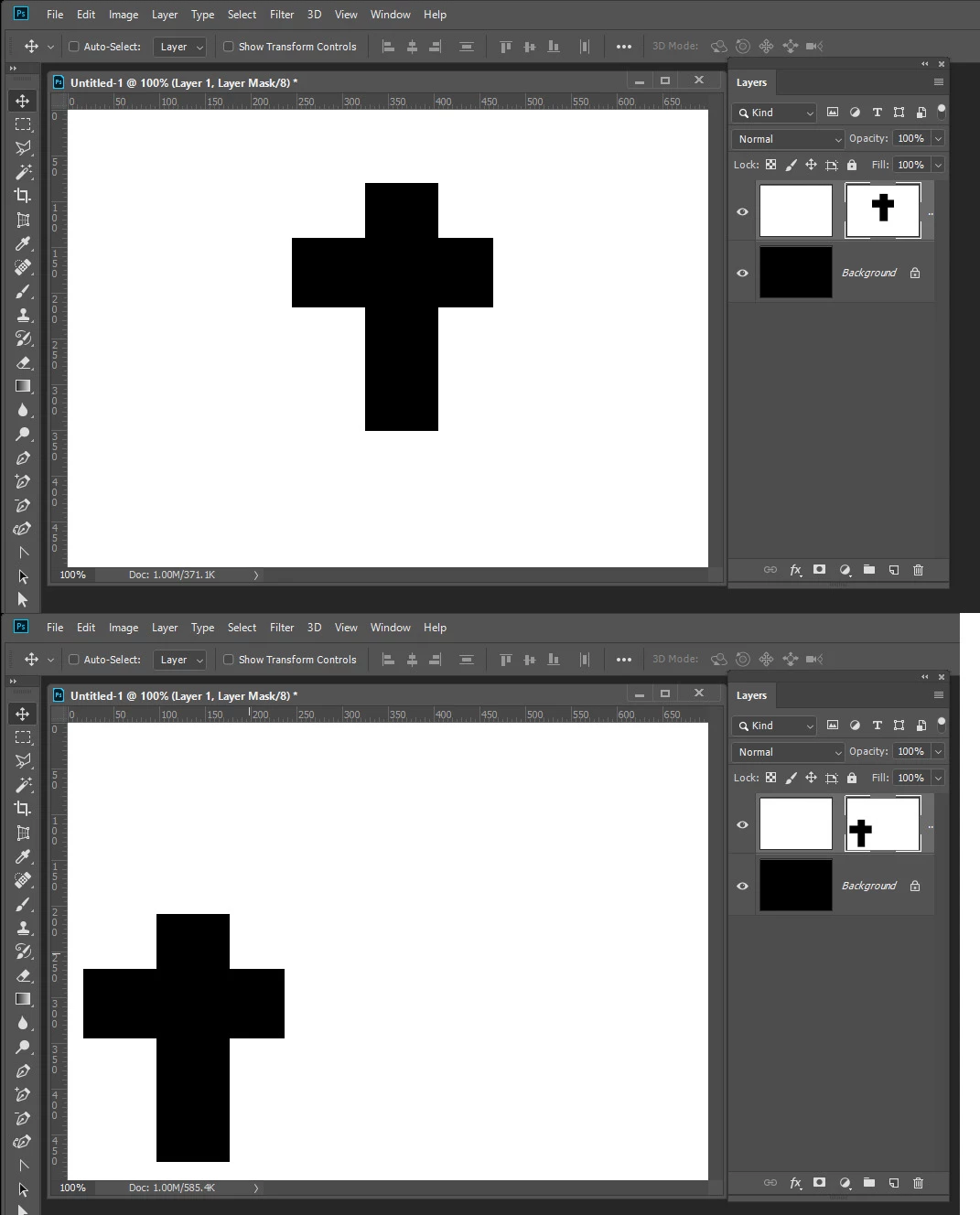
If you create a fill layer with a mask, then MOVE the mask, the fill color becomes visible where the mask edges have moved (difficult to explain - see screenshots).
That is when the entire fill layer is moved, the mask becomes white where it has moved from the image boundaries.
There used to be EZ workarounds to this that no longer seem to work. I know how to fix this by grouping the layers & masking the folder, but this is not expedient.
I know there must be a simple way to move a masked fill layer without this phenomenon.
Below is a basic fill layer

Below is the result if the layer is moved. I would prefer that the entire layer remain white except for the overlapping rectangles in the center.
I'm not sure how I used to avoid this, but I think having the background color be black prior to the move produced my intended result in the past. This is time consuming if there are multiple fill layers that need to move together -as in the case of layered drop shadows.

 AdChoices