Known Participant
Feb 11, 2024 10:48 AM UTC
Answered

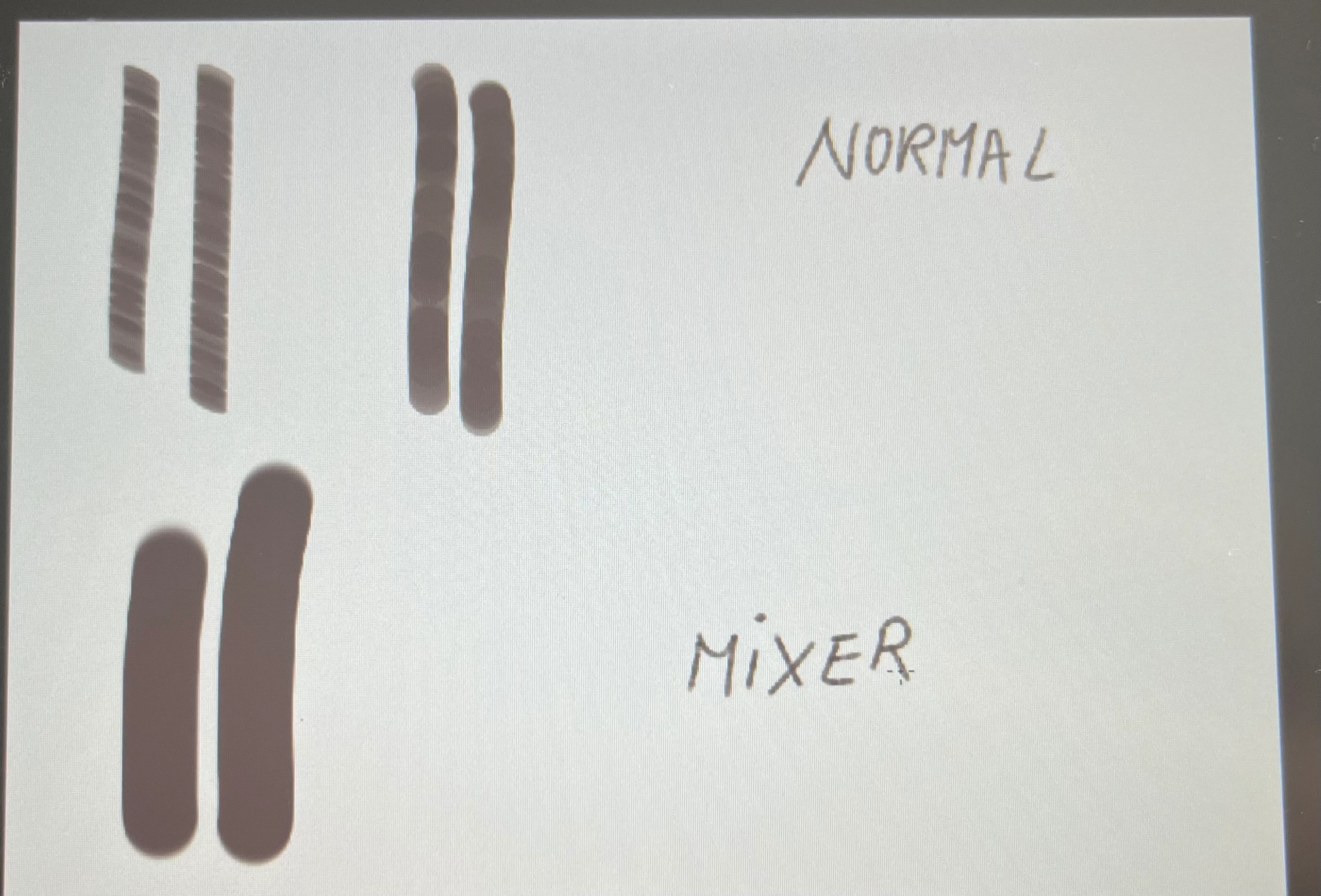
My normal brush tool has a lot of spaces in between

I am trying to draw with the brush tool but the lines look super weird and I don't know what to do! I attached an image of my problem. This doesn't happen with my mixer brush tool- it paints correctly. My scattering is set to 1%. This is more visible  when making that circle from the brush tip shape wider. What can I do? 
 

This topic is closed to new replies. Start a new post to keep the conversation going.
c.pfaffenbichler
c.pfaffenbichlerCorrect answer
Community Expert
Feb 12, 2024 1:53 PM UTC

I don't know, I'm new to this, I don't know what it changes to be honest. 😅  


Then why don’t you set it to 0%? 

11 replies

c.pfaffenbichler
Community Expert
Community Expert
Feb 12, 2024 8:03 AM UTC

https://www.take-a-screenshot.org/

Could you please post screenshots taken at View > 100% with the pertinent Panels (Toolbar, Layers, Brush Settings, Options Bar, …) visible? 

Translate
Known Participant
Feb 12, 2024 1:16 PM UTC

Here you go!

Translate
c.pfaffenbichler
Community Expert
Community Expert
Feb 12, 2024 1:21 PM UTC

Why Transfer-settings? 

What are they? 

Translate
D Fosse
Community Expert
Community Expert
Feb 11, 2024 2:34 PM UTC

Open brush settings. What's your setting for brush spacing?


Translate
Known Participant
Feb 12, 2024 1:17 PM UTC

I have it on 1% and it still does that... I uploaded a screenshot on another answer

Translate
Inspiring
Feb 11, 2024 1:48 PM UTC

click on f5 and the panel for setting the brush parameters will open Now I'm not on PC otherwise I would have posted a screenshot.

Translate