Thank you. I did not see that option but I found it after my search. I turned it on, check the rubber bank. It turned on a this new function and it is different than I am used to. It did not assist me with getting my pen line to operate as it used to do. It did not bring back my function of using the pen and going back over that line and putting an anchor point in the middle of that line and then using the command key be able to make a curve in that line. FYI- (I am cutting out the background of round objects).
OK, I think I understand you now. Next to the little cog there is a check box for Auto Add/Delete
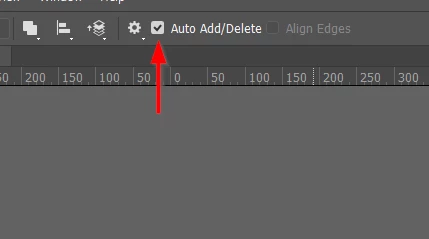
With that checked you can move the Pen tool back over your line to see the option t add another Point.
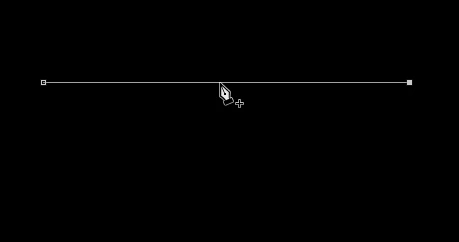
Or remove an existing one without the need to use any modifier keys



 AdChoices