



My Photoshop Autoupdated (although it was turned off), and now I'm having a myriad of issues..
Please help me, I've tried other forums but so far no one has been able to help me fix this, and I haven't been able to use my PS for weeks now.
Here is the issue I've posted everywhere:
Please know, I'm not playing games....
I've searched and searched and I can't access technical support.
Please either help me find a link to call and speak to someone (preferably someone who not only speaks english fluently but is also someone higher than a first level call center trainee)
Ok, that being said.
I've used Photoshop for like 20some years.
The other day, while working on an image, it was a 2 layer image and I was trying to run the Camera Raw filter on the top layer, and when I clicked on it,........... it thought and thought, the circle spun and then it just didn't do anything. I went to "edit" to see if it had performed something that I could step back but it never actually did anything.
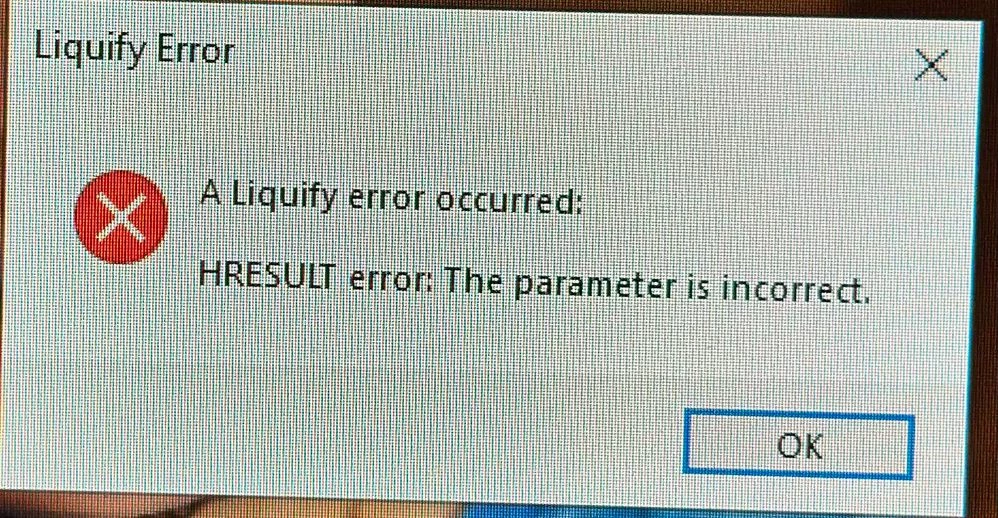
Within about 10 minutes, I tried liquefying the same image and I got this error:
Liquefy Error
A Liquefy error occured:
HRESULT error: The parameter is incorrect. OK
Ugh, I tried to go out and back in, but it still wouldn't work. So my husband said to reboot. After closing all I was working on, I rebooted.
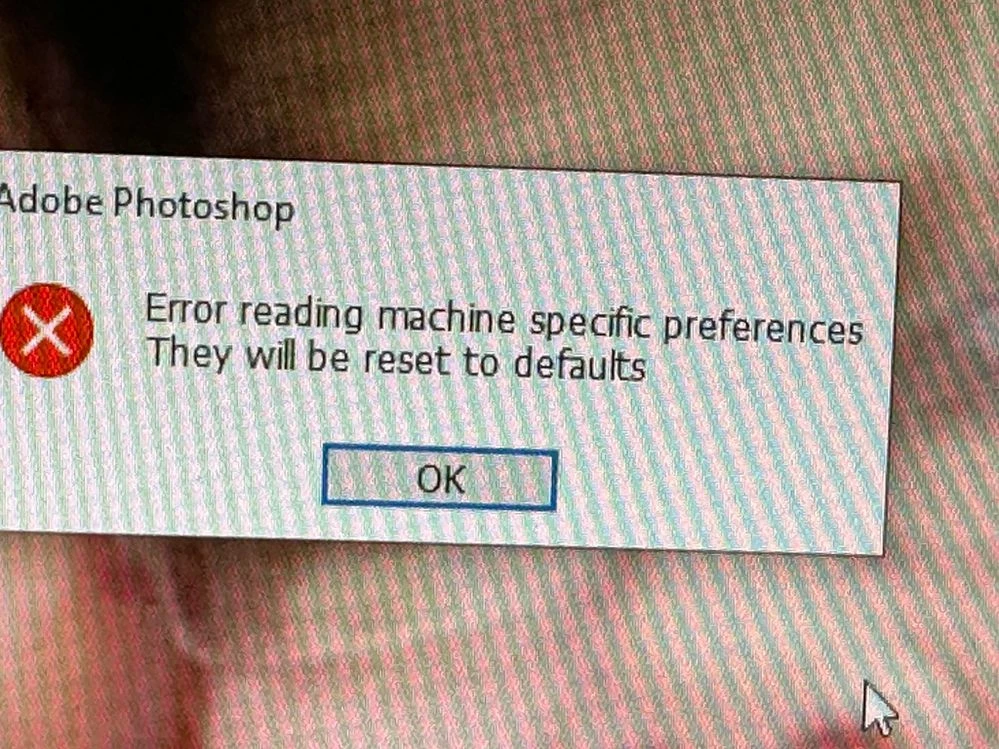
Then when I went to launch PS I got this error:
Adobe Photoshop
Error reading machine specific preferences.
They will be reset to defaults. OK
Wait, what? What will be reset? the 20+ years of acquiring actions/presets/filters/brushes/and templates?
If I were some big business, I guess I could take this in stride, but I typically make less than $2K a year .......
I've really tried to find help,and I'm not 100% certain it's not somehow related to CS auto updating (and consequently booting my machine)..... Ugh
thank you kindly
Michelle S
Oh I'm on Windows 10, Adobe auto updated my software a few weeks ago and I haven't been able touse it since, but it's saying on the "Creative Cloud Desktop" that there is an update available.
---- Praying someone from here can help.
I really can't afford to lose all my presets/actions/brushes/filters etc.,
 AdChoices