joaquinf61484625
Participating Frequently
August 27, 2026
Question

My pictures are printing with yellowish tint and they look very yellow when i post a jpg in facebook

  • August 27, 2026
  • 3 replies
  • 57 views

I never had this issue until recently, I’d say 2026?

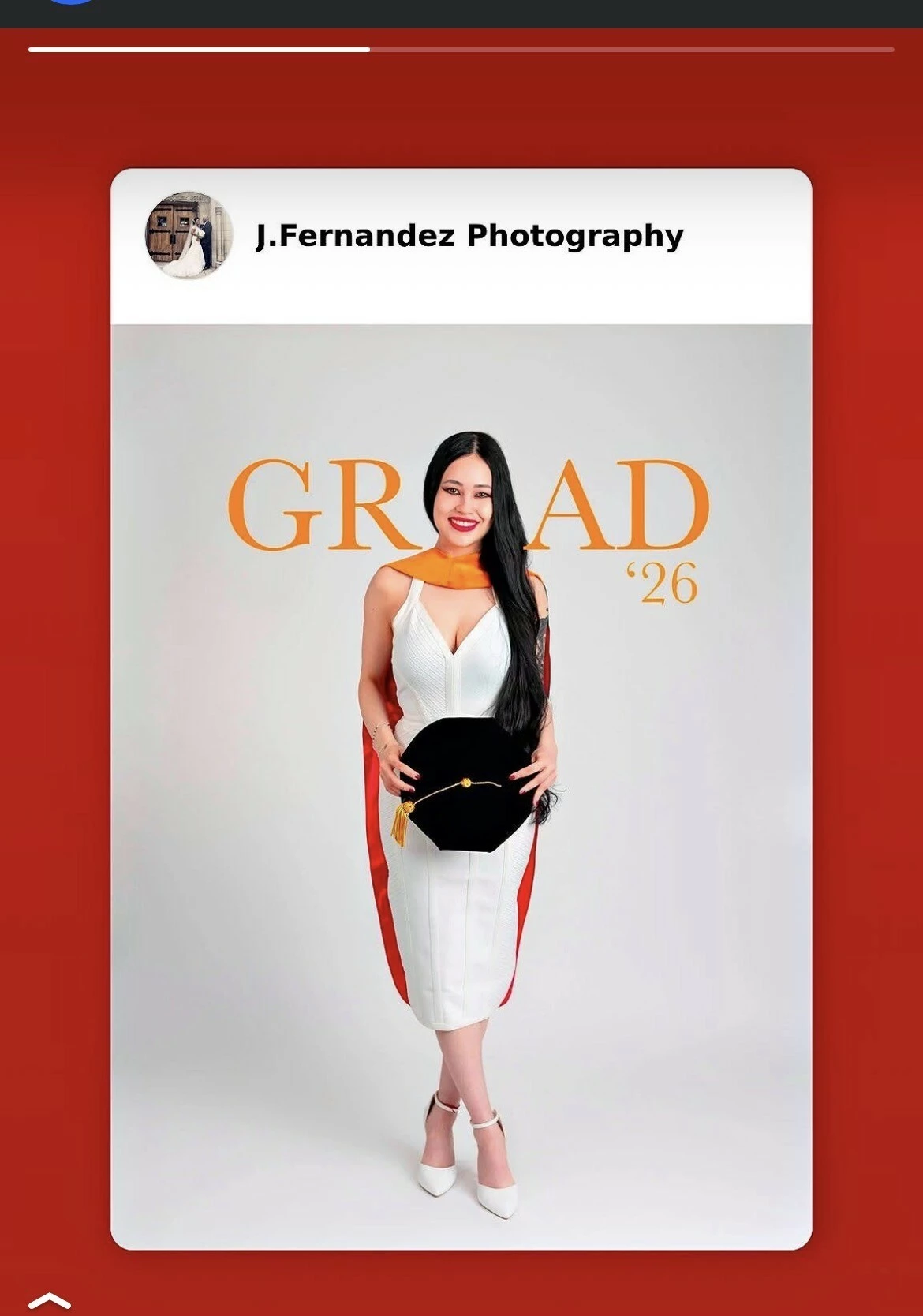
The pictures look fine when i finish the edits in Lightroom/ Photoshop but when myself or the client go to print the pictures, they look off or yellowish. even when i post them on Facebook they have this yellow tint.

I dont ever remember having to make changes on every picture that i chose to print (or post on social media). 

the picture with the red backround is the one that looks yellowish/ off color as you can see
Macbook Pro (M1)

Photoshop 

Lightroom 

Canon R5 

    3 replies

    D Fosse
    Community Expert
    Community Expert
    August 27, 2026

    Looks like an inaccurate/Incorrect/defective monitor profile. Either that or a GPU issue (specifically, the GPU driver component in MacOS). The conversion into the monitor profile is executed in the GPU.


    How is your monitor profiled? Are you using a calibrator? If not, what monitor profiles are you using?

    joaquinf61484625
    Participating Frequently
    August 27, 2026

    How do i check my monitor profile?  the laptop is fairly new. 

    i’ve never had to check any of that. i usually just edit the pictures and thats it. never had anyone

    complain until recently it started doing that.


    Anshul_Saini
    Community Manager
    Community Manager
    September 11, 2026

    Hi @joaquinf61484625,

    Thanks for the additional information. Since the image looks correct while you’re editing, but the exported JPEG appears warmer/yellower on Facebook and in prints, I’d first like to check the color profile being used for the exported file.

    As a quick test, please export one affected image from Lightroom with:

    File Type: JPEG

    Color Space: sRGB

    Then upload that exact JPEG to Facebook and let us know whether it still becomes yellow/warm.

    If you’re exporting from Photoshop instead, use Edit > Convert to Profile > sRGB IEC61966-2.1, then export a JPEG with the color profile embedded and test that file.

    To answer your question about the monitor profile: on your Mac, go to System Settings > Displays, select the display you’re using, and check the currently selected Color Profile / Preset. Please let us know what is selected. If you’re using an external monitor, please include its make/model as well.

    Since you mentioned this only started recently, please also share:

    • Your exact Photoshop and Lightroom versions

    • Whether you’re editing on the MacBook’s built-in display or an external monitor

    • The Color Space currently selected in your Lightroom export settings

    If possible, please also attach one of the actual JPEG files showing the yellow shift, rather than a screenshot. That will let us inspect the embedded color profile and determine whether the shift is already present in the exported file or is happening later when it’s displayed/printed.

    Best,

    Anshul Saini