Participant
April 19, 2024
Question

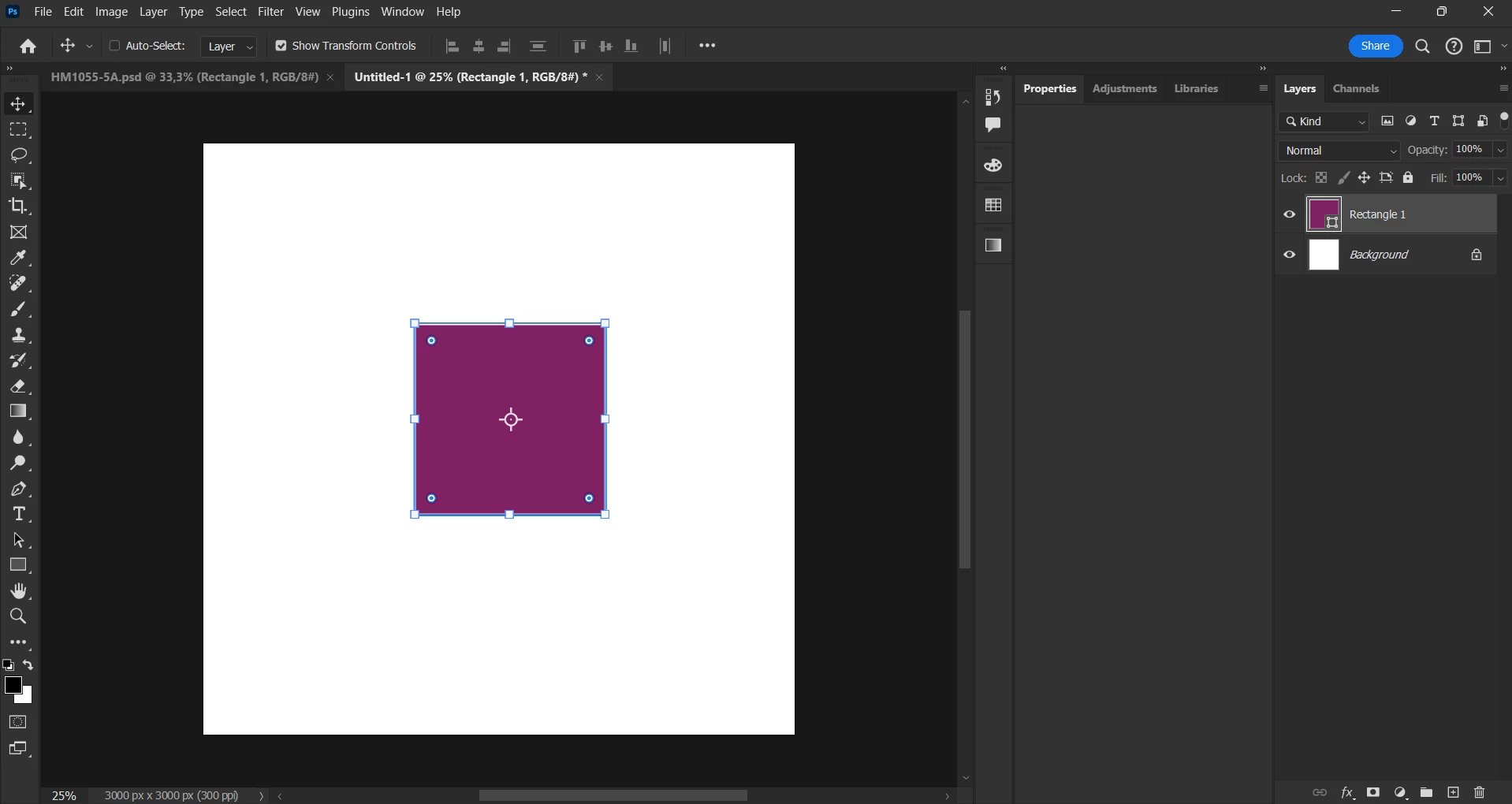
My properties panel is not showing anything

  • April 19, 2024
  • 2 replies
  • 1167 views

my properties panel is not showing anything (blank). the properties panel is not missing, it's there. but, it just not showing anything, even though i selected a layer

 

This topic has been closed for replies.

2 replies

Trevor.Dennis
Community Expert
Community Expert
April 19, 2024

If you have not yet reset Preferences, I'd be inclined to restart Photoshop first.  Maybe even try it a couple of times.  I have not seen an empty Properties panel before, but there have been a lot of people with missing tool icons, or empty Adjustments panel, and maybe other similar issues.  I had the empty Adjustments panel myself on and off.   It tends to be intermittent, making it hard to troubleshoot, but restating Photoshop can fix it.  


You can use the beta version, which is stable right now AFAIK, plus it has some cool features not in the release version. (Hover layer bounds, and additional font preview).


This thread has a fix for the missing tool icons.  There are lots of threads reporting similar issues, but this is the only one with a Correct Answer.  


Good luck and please let us know how you get on.

AxelMatt
Community Expert
Community Expert
April 19, 2024

Please try to reset the Photoshop preferences to the default settings.

https://helpx.adobe.com/photoshop/using/preferences.html#reset-preferences

It's recommend to backup the settings before resetting the preferences. See here:

https://helpx.adobe.com/photoshop/using/preferences.html#backup-photoshop-preferences


My System: Intel i7-8700K - 64GB RAM - NVidia Geforce RTX 3060 - Windows 11 Pro 25H2 -- LR-Classic 15 - Photoshop 27 - Nik Collection 8 - PureRAW 5 - Topaz Photo