
Participant
September 25, 2026
Question

My screen in Photoshop keeps flickering darker

  • September 25, 2026
  • 2 replies
  • 9 views

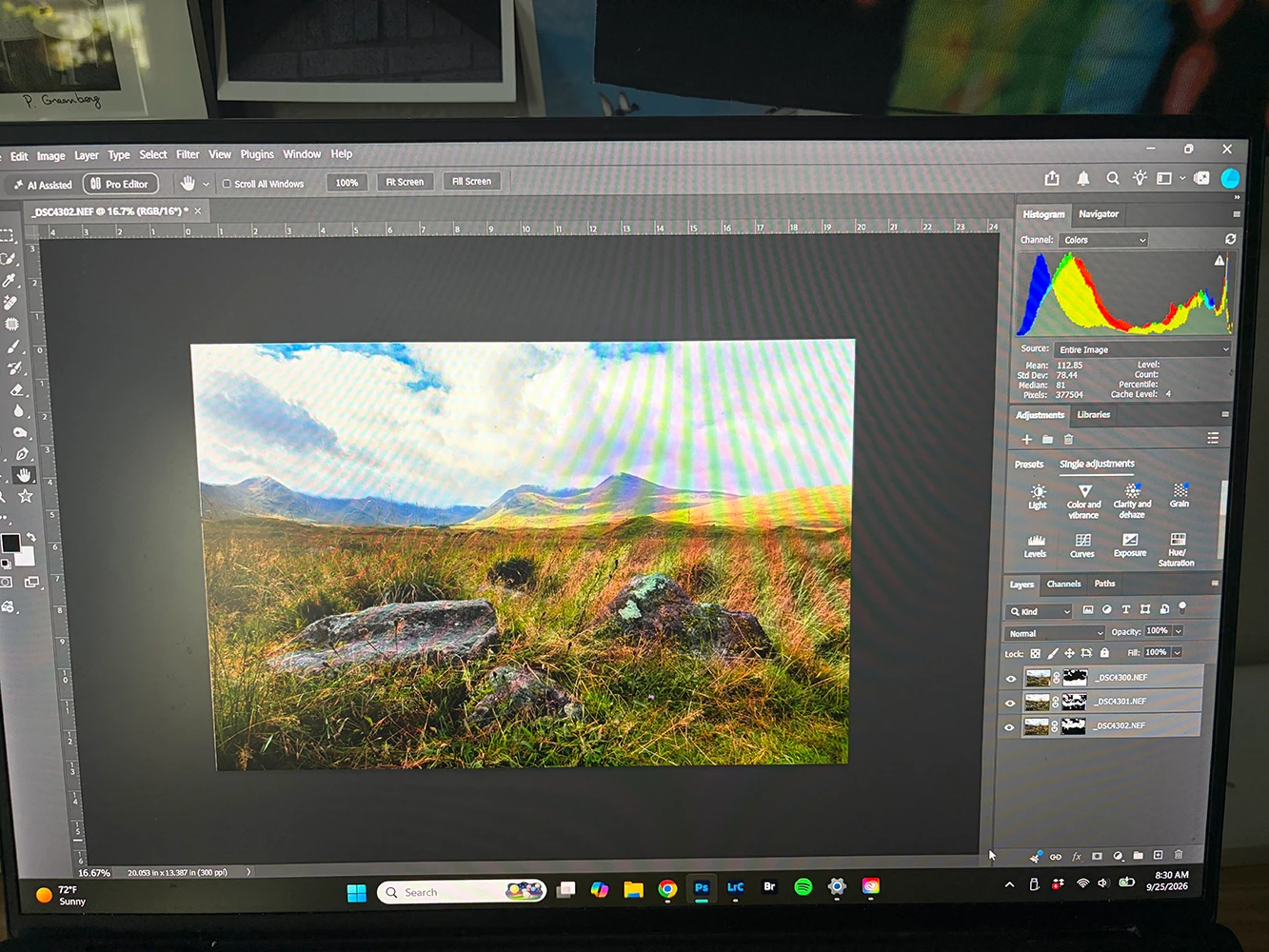
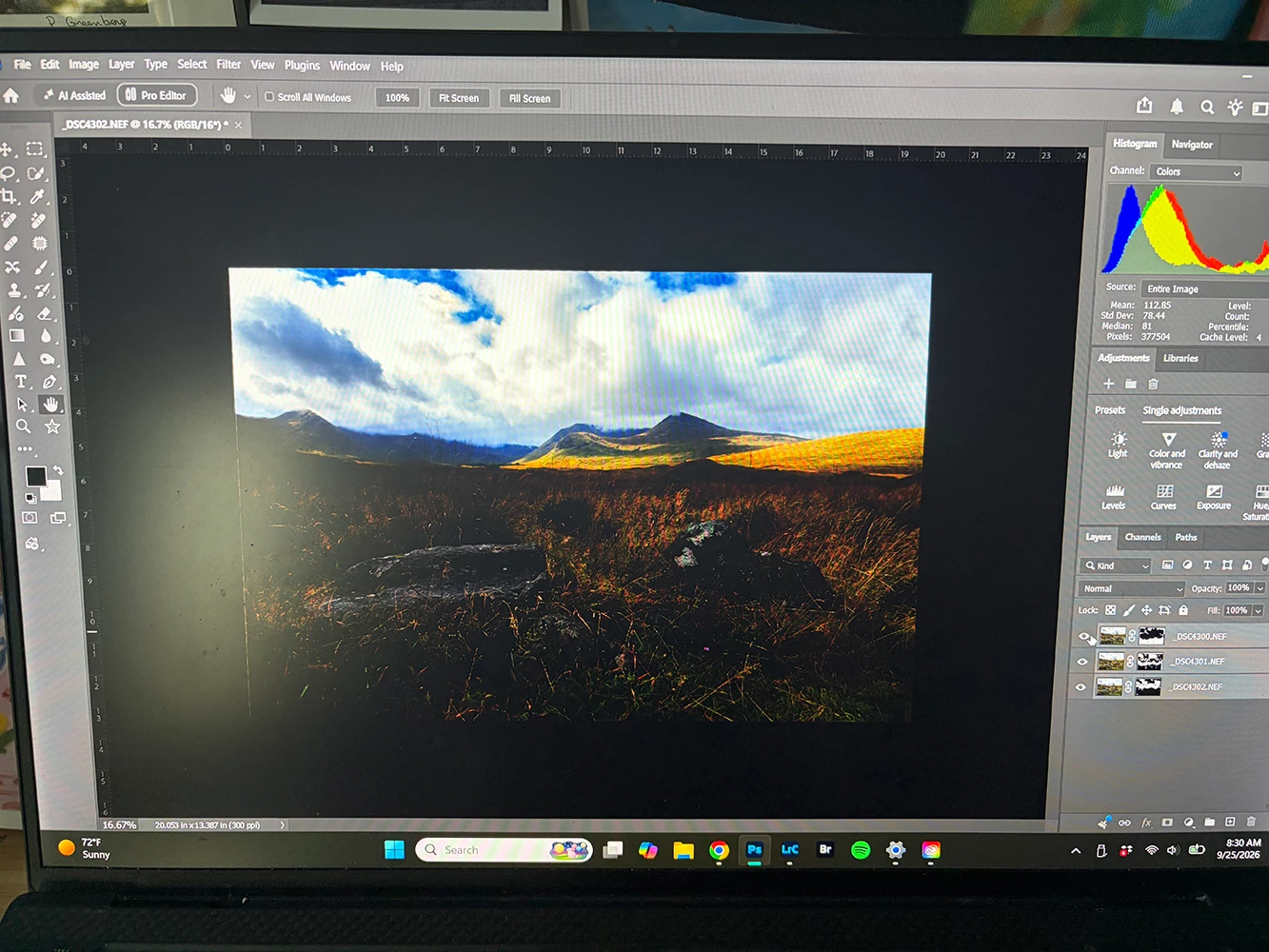
I’ve been having this problem for over a month now. Whenever I’m editing in Photoshop, the screen will randomly turn dark (see attached photos). It will last for a little bit and then the screen will return to normal, but then continue the cycle.  I’m not sure what would be causing this. It is only happening in Photoshop, I also use Lightroom and don’t have this issue. Is anyone else experiencing this? Any help would be greatly appreciated, as it’s very hard to use photoshop like this.
 

    2 replies

    Chris 486
    Community Expert
    Community Expert
    September 25, 2026

    Hi ​@smart_youth859a, 


    This is currently a known bug in version 27.10. The remedy for now is to go back to version 27.9.1.


    A related issue can be found here and where you can upvote this post to request a fix: P: Photoshop v27.10 UI, Canvas and screen Flickering | Community

    Known Participant
    September 25, 2026

    I am a more than 20-year user of Photoshop and suddenly I am also recently noticing this SAME PROBLEM.  I open my image and while working on it, the entire image will suddenly become quite dark.  I have NOT changed the brightness or depth of color.  I may be resizing or flattening the image. . .NOT working with the brightness or contrast or color AT ALL and arbitrarily the image suddenly turns very dark. . .then without any input from me, flickers back to its original aspect of light.  This happens MULTIPLE TIMES in the course of my work. It Is VERY ANNOYING. I will certainly appreciate direction to correct this.  Thank you!