
Garrett Printing
Inspiring
November 21, 2023
Answered

Need advice on how to restore this vintage image

  • November 21, 2023
  • 1 reply
  • 437 views

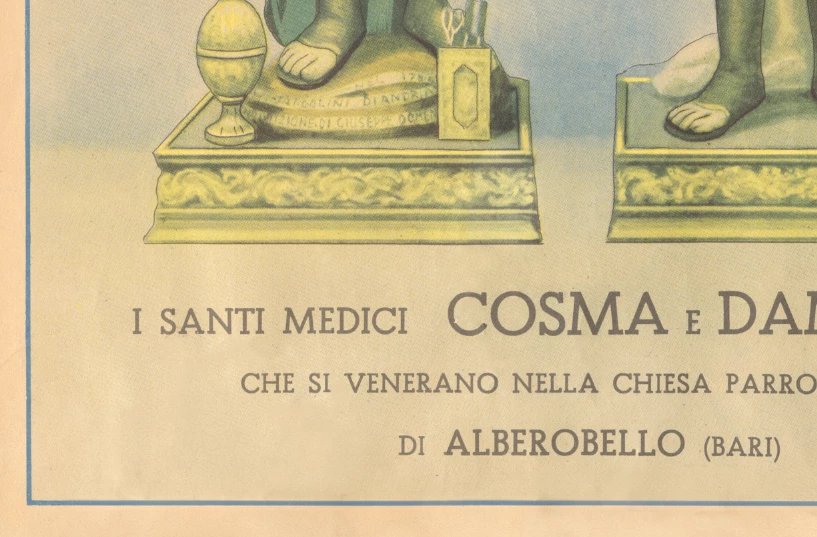
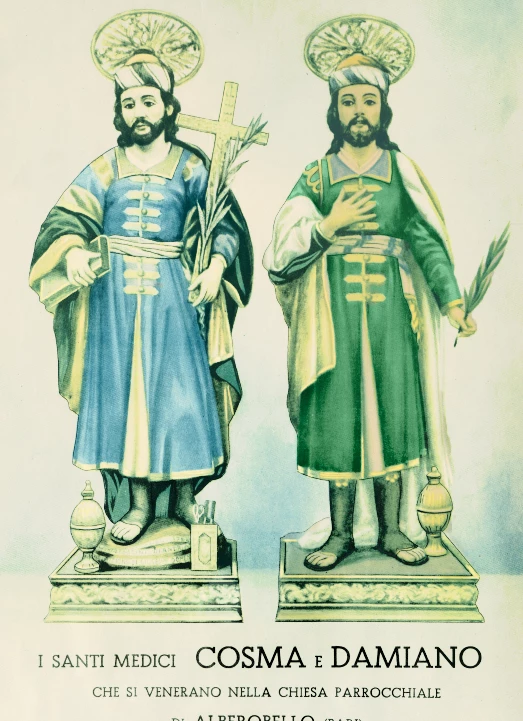
I'm pretty familar with photoshop, but can't seem to get the balance right on this scan. It's a very old poster that I'm trying to rebalance to look decent, but still maintain an "old" look. Was thinking maybe old like taken-care-of-and-stored-nicely old. Wanted to get rid of some of the brownish yellow and make the colors pop just a little more. The water stains are ok - nice for effect I think (?). Thoughts/suggestions?
This topic has been closed for replies.
Correct answer Kevin Stohlmeyer

As for healing - this is a quick example of whats possible with simple healing brush and clone stamp tool:


As for adjusting the colors, it gets a little more complex. Each area will most likely need it's own individual adjustment rather than one size fits all:


The lettering for example turns blueish when you white balance the paper (which I backed off since it didnt look authentic - too white).

Then the figures each are their own adjustment.

For the clothing, again each layer is separate color overlay to enhance the color.


It's going to take some work, but totally workable into something great.

1 reply

Kevin Stohlmeyer
Community Expert
Kevin StohlmeyerCommunity ExpertCorrect answer
Community Expert
November 21, 2023

As for healing - this is a quick example of whats possible with simple healing brush and clone stamp tool:


As for adjusting the colors, it gets a little more complex. Each area will most likely need it's own individual adjustment rather than one size fits all:


The lettering for example turns blueish when you white balance the paper (which I backed off since it didnt look authentic - too white).

Then the figures each are their own adjustment.

For the clothing, again each layer is separate color overlay to enhance the color.


It's going to take some work, but totally workable into something great.

Garrett Printing
Inspiring
November 21, 2023

Thank you! I'll give that a shot!