@Hafeez332834440qpz
Try this batch script. Test on a small number of duped files in a folder before processing all of your files. Consider making a backup of all files, just in case.
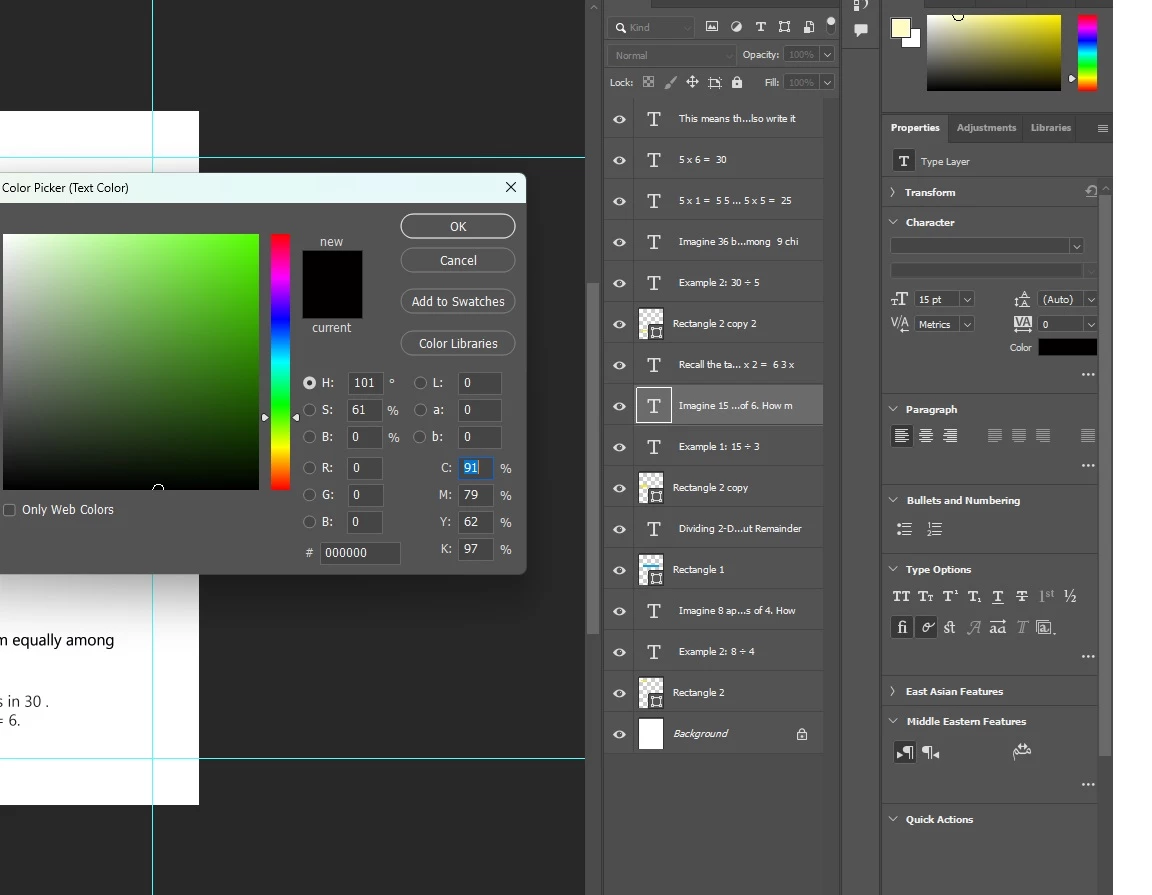
EDIT: Updated to v1.1 with a check to only recolour text layers using C91, M79, Y62, K97 to C0, M0, Y0, K100.
/*
Batch Change All PSD Text Layers to 0cmy100k.jsx
Stephen Marsh
v1.1 - 8th February 2025
https://community.adobe.com/t5/photoshop-ecosystem-discussions/need-to-place-0-vallue-for-cmy-and-100-for-k-black-colored-text/td-p/15139158
Based on:
https://community.adobe.com/t5/photoshop-ecosystem-discussions/changing-text-color-in-multiple-psd-s-with-actions/m-p/8550934#M281862
*/

#target photoshop;

main();

function main() {
    // Select folder where PSD/PSBs are held
    var selectFolder = Folder.selectDialog("Please select folder of PSDs");

    // If no folder selected, quit
    if (selectFolder == null) return;

    // Get an array of all PSD/PSBs in the folder
    var fileList = selectFolder.getFiles(/\.(psd|psb)$/i);

    // Iterate through file list
    for (var a in fileList) {
        open(fileList[a]);
        var doc = activeDocument;

        // Set the color to C0, M0, Y0, K100
        var textColour = new SolidColor();
        textColour.cmyk.cyan = 0;
        textColour.cmyk.magenta = 0;
        textColour.cmyk.yellow = 0;
        textColour.cmyk.black = 100;

        // Process all layers in the document
        for (var i = 0; i < doc.layers.length; i++) {
            changeTextLayerColor(doc.layers[i], textColour);
        }

        // Save changes and close the document
        doc.save();
        doc.close(SaveOptions.SAVECHANGES);
    }
}

alert("Script completed!");

function changeTextLayerColor(layer, color) {
    try {
        if (layer.typename == "ArtLayer" && layer.kind == LayerKind.TEXT) {

            // Ensure the layer is not locked
            layer.allLocked = false;

            // Select the layer before changing color
            activeDocument.activeLayer = layer;

            // Check if the text color is C91, M79, Y62, K97
            var textColor = app.activeDocument.activeLayer.textItem.color.cmyk;
            if (Math.round(textColor.cyan) == 91 &&
                Math.round(textColor.magenta) == 79 &&
                Math.round(textColor.yellow) == 62 &&
                Math.round(textColor.black) == 97) {

                // Change the color to C0, M0, Y0, K100
                layer.textItem.color = color;

            }

        } else if (layer.typename == "LayerSet") {
            // Process layers in layer set
            for (var i = 0; i < layer.layers.length; i++) {
                changeTextLayerColor(layer.layers[i], color);
            }
        }
    } catch (e) {
        alert("Error processing layer '" + layer.name + "': " + e);
    }
}
- Copy the code text to the clipboard
- Open a new blank file in a plain-text editor (not in a word processor)
- Paste the code in
- Save as a plain text format file – .txt
- Rename the saved file extension from .txt to .jsx
- Install or browse to the .jsx file to run (see below)
https://prepression.blogspot.com/2017/11/downloading-and-installing-adobe-scripts.html



 AdChoices