yaraalkhamis
Participant
September 5, 2018
Answered

Neon Light on Photo

  • September 5, 2018
  • 2 replies
  • 1053 views

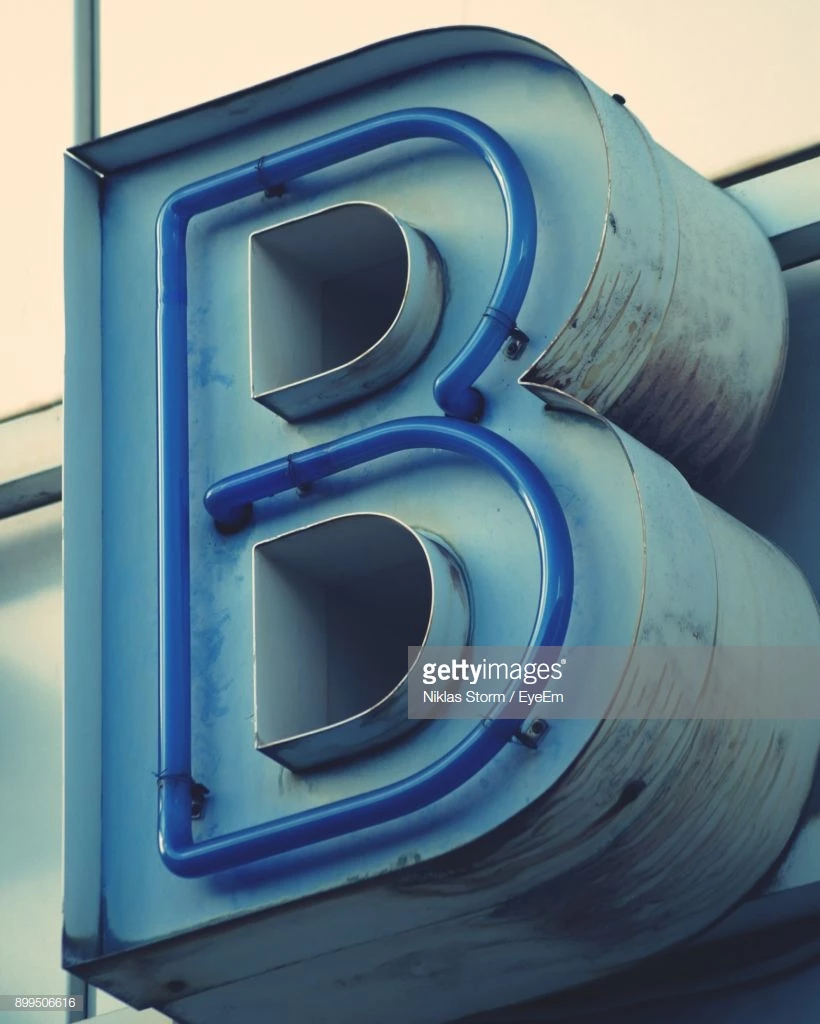
Hi, I have this photo here:

I'm trying to 'turn on' the neon light on photoshop but nothing seems to make it look realistic. Does anyone have any ideas?

This topic has been closed for replies.
Correct answer davescm

Hi

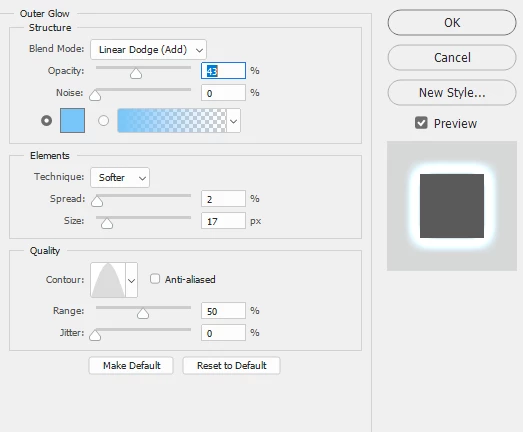
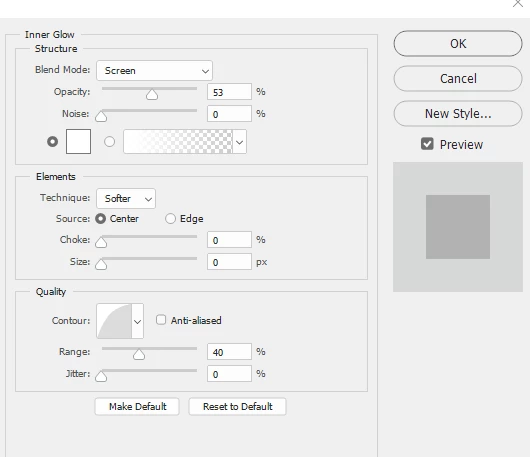
We are lucky ! I rarely keep the images after replying, so I would have had to create it again. But fortunately I not used those layer effects since, so the last settings were still in the dialogue
:

Dave

2 replies

davescm
Community Expert
Community Expert
September 5, 2018

Hi

You could use the pen tool to make a shape then use a combination of blending modes and layer styles

Here a blue shape set to vivid light , A white Inner Glow set to screen   and a light blue outer glow set to Linear Dodge (Add)

Dave

yaraalkhamis
Participant
September 6, 2018

Hi Dave,

Could you show me the exact levels of the inner glow and outer glow?

Thanks!

davescm
Community Expert
davescmCommunity ExpertCorrect answer
Community Expert
September 6, 2018

Hi

We are lucky ! I rarely keep the images after replying, so I would have had to create it again. But fortunately I not used those layer effects since, so the last settings were still in the dialogue

:

Dave

c.pfaffenbichler
Community Expert
Community Expert
September 5, 2018

Well, the issue might be more complex than you expected, in my opinion you should remove the shadow of the neon lamp, mask the lower part and the inside of its wall to be able to create a more realistic lighting situation with Adjustment Layers.

For the lit lamp itself a Shape Layer with a Stroke and some Layers Styles on a Group thereof might suffice.

davescm
Community Expert
Community Expert
September 5, 2018

c.paffenbichler is right - it would be better with the shadow removed first

Dave