


December 22, 2025
Question

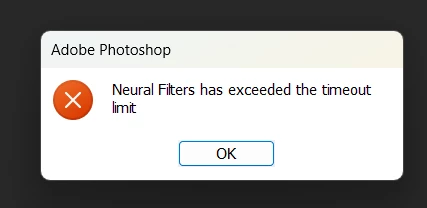
Neural filters has exceeded the timeout limit

  • December 22, 2025
  • 1 reply
  • 120 views

Hello,

I am constantly receiving this error message when I open the file I want to edit.

I have a few seconds after opening the file to do anything, then the problem occurs

I applied the neural filters last week firday the 19th
Thanks for helping

1 reply

Sameer K
Community Manager
Community Manager
December 22, 2025

Hey, @Bewitched_heart5EDE. Welcome to the Photoshop Community. I'll need more information to assist you in figuring this out. Please share the system information by following these steps: 1. Open Photoshop Help > System Info. 2. Copy and paste the information into a text document. 3. Upload and attach the document here.


Does this happen only with the Skin Smoothing and Smart Portrait Neural Filters? Does it happen with any specific images you're working on? 

Try these things & let me know the outcomes:

  • Try using a different set of images.
  • Try to remove & redownload the Neural filter library by going to this location on
    Windows: %appdata%\Roaming\Adobe\UXP\PluginsStorage\PHSP\27\Internal & delete the folder called  com(.)adobe nfp gallery
    Head here to learn more: https://adobe.ly/44H5cyC

Also, you can try Photoshop Beta from the Creative Cloud desktop app - the Neural filter models will be downloaded

separately. 


Let me know how it goes.

Thanks!
Sameer K

(Type '@' and type my name to mention me when you reply)