


Inspiring
September 1, 2026
Question

New features not showing

  • September 1, 2026
  • 10 replies
  • 36 views

I often see new photoshop features advertised that I’d like to try. But when I go to photoshop that feature just isn’t there.

For example the new adjustment layer ‘Light’ is not in the drop down like adobe says it is on the official tutorial

Another example is the new 3D rotatable object feature. It is not in the Contextual Task Bar it is not in the ‘Edit’ menu. 

*I dont mean these features are greyed out I mean they are not there at all

**I have latest MacOSX and latest photoshop

These are just two examples but this type of thing has happened before. Any help would be much appreciated

    10 replies

    Trevor.Dennis
    Community Expert
    Community Expert
    September 2, 2026

    @Ed.allanby Do you have this fixed now?  If not you can sometimes force and update by signing out of your Adobe account in the Creative Cloud app, and signing back in again.

    What do you see if you click on Manage Updates in the Creative Cloud app?

    Where are you located.  Updates might be staggered by location, although I would have expected everyone being allowed to update to 27.1 by now.

    Good luck and please let us know where you are at with this.

    Conrad_C
    Community Expert
    Community Expert
    September 2, 2026

    I wonder if there is something that might be preventing your Mac from upgrading to the latest version? Which versions do you have?

    The latest version of macOS is 26.6.2. You can check your Mac by clicking the Apple menu and choosing About This Mac, or in Photoshop choosing Help > System Info.

    The latest version of Photoshop is 27.10.0. You can check yours in Photoshop by choosing either Photoshop 2026 > About Photoshop, or Help > System Info.

    Also, what model and year is your Mac?

    c.pfaffenbichler
    Community Expert
    Community Expert
    September 1, 2026

    Could you please post screenshots with the pertinent Panels (Toolbar, Layers, Options Bar, …) and the menu in question visible? 

    Inspiring
    September 1, 2026

    Here are the screenshots - Thanks


    jane-e
    Community Expert
    Community Expert
    September 1, 2026

    @Ed.allanby wrote: “I have latest MacOSX and latest photoshop”


    1. The latest OSX was 10.15, released in 2019. After 15 variations of X (10), we had 11 through 15. Now macOS is numbered by year.
      Please clarify. Do you mean OSX (10) or macOS 27 (Golden Gate)?
       
    2. Instead of “latest”, can you go to the Photoshop Help menu > About and give us the number.


    Jane


    Inspiring
    September 1, 2026

    Apologies these are the correct stats:

    macOS 15.2 
    Photoshop 27.0.0 Release (I updated it today)


    Anshul_Saini
    Community Manager
    Community Manager
    September 1, 2026

    Hi ​@Ed.allanby,

    Thanks for confirming the versions. That explains why you’re not seeing those features.

    You’re currently running Photoshop 27.0.0, an older 2026 build. The features you’re referring to were introduced in later releases and are available in Photoshop 27.10.

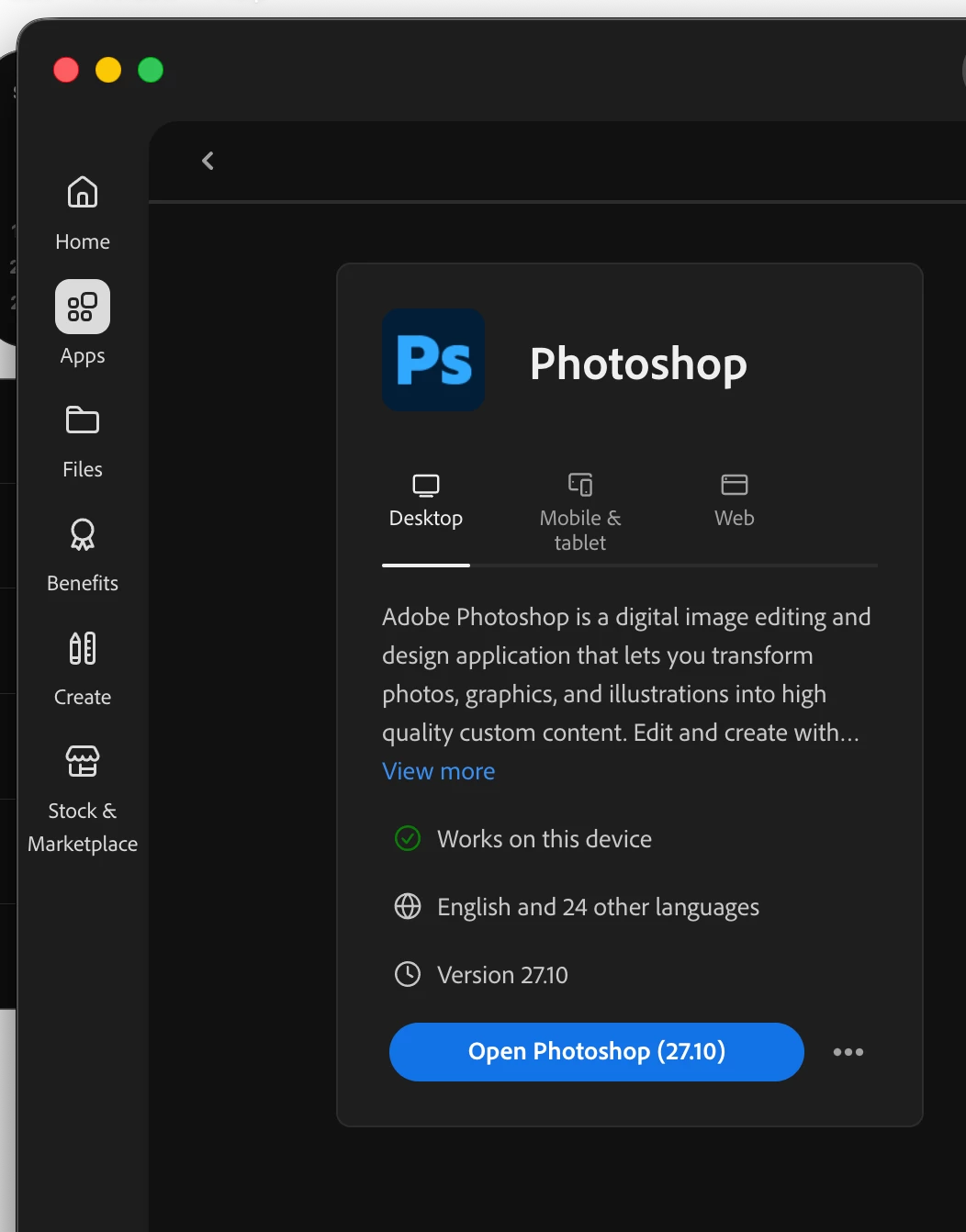
    Please open the Creative Cloud desktop app > Apps, locate Photoshop, and check for an update to 27.10.

    After updating, launch Photoshop and go to Help > System Info to confirm that it shows 27.10.

    Since you mentioned that you updated Photoshop today, but it only brought you to 27.0.0, if Creative Cloud says you’re already up to date and does not offer 27.10, please let us know. A screenshot of the Photoshop entry in Creative Cloud desktop > Apps would be helpful in that case, as we can investigate why the newer release isn’t being offered to you.


    I wouldn’t reset Photoshop preferences at this stage; the version difference appears to explain why the features aren’t present.

    Best,
    Anshul Saini

    Ged_Traynor
    Community Expert
    Community Expert
    September 1, 2026

    @Ed.allanby the features are showing up for me with Photoshop version 27.10, have you tried resetting your Photoshop preferences


    Inspiring
    September 1, 2026

    That may work - I am super reluctant to do that because I have lots of custom settings and Im scared they will be deleted which has happened to me before

    Thanks for the suggestion though - tbh I’d rather just not use these new features then risk losing my settings 🙃

    c.pfaffenbichler
    Community Expert
    Community Expert
    September 1, 2026

    So save and back up your custom presets before.