


Participant
November 13, 2025
Question

new generated layer that is slightly misaligned
  • November 13, 2025
  • 2 replies
  • 222 views

Hi everyone,
I’m having a recurring issue with Photoshop’s Generative Fill when using the Gemini 2.5 (Nano Banana) model.

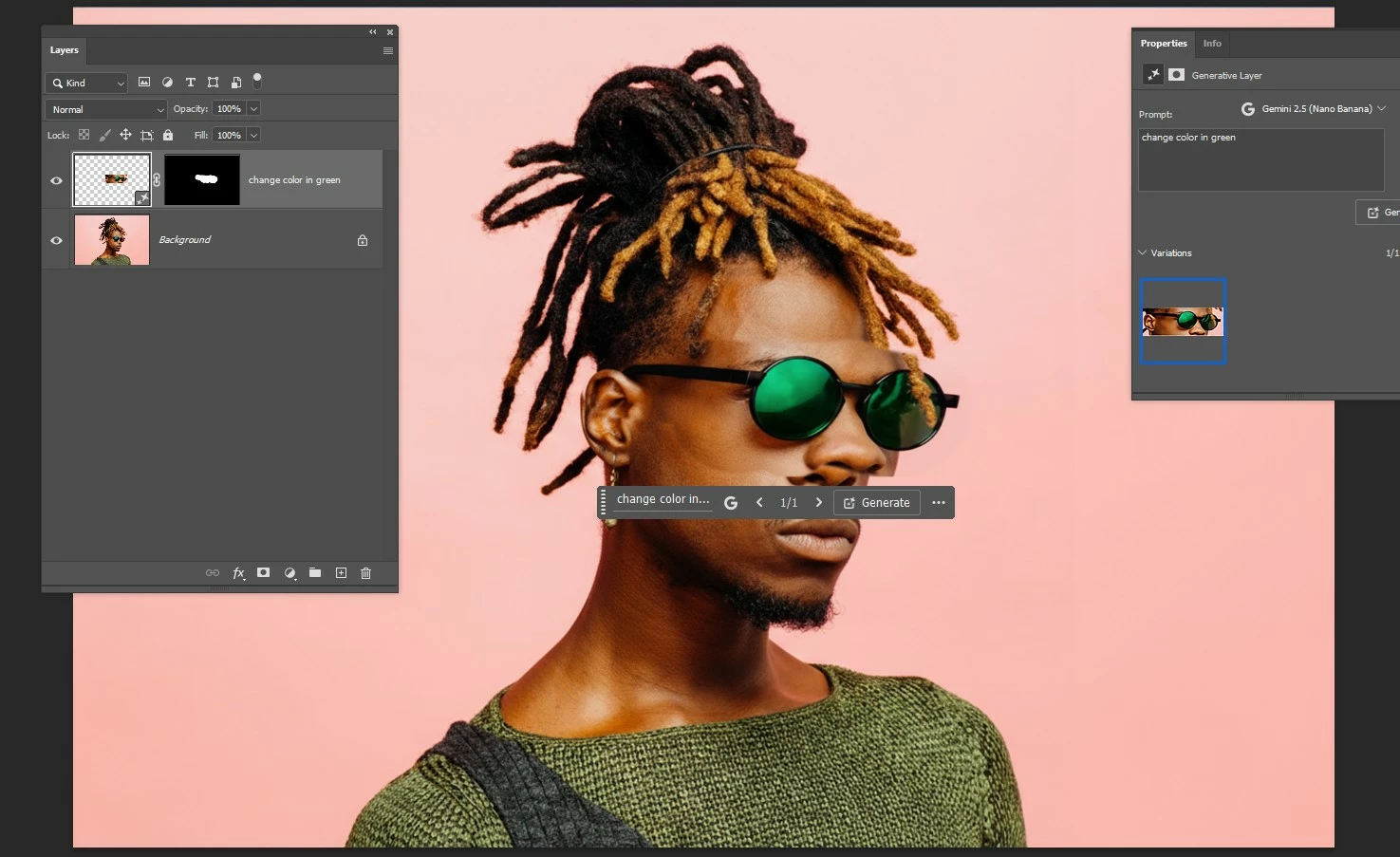
Every time I apply a generative fill on a selected area — even for very small changes (like color adjustments or replacing a detail) — Photoshop creates a new generated layer that is slightly misaligned, either scaled differently or shifted by a few pixels, so the generated content doesn’t match the original position.

You can see it clearly in the screenshot:
– the mask is correct
– the selection is correct
– but the generated result appears on a layer that is not aligned with the original image
– this makes the output unusable, especially for precise work

I’ve tested:
– different files
– different resolutions
– different GPU/CPU settings
– stable vs beta versions
– resetting preferences

The issue persists only with Nano Banana, not with the other models.

Is this a known bug?
Is there a workaround to force the generated layer to match the exact scale and position of the selected area? Thanks in advance — this is slowing down my workflow a lot.

2 replies

ncyrus
Participant
November 21, 2025

I am having the same issue. Everything was fine when it was first introduced. Hopefully, they will provide a fix with the next update. It's so frustrating. 

Trevor.Dennis
Community Expert
Community Expert
November 21, 2025

I could have sworn that Colin Smith did a video on fixing this a few days ago, but I can't find it now.  Essentially he said that yes it is a thing, and to use Edit > Auto Align Layers to get the fixed layer as close as you can to the original, and then use a feathered layer mask to fine tune.   People should be happy with this as it is keeping their skills alive.  😉 


I really do think that he has taken that video down though.  Anyone else see it, or can find it?

Noel Orridge
Community Manager
Community Manager
November 13, 2025

Hi @Fotoevent! Thank you for reaching out and providing the necessary details.


When you select the face, to change the color of the lenses, make sure your selection area is big enough for the AI to understand the positioning and the alignment of the glasses. Also, in your prompt, add specific things like "keep the current alignment" and "do not change the position of the Glasses."


Try out the settings in the attached image in your preferences as well, see if it makes things better. 


Thanks! 

Noel