
Pandography
Participant
April 16, 2026
Question

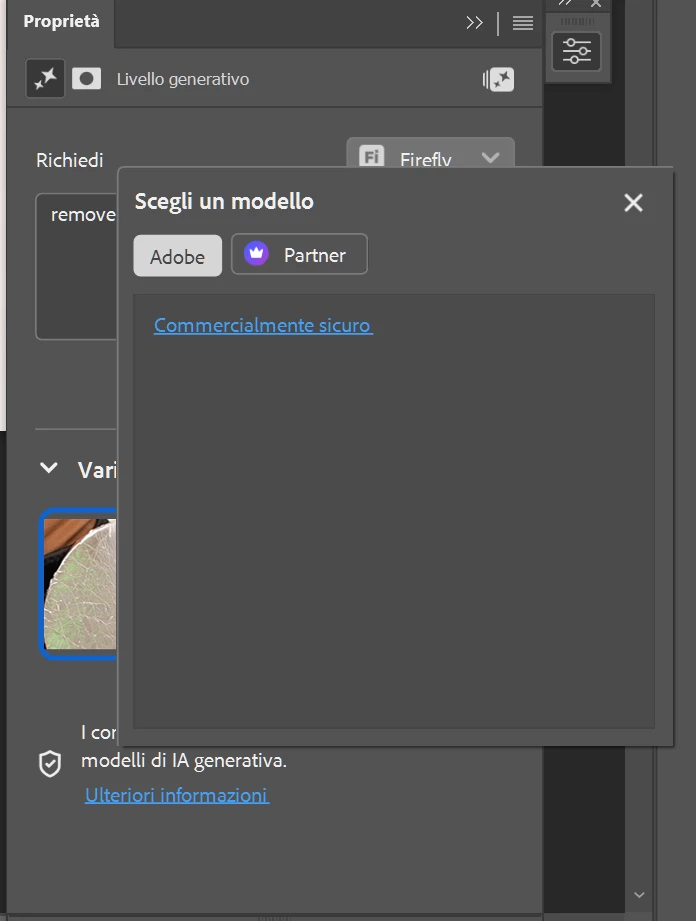
New generative fill doesn't have the option for the model?
  • April 16, 2026
  • 2 replies
  • 58 views

Is it normal with the new update, to not have anymore the options for the model?

    2 replies

    davescm
    Community Expert
    Community Expert
    April 17, 2026

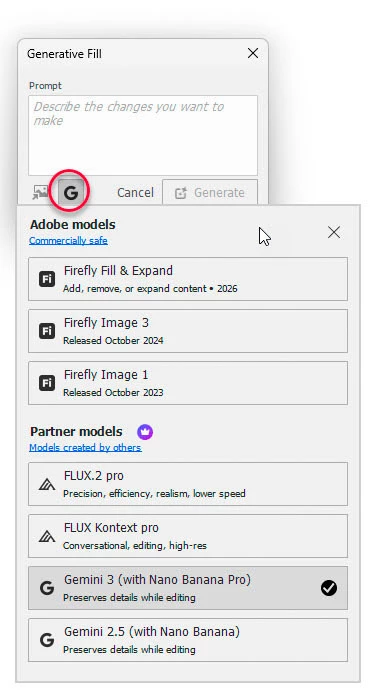
    It does list the models here in the release version - this is v27.5.0


    However the current Beta, 27.7.0 2060415.m.3506  does not list the models
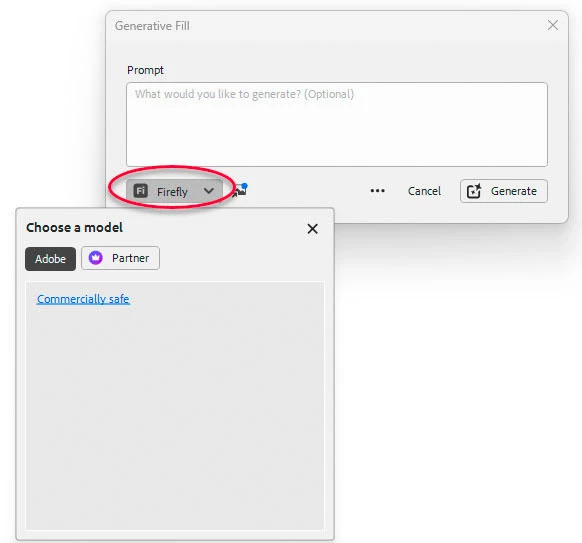

    You would be better raising this in the Photoshop Beta forum. There is a current thread on this subject which you can add to::


    Unfortunately in these new forums I cannot, yet, move your post for you.


    Dave

    Trevor.Dennis
    Community Expert
    Community Expert
    April 16, 2026

    We need to see a screenshot of the entire workspace with layers panel visible.

    Do you have a layer selected?

    Do you have an active selection? Note, some models work best with Select All (Ctrl/Cmd A)

    Pandography
    Participant
    April 16, 2026

    Yes, nothing unusual from the past days. Just indeed i can’t see any model from the premium or basic generative. It’s not about working, it’s the variety i can’t see anymore.

    Norman Posselt
    Participant
    April 17, 2026

    I’m having the same problem here following yesterday’s beta update. The issue is exactly the same on both macOS and Windows. Everything works normally in the main version.