
Inspiring
May 22, 2018
Question

"New" PhotoShop Brushes - Dedicated Tool Assignment

  • May 22, 2018
  • 4 replies
  • 1007 views

This happened several weeks ago, been kinda dealing with it and not finding a solution. There are new brush shapes/presets and they are grouped in sets called General - Dry Media - Wet Media - Special Effects

So I don't know if these showed up in an update or they are showing up due to a new brush interface
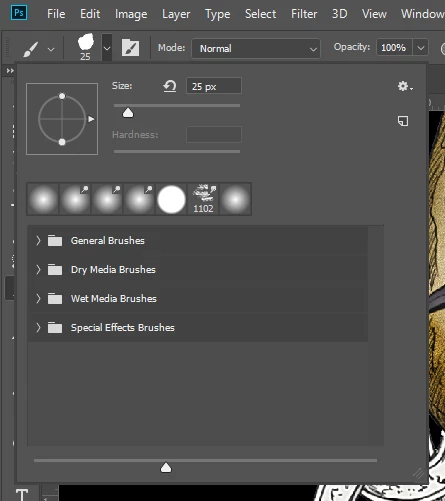
There are some really cool shapes and results that happen with these brushes, but when I pick the brush it goes to a specific tool like smudge and I want to use it as a brush or as a burn tool. Is there a way to unassign it or do I copy it and make it for a brush or universal assignment??
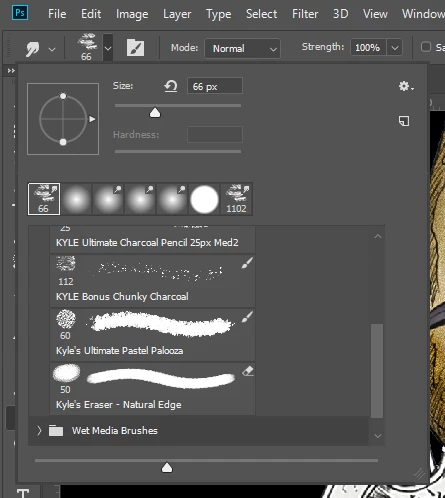
    4 replies

    Participant
    January 1, 2025

    I'm dealinh with this same issue. Did you find a solution?


    PECourtejoie
    Community Expert
    Community Expert
    May 23, 2018
    davescm
    Community Expert
    Community Expert
    May 23, 2018

    Hi

    There is an easier way in the current version. Just hold down Ctrl+Alt (Cmd+Opt on Mac) whilst clicking on a brush to load it without loading its associated tool preset.

    Dave

    c.pfaffenbichler
    Community Expert
    Community Expert
    May 23, 2018

    Good one!

    c.pfaffenbichler
    Community Expert
    Community Expert
    May 23, 2018

    Select the Brush, »Create new brush« with »Include Tool Settings« unchecked.

    That new Brush should work for any Painting Tool.