

New saved gradient swatch' colors change when changin foreground or background color from tool panel
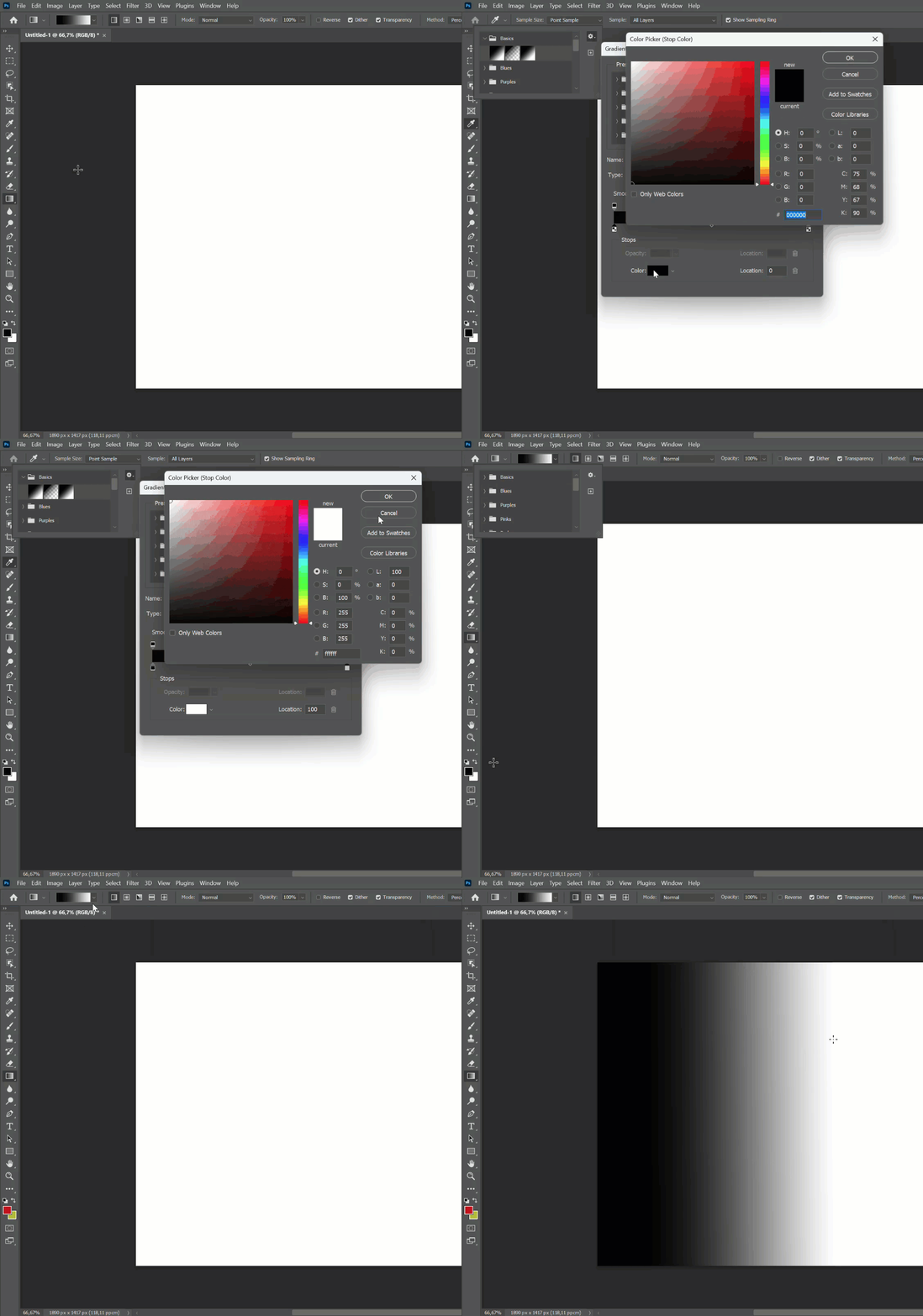
Hi, whenever i try to save a new gradient in PS 24.0.0, the saved swatch will show up in the gradient window, but the moment I change the foreground or background color in the tools menu, the saved gradient swatch will get edited with the new color!
How can I retain the saved colors of the gradient ? Using Photoshop 24.0.0, Windows 10, Nvidia Geforce GTX 1060 (6GB), and 16 GB ram.
Steps to recreate the issue:
1. Choose foreground color.
2. Choose background color.
3. Select gradient tool and choose 'Foreground to Background' swatch under 'Basics' folder in control panel on top.
4. Tap on gradient and click on 'New' button to save it (rename the gradient if you wish, before saving) via the dialog box that opens up.
5. New gradient swatch shows up in gradient window as expected. Now change foreground or background color from Tools window.
Result : The new saved gradient changes with the new foreground or background color!
Expected result : New saved gradient swatch should stay in it's saved form and not change with colors from foreground or background swatches.
How can I save a new gradient with the foreground and background colors? I could do this in the previous versions of photoshop. Selecting the color via the color picker from the gradient dialog box is not as accurate, as I use it for painting and sometimes the current foreground and/or background color is just right.
Please help.


 AdChoices