
Question
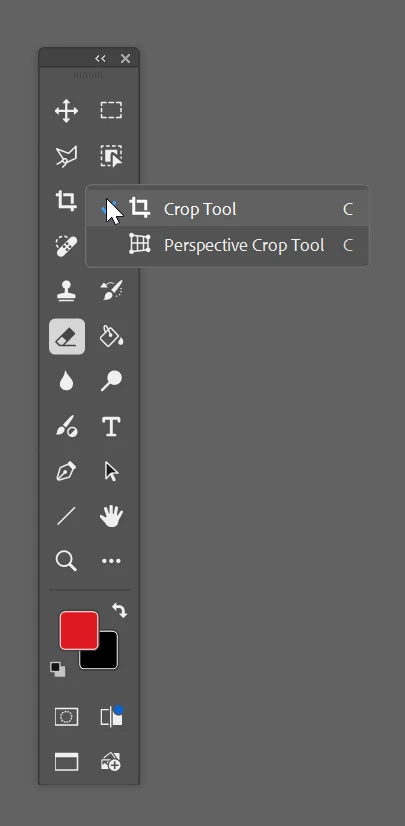
New toolbar flyouts obscure the tool next to it
When you hover over the toolbar now it opens flyouts before even clicking.
This was a bad idea as it covers the button next to it, meaning if you are even just trying to choose a tool, it’s already obscured by the flyout of the button next to it if your mouse happened to go over it, regardless of if you wanted to choose it or not.
So in the image if i want the eyedropper tool I have to shuffle the mouse all over just to deselect the crop tool that is now in my face
Is there a way to turn off this function, do people even test this stuff before unleashing it? And no, I don’t want to make the toolbar long and thin to workaround this I like the compact toolbar - as it was.
cheers.
 AdChoices