ryanb36159799
Participant
December 14, 2018
Answered

No more EPS in Photoshop 2019?

  • December 14, 2018
  • 3 replies
  • 8164 views

Hello.

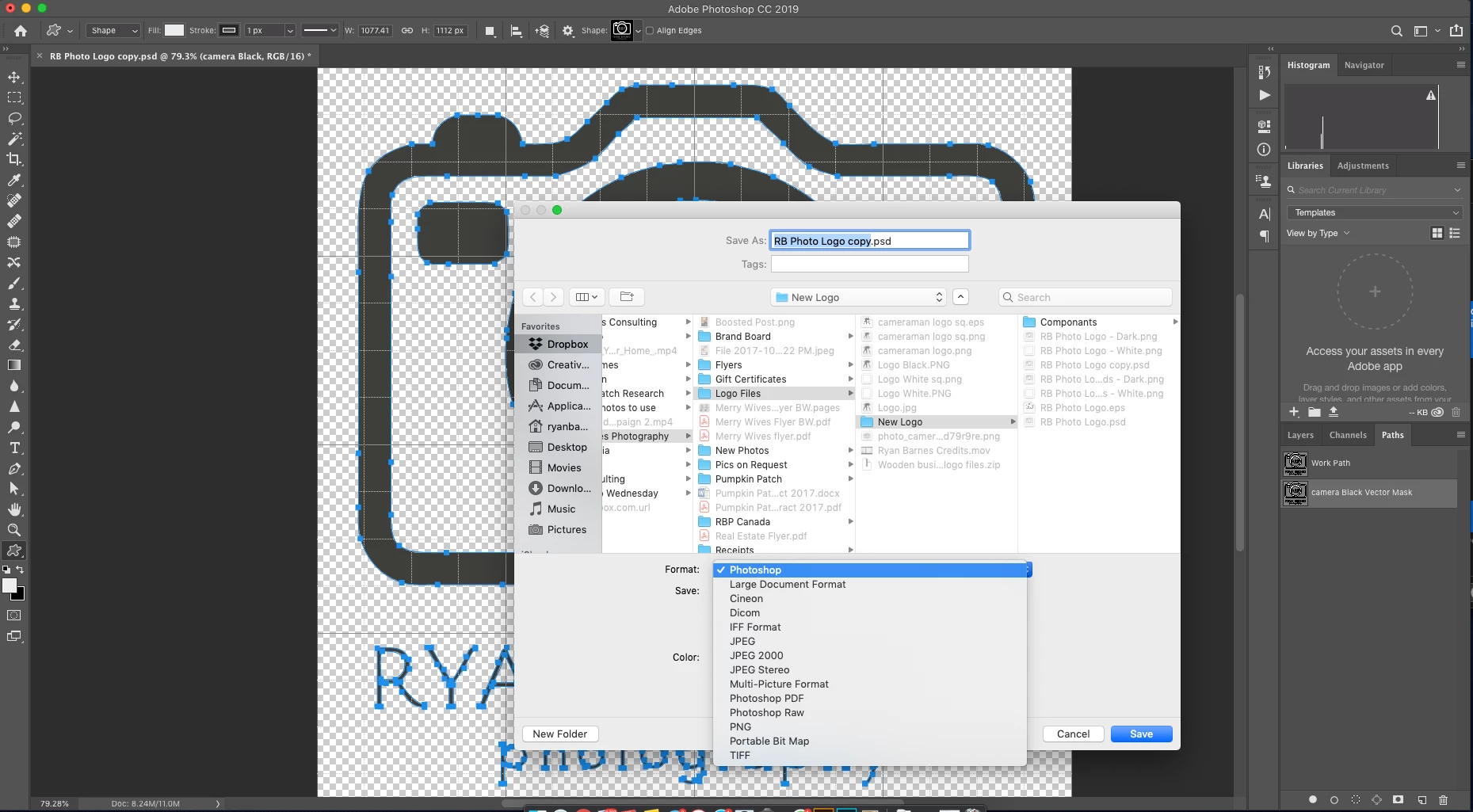
After upgrading to 2019, When I try to save as an EPS to use in Illustrator, I no longer have that option.

Has anyone else seen this, and did you find an answer?
    Correct answer John Waller

    You're in 16 bit mode.

    Switch to 8 Bits/Channel (Image > Mode > 8 Bits/Channel) and you'll get Photoshop EPS.

    3 replies

    ryanb36159799
    Participant
    December 14, 2018

    That was it!  Thank you guys!

    You're my new favourite strangers!!

    Conrad_C
    Community Expert
    Community Expert
    December 14, 2018

    The list of file formats shown in the picture is unusually short. Usually, that's when something about the document is different. I have all the formats, but the list becomes as short as yours when I set the document to 16 bits per channel. Is your document RGB mode, 8 bits per channel, or does it have different settings?

    Participant
    February 23, 2022

    My image is RGB 8 Bits

    John Waller
    Community Expert
    Community Expert
    February 23, 2022

    Different issue. Best to start a new discussion rather than jumping in on an old answered discussion.


    In your case, try  Preferences > File Handling, Check the box Enable legacy "Save As"

    John Waller
    Community Expert
    John WallerCommunity ExpertCorrect answer
    Community Expert
    December 14, 2018

    You're in 16 bit mode.

    Switch to 8 Bits/Channel (Image > Mode > 8 Bits/Channel) and you'll get Photoshop EPS.
