
Participant
October 30, 2019
Answered

Not sure what I have done nor how to fix it...

  • October 30, 2019
  • 1 reply
  • 366 views

This image shows you what happens when I open an image. All was fine until a couple of hours ago when (clearly) i have switched something. now with the image so low in the program, it is rendering Photoshop almost impossible to use.
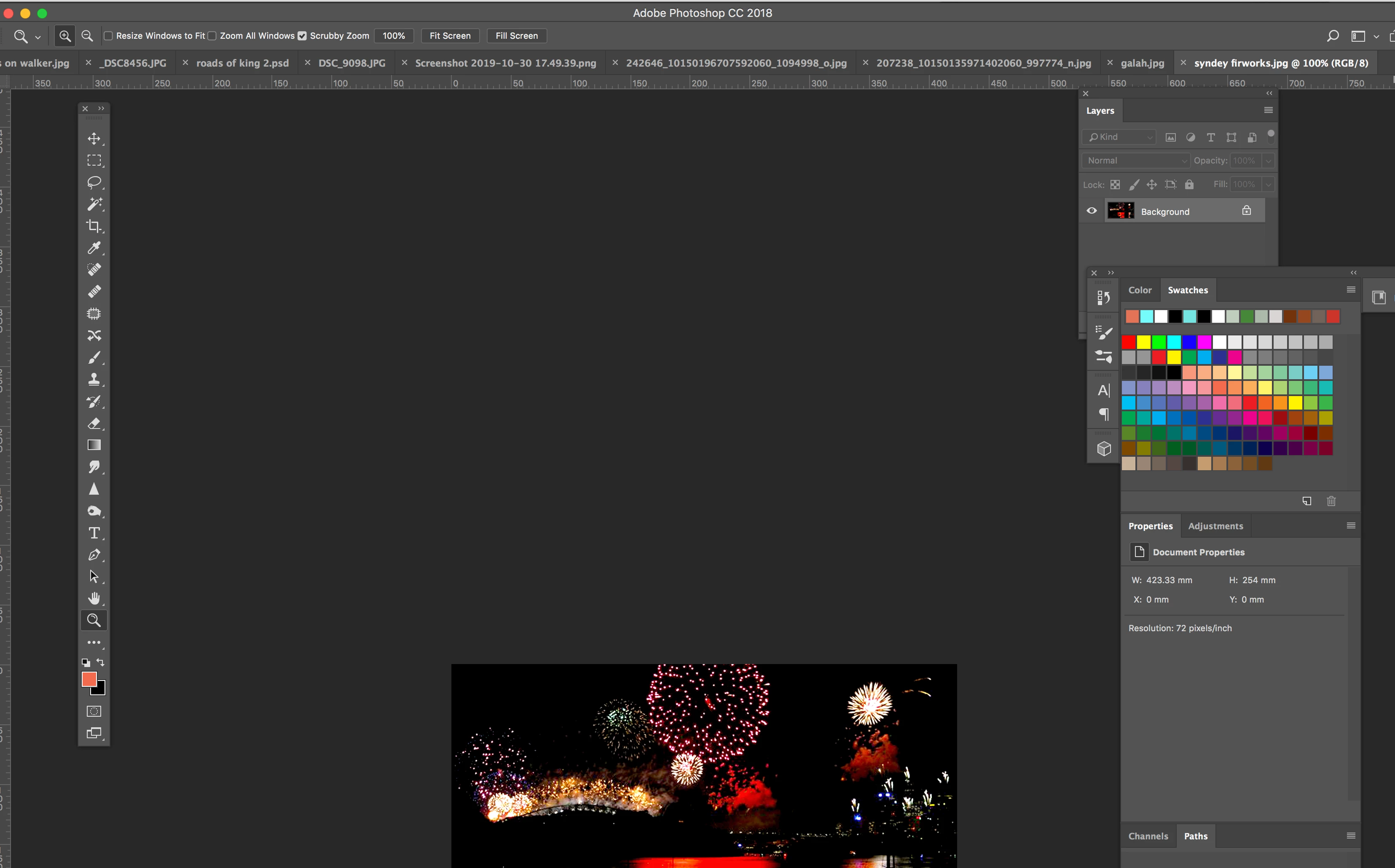
 

Thanks for your help!


    This topic has been closed for replies.
    Correct answer lambiloon

    Then go to Preferences and reset them hope all will be good...Regards

    1 reply

    lambiloon
    Community Expert
    Community Expert
    October 30, 2019

    Hi go to windows then workspace click essitail default if already there click reset worksapce will be good to go..Regards

    Ali Sajjad / Graphic Design Trainer / Freelancer / Adobe Certified Professional
    wally1999Author
    Participant
    October 30, 2019

    Thanks but nope, that didn;t work. I seem to have done someonthing to the ruler... but cannot make it right again.

    lambiloon
    Community Expert
    lambiloonCommunity ExpertCorrect answer
    Community Expert
    October 30, 2019

    Then go to Preferences and reset them hope all will be good...Regards

    Ali Sajjad / Graphic Design Trainer / Freelancer / Adobe Certified Professional