
Participant
May 15, 2022
Answered

Number Layers when duplicated

  • May 15, 2022
  • 5 replies
  • 553 views

Why [removed by moderator] do layers get a "Copy" or "Copy 2" at the end of the layer when duplicated, instead of simply numbering them? I usually number my layers and if i duplicate a layer i have to delete this "Copy 2" stuff, and number it manually. Such a time waste for a useless feature. Photoshop obviously has the ability to number layers, but only, if theres a "Copy" in the name, so it shouldn't be hart to fix.


[two tags that are not relevant removed by moderator]
 

This topic has been closed for replies.
Correct answer Stephen Marsh

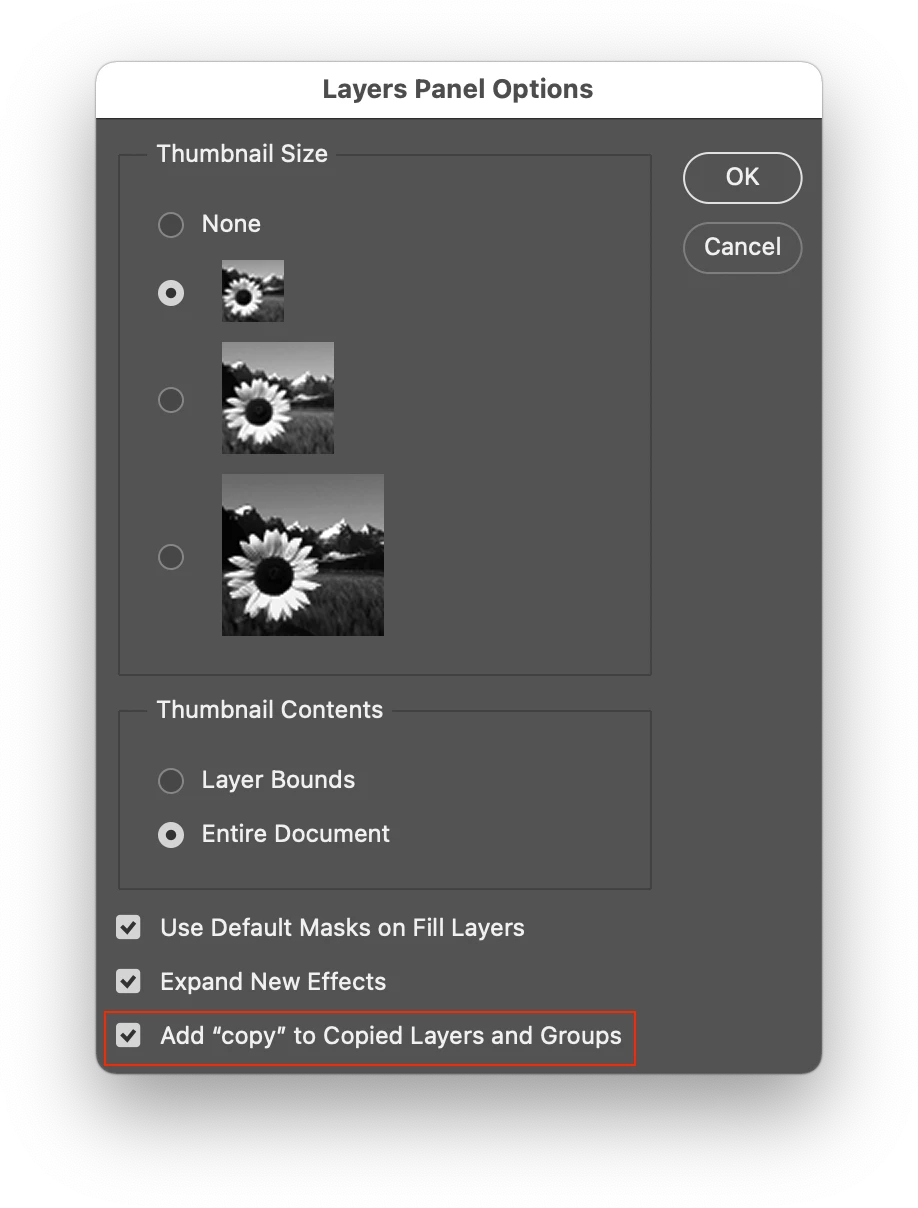
All you need to do is set your layer options, simply use the menu in the layers panel to disable this layer feature:


5 replies

Stephen Marsh
Community Expert
Community Expert
May 17, 2022

@taif1 – Does my previous reply resolve your issue?

Jumpenjax
Community Expert
Community Expert
May 16, 2022

It allows you to either rename in or keep the copy. It tells you which is the original and which is the copy.

Lee- Graphic Designer, Print Specialist, Photographer
jane-e
Community Expert
Community Expert
May 15, 2022

I most definitely read too fast @Stephen Marsh !


~ Jane


Stephen Marsh
Community Expert
Stephen MarshCommunity ExpertCorrect answer
Community Expert
May 15, 2022

All you need to do is set your layer options, simply use the menu in the layers panel to disable this layer feature:


jane-e
Community Expert
Community Expert
May 15, 2022

EDIT: Removed — I misread the question.