

Participant
April 13, 2020
Answered

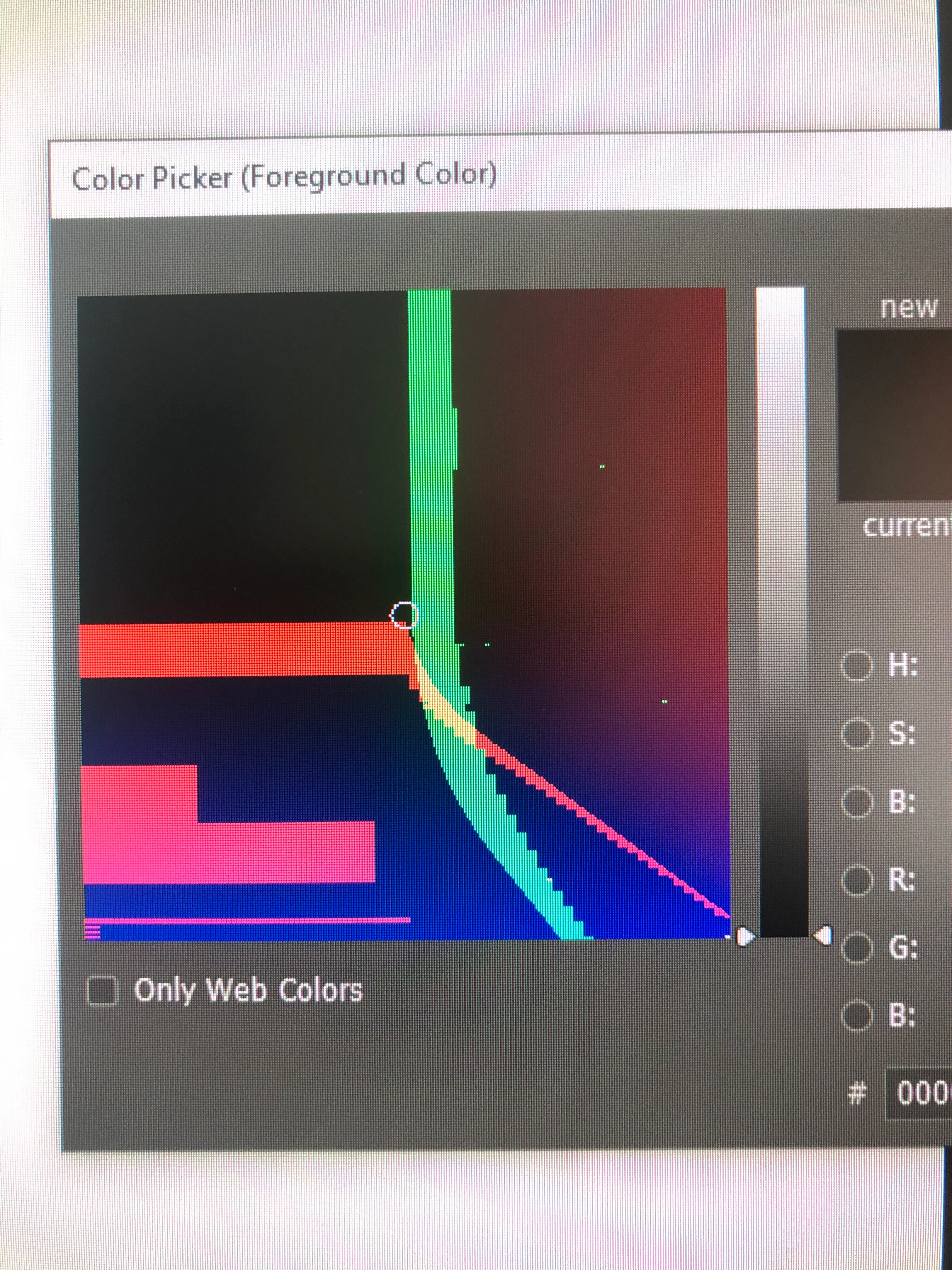
Odd banding displayed in Colour Picker

  • April 13, 2020
  • 4 replies
  • 425 views

Anyone able to offer insight into why I am seeing this odd banding in Photoshop colour picker? 
Thanks


Gavin

This topic has been closed for replies.
Correct answer Mylenium

Issues with hardware acceleration and/ or messed up monitor color profiles. Check your settings and update your graphics driver if need be.


Mylenium

4 replies

Participant
April 13, 2020

I spoke too soon - the problem returned. Decided to recalibrate my monitors using my xrite iDisplay - that has completely sorted out the problem - kudos to Mylenium for drawing my attention to this. 

Participant
April 13, 2020

Thank you for your replies - I had wondered whether the GPU had something to do with this - a recent install of COD Warzone and subsequent update of my GE Force driver coincided with the onset of the problem in Photoshop. I decided to check for updates for my computer and as a result upgraded the BIOS to the latest firmware version. This deep level update has cured the colour issue in Photoshop, though I cannot say how. But, problem solved, so many thanks for your advice and great to know there are people in the community willing to help.  

c.pfaffenbichler
Community Expert
Community Expert
April 13, 2020

Does turning off »Use Graphics Processor« in the Performance Preferences (Photoshop > Preferences > Performance > Graphic Processor Settings) and restarting Photoshop have any bearing on the issue? 

Which would only support Mylenium’s conclusions. 

Mylenium
MyleniumCorrect answer
Legend
April 13, 2020

Issues with hardware acceleration and/ or messed up monitor color profiles. Check your settings and update your graphics driver if need be.


Mylenium
