



Odd behavior with clone stamp offset
27.0.0 release as well as 27.1 beta (20251022.m.3267)
Win11 24H2 build 26120.5751
Using the clone stamp tool, and clicking the "use same offset for each stroke" to the off position, I get an unexpected result.
Starting with this image, I set the hardness of the brush to 100% to illustrate the issue.
I can CTRL+click to set the area to be cloned. Then moved it up to stamp it. 
From there, I would expect each stamp to replicate that same stamp.
Instead, I get this for each subsequent stamp:
The progression is extremely odd depending on the amount of area cloned but no matter how I go about it, the first stamp is fine but each subsequent stamp is the same. 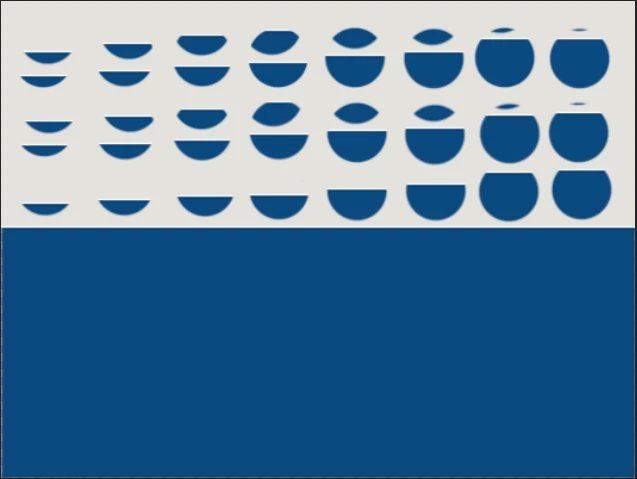
Switching to a 0 percent hardness is similar except the area stamped is lighter.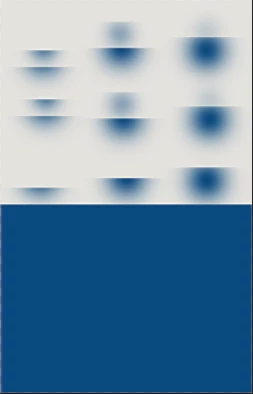
And even if the bottom area is clipped, it still does the same:
What's really bizarre is that the additional area pasted is slighly offset to the left.
But it gets weirder. It's not consistent. I can closed PS and re-open and repeat the same thing and the amount of extra area stamped will be slightly more or less.
It could be that I'm doing something wrong or have a setting that's changed on me but I don't remember this being the case in the past. Sadly I don't know where or when it began. I installed a couple old versions to test and even back to a 2024 version it does it. I just don't remember it doing this. If it's a setting I don't recall changing it and it shouldn't have done it with a freshly installed older version. What am I missing?
 AdChoices