
Question
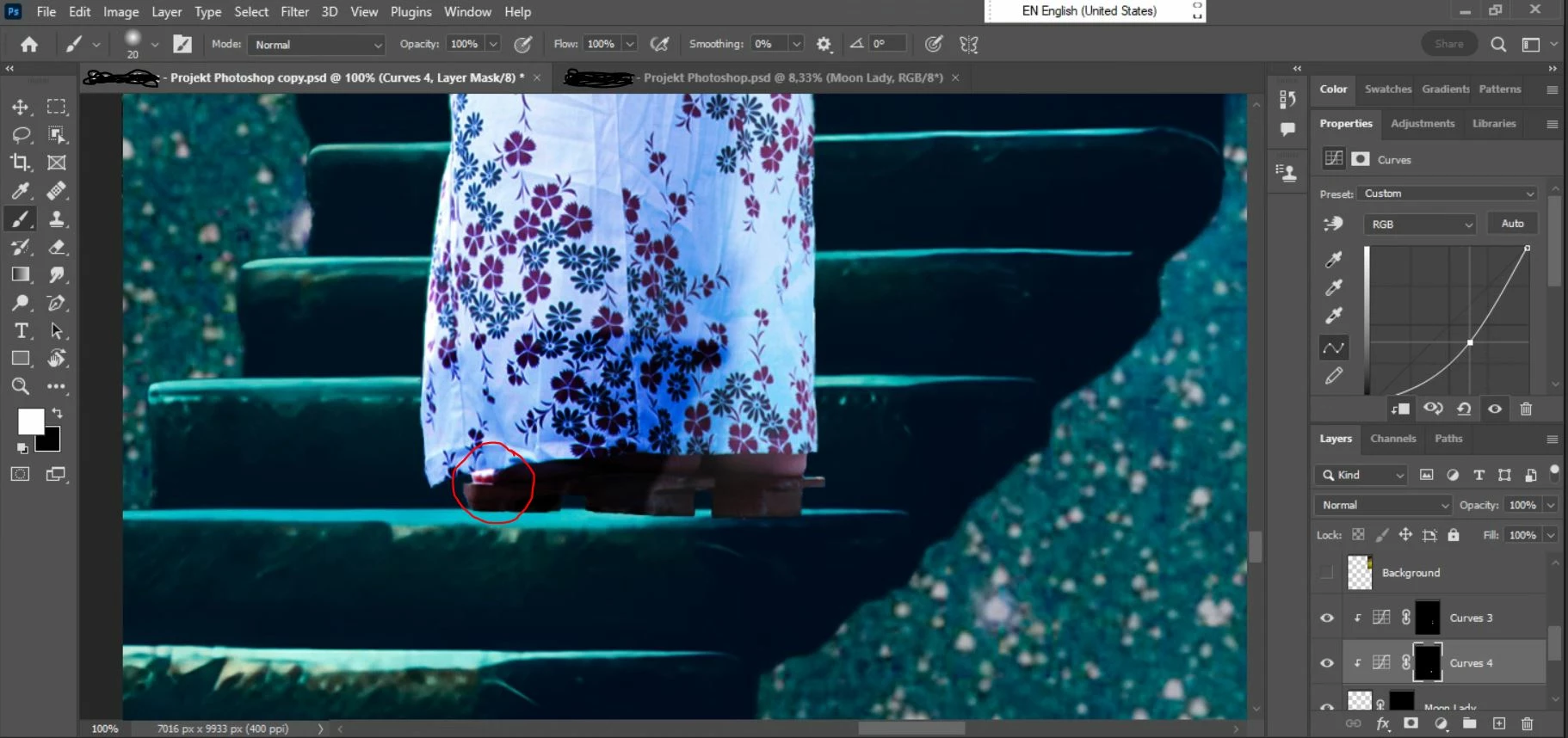
One place on the object layer doesn't respond to brush tool on curve layer
Hi,
I just started learning Photoshop for my graphic design classes in college. I watched some tutorial about using curves to apply light and shadows to my image and I am trying to use that to my project.
Right now I am trying to apply the shadows. And there's this tiny little bit of layer near the toes (marked with red circle) which doesn't respond to the brush and I don't know why. Every other place in that layer respond normally and shadows can be applied. Any ideas what is wrong and how to fix that?


 AdChoices