


Opacity stop option missing in gradient map adjustment layer
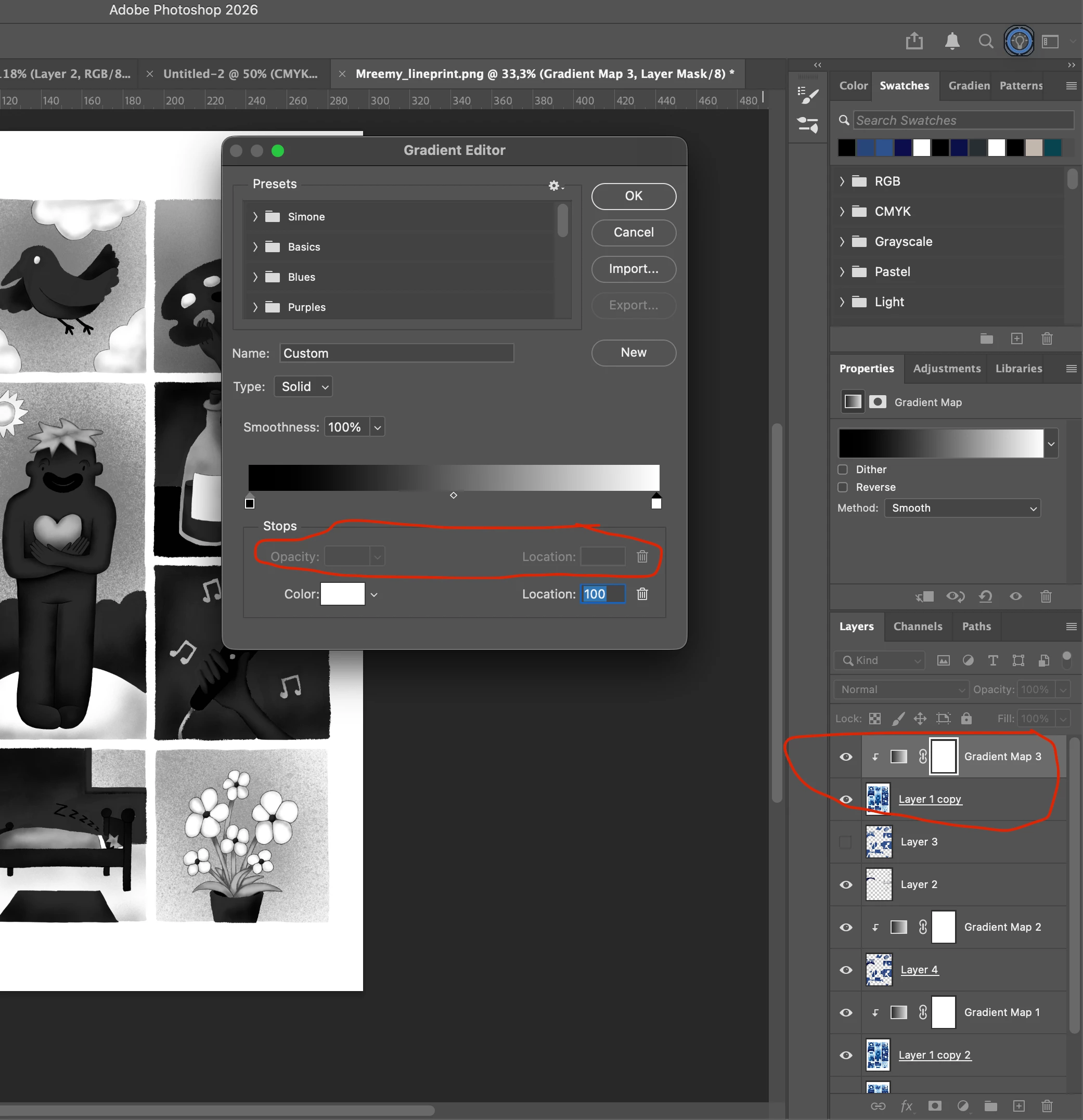
Hi, I am currently using Photoshop 27.1.0 on MacOS Tahoe 26.1. I wanted to experiment with ways to prepare an image for silkscreen printing, but then I stumbled upon this problem: when using a gradient map adjustment layer, I cannot use transparent stops anymore. I find this really annoying. It seems there is a workaround in this post: https://community.adobe.com/t5/photoshop-ecosystem-discussions/missing-opacity-option-in-gradient-editor/m-p/13877588 but I find it to be very confusing and unintuitive. Please can you just let me use a transparent stop in an adjustment layer?
I don't know as which conversation type I should categorize this, but I'll choose "bug" since if I remember correctly, this function used to be there, but now isn't working anymore. Sorry if it's the wrong category.
 AdChoices