Participant
November 16, 2023
Question

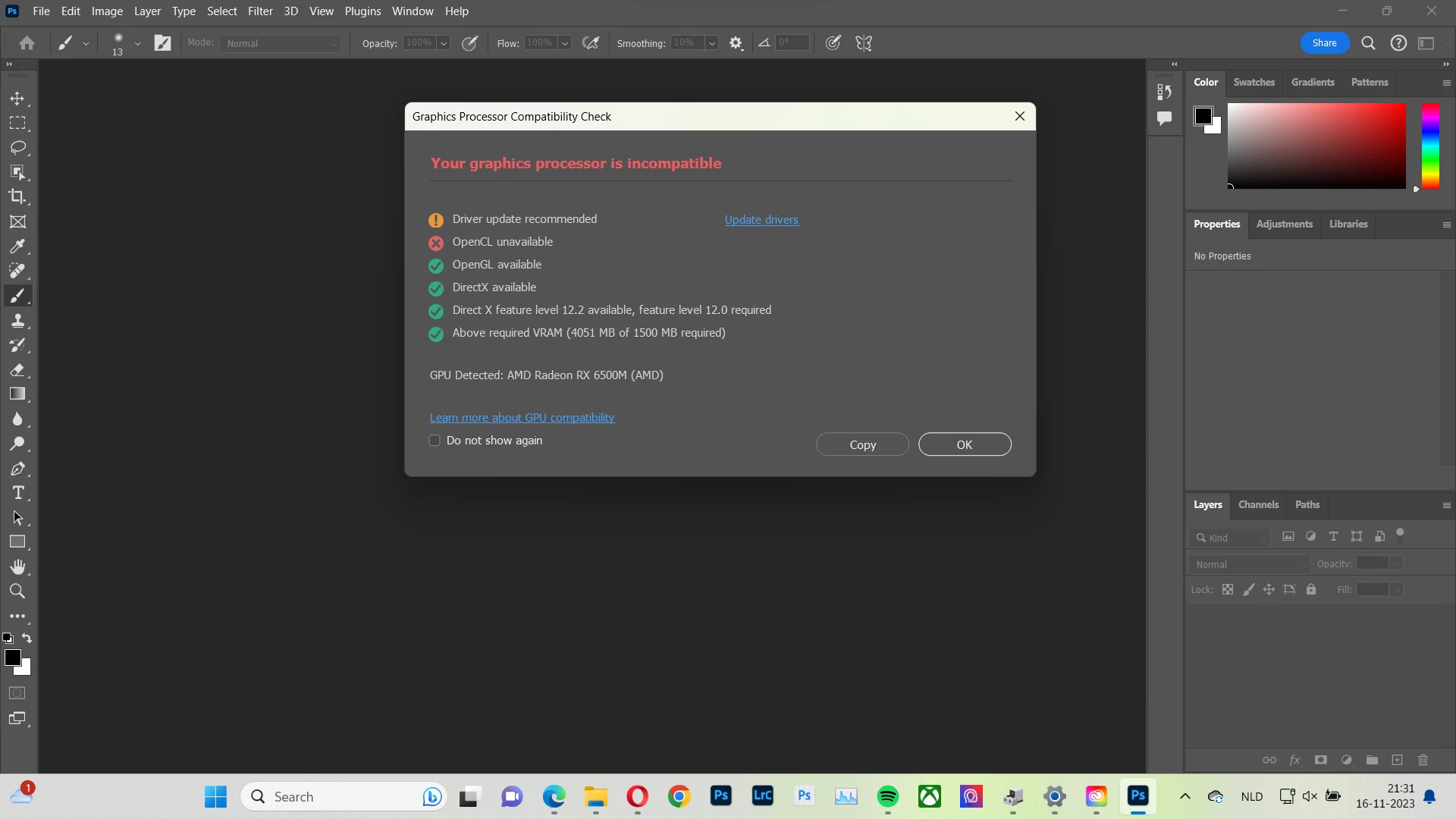
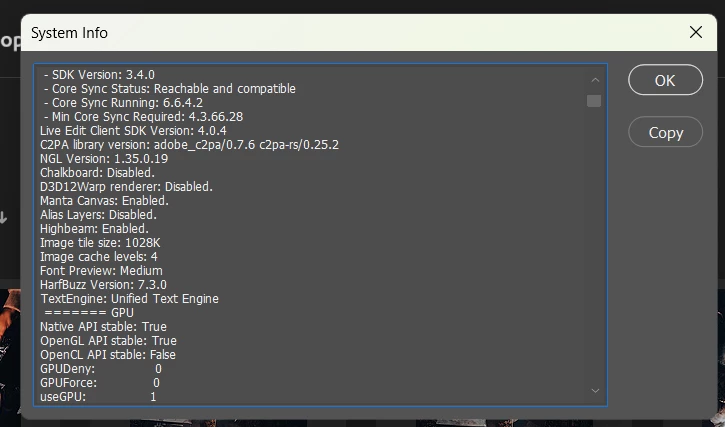
Open CL False, no reaction to Adobe Client help request

  • November 16, 2023
  • 1 reply
  • 216 views

Hi,


Does someone know how to solve this problem?

I tried the following options:


- Updating drivers

- Re-installing Photoshop 

- Resetting all preferences

- Trying to activate Cl open via the following tutorials: 

https://www.intel.com/content/www/us/en/support/articles/000091544/graphics.html#:~:text=If%20the%20OpenCL%20is%20tagged,all%20the%20available%20Windows%20Updates.

https://helpx.adobe.com/eng/photoshop/kb/troubleshoot-gpu-graphics-card.html#gpu-troubleshooting-steps 


The problem remains after all these options.


Does anybody know how to solve this bug?


Adobe doesn't react to my request to talk to an agent.


Used laptop: MSI Bravo 15


This topic has been closed for replies.

1 reply

D Fosse
Community Expert
Community Expert
November 16, 2023
quote

Used laptop


By @SethAbrikoos


You can start by disabling the integrated GPU. Conflicting dual GPUs is a well known problem.


See section 6 & 7 here:

https://helpx.adobe.com/photoshop/kb/troubleshoot-gpu-graphics-card.html 


Participant
November 16, 2023

Hi,


Thank you for your answer!

Just  disabled the integrated GPU, and followed  section 6 & 7. Unfortunately,  even after restarting, the same notification shows up.

D Fosse
Community Expert
Community Expert
November 17, 2023

OK. I assume you tried to update the driver as suggested in the GPU check.


Now, it appears (from another thread) that there may be a problem with the Sniffer.exe in PS v25. That's the little program that checks GPU status on startup. This is under investigation, and nothing conclusive yet. Can you try an earlier version in the meantime?


To me it looks like there has been an extraordinary amount of GPU-related problems lately, much more than we usually see. I have a feeling something's up, we'll have to see how it plays out.