



Answered
Open PS and Draw Something -> Generated Numerous PS Temp Files & Delayed and slow
*** I already tried it (Almost all communities, AI information)***
- Graphic Setting (Driver Reset & Download, PS program setting->Use NVIDIA graphic)
- Recieved remote support services from Adobe (But problem isn’t solved)
- Computer formatting, Adobe reinstallation, Adobe settings reset, PS version downgrade
- PS setting (RAM usage 65%, cash setting complete, Freeing up and allocating scratch disk space(2TB))
- ABOUT 100 TEST OVER 3 WEEKS AFTER PURCHASING A NEW COMPUTER
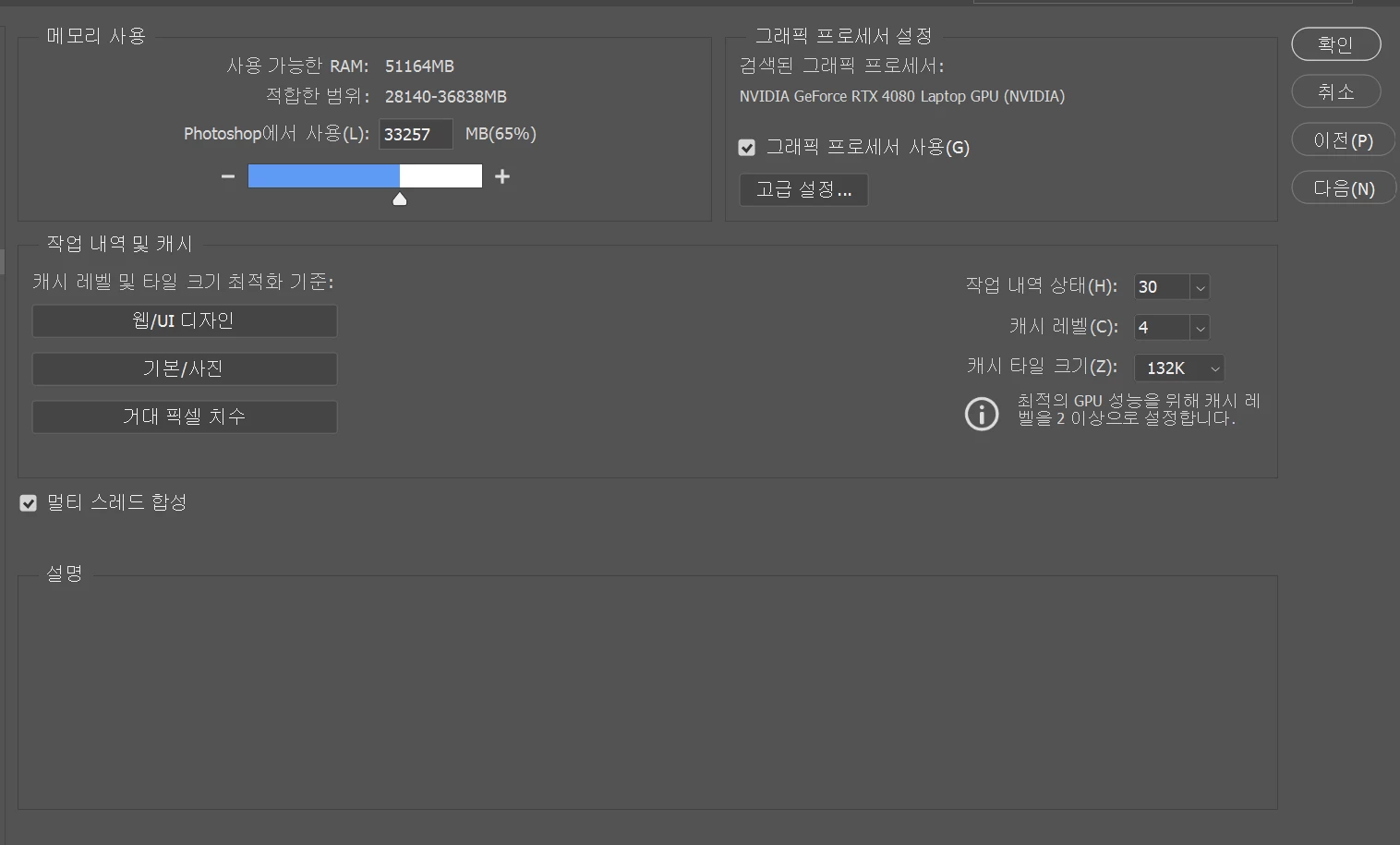
*** Spec***
i9-14900HX, 64GB RAM, RTX4080 Notebook
I’ve struggled with this damn laptop for three weeks, so I just wnat to throw it away.
*** Problem***
- I just using my old notebook and using PS well about 2 yrs. (Old one - rtx3060 32GB RAM, i7 9th)
Recently I bought a new laptop. (Model Name : Vector 17HX A14V)
- As a graphic designer, upon opening PS and making a few brush strokes on the canvas, lag occurs immediately and RAM usage increases rapidly. Self-Test results showed that while this does not occur during a single stroke, continuous delays and a sharp rise in RAM usage occur when drawing the next stroke, particularly when generating an overload of dozens of touches within one seconds.
This is a problem that didn’t occur on the previous laptop.
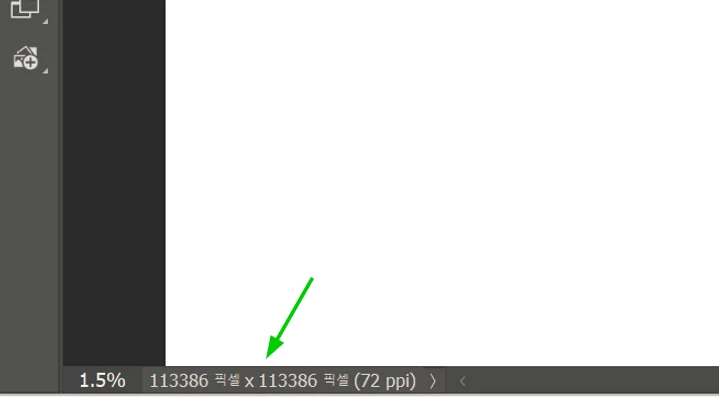
- I kept looking for the problem because lag occured every time I drew a stroke, and I discovered that within a single file, and specifically on a single canvas - even just drawing a few strokes, or even just opening or creating a new canavs- DOZENS OF FILES like Photoshop Temp15415721500 were generating, ranging from 200GB to 600GB and each file containing 16,777,200KB.
One layer, One file, A few strokes, and 600GB of temp files.
As strokes accumulate, it continue to accumulate without limit.
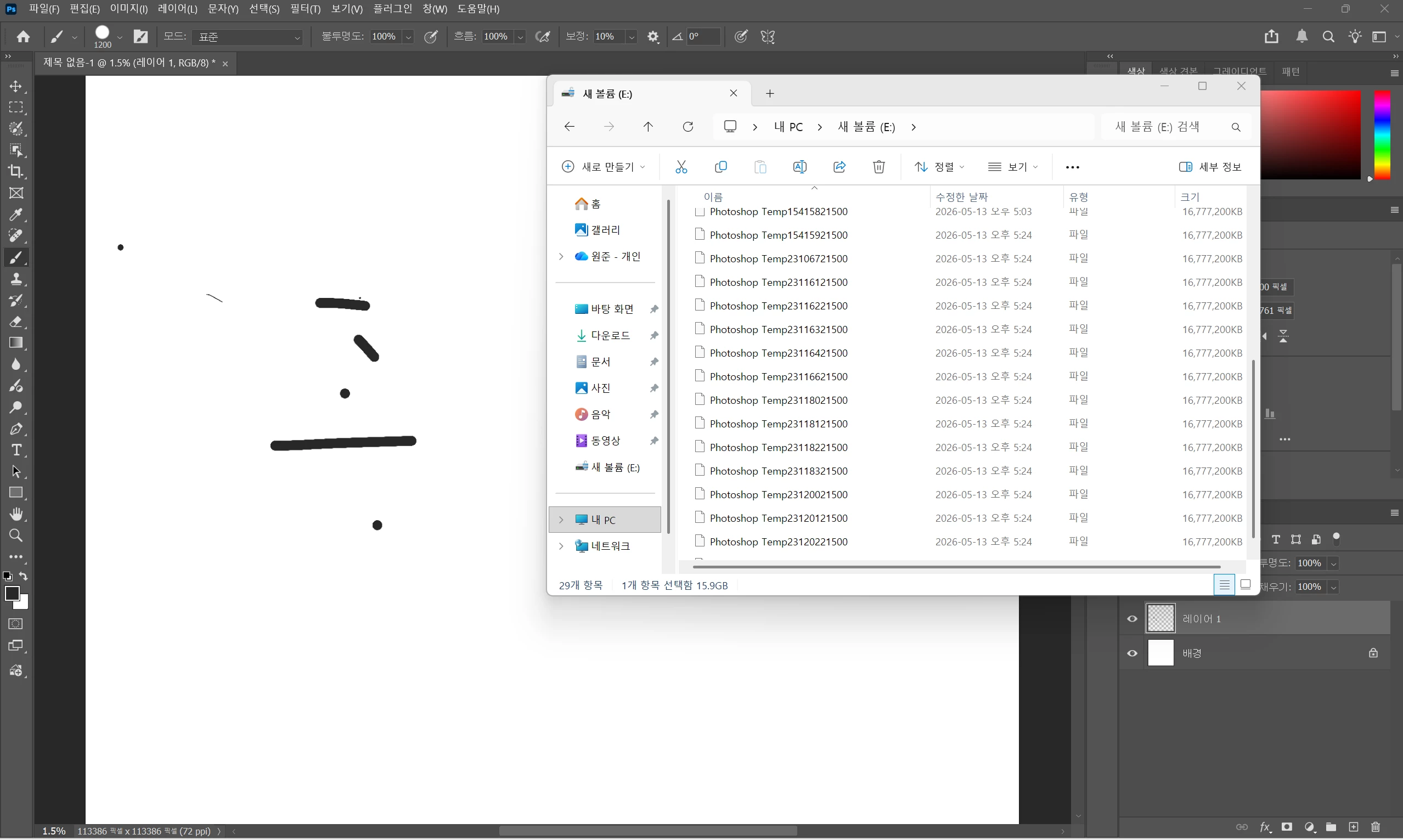
- I tried it on another computer, and not this many temp files were created. I found out that it isn’t a performance issue (or setting), but simply a problem caused by abnormally large number(and volume ) of temp files being generated. Can you help me? Please😥

 AdChoices