
F23158784
Participating Frequently
December 31, 2019
Question

OTF font tails not showing

  • December 31, 2019
  • 2 replies
  • 977 views

I'm having issues with OTF font tails not showing. First photo shows how the end of each word is clipped off. As you can see, "standard ligatures" option is selected.
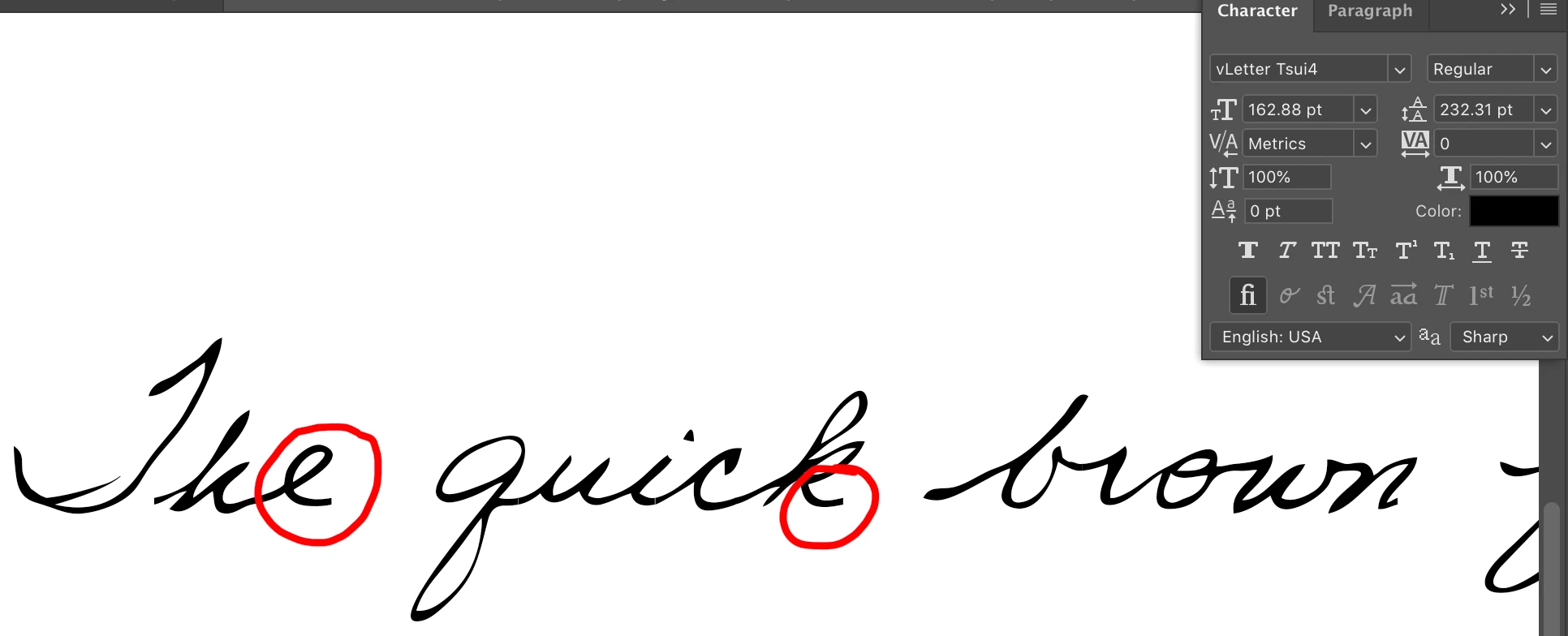
But in TextEdit or any other OTF-supporting app, the tails appear as expected, like below:
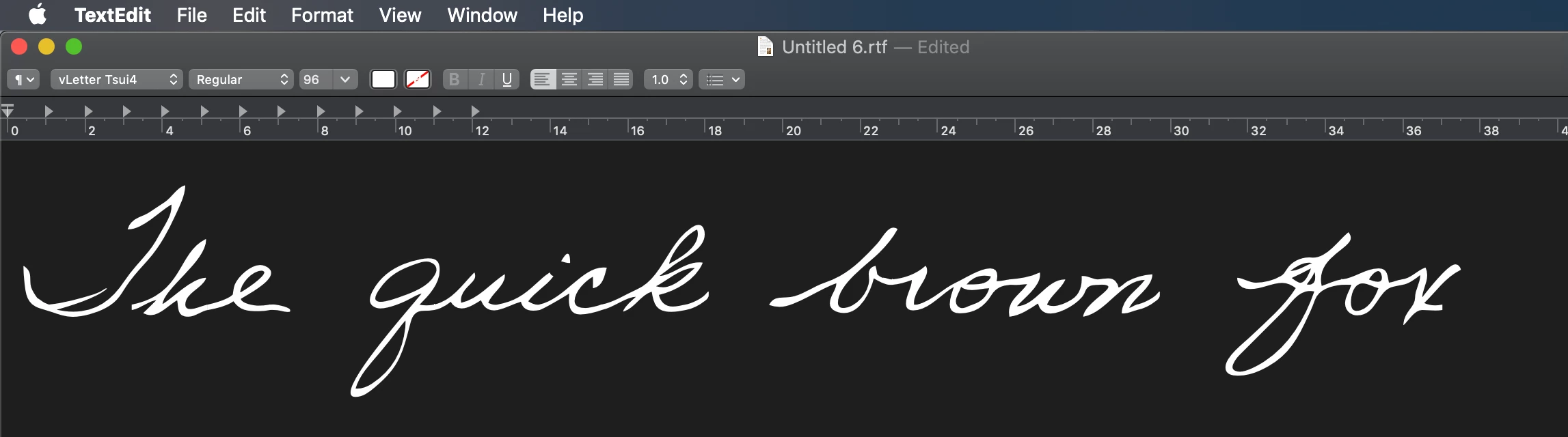


The font developer says "Adobe applications do not use the standard Mac or Windows line layout routines, and the Adobe routines have a bug that doesn't display the end of word tails automatically. Press Option-T to manually add a tail at the end of a word." I really don't want to press Option-T at the end of every word though.

I'm using the most recent update of Photoshop CC.

Any ideas how I can fix this?

This topic has been closed for replies.

2 replies

Participant
May 11, 2024

im having similliar issue, anyone can help?


Jeff Arola
Community Expert
Community Expert
May 11, 2024

Nabila,


What version of Photoshop and operating system are you using?


Can you give examples of what fonts your having the issue with?

Dov Isaacs
Legend
December 31, 2019

Moving to the Photoshop community for which this discussion is more appropriate. You might also indicate exactly what font(s) you are having difficulties with. The problem might be with the font(s) if their glyph bounding boxes don't match their actual definitions – that is why knowing which font is involved is so important.


              - Dov

- Dov Isaacs, former Adobe Principal Scientist (April 30, 1990 - May 30, 2021)