
Participant
April 18, 2025
Question

Outer glow not working properly for me, please help!

  • April 18, 2025
  • 2 replies
  • 472 views

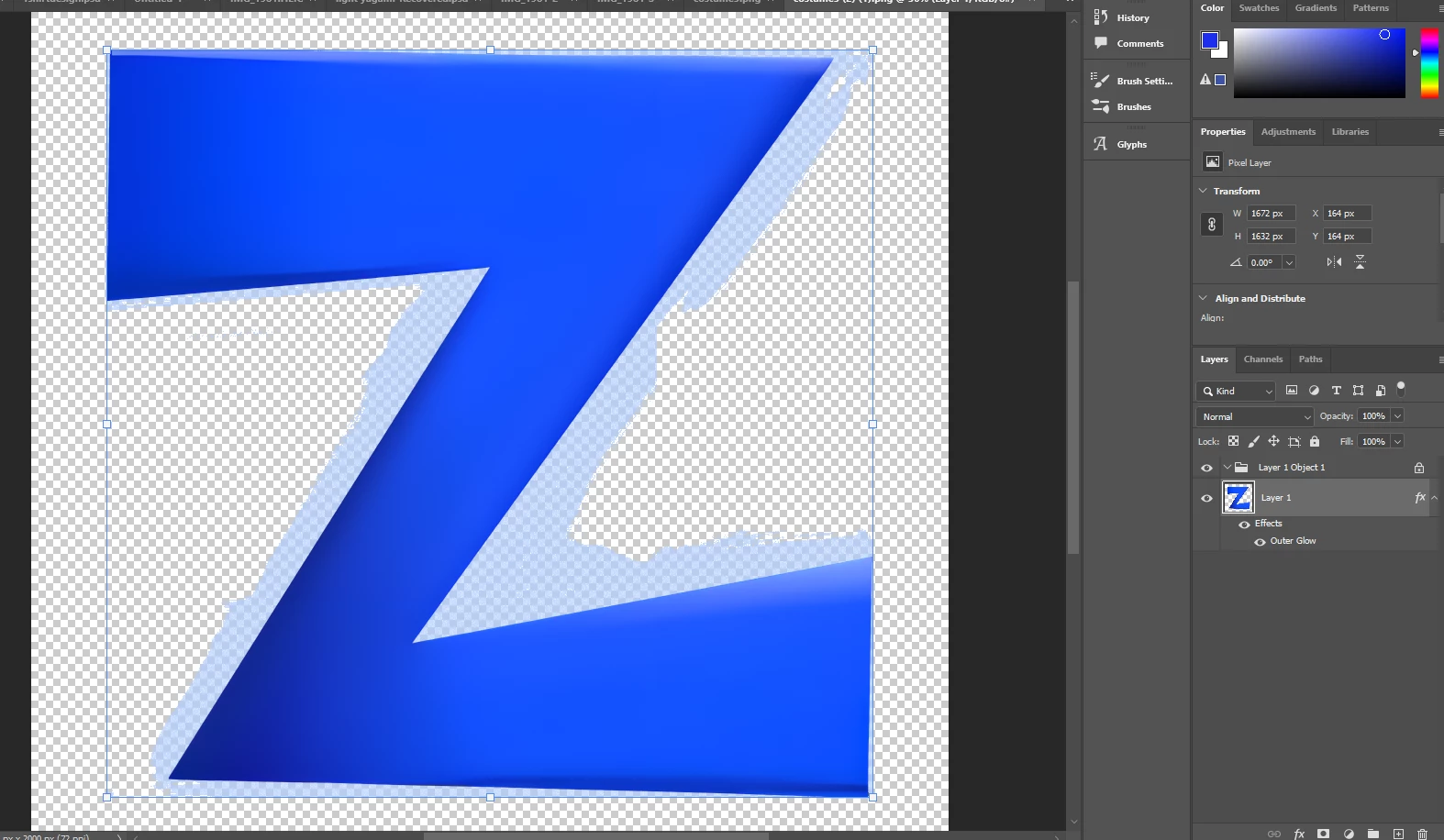
When I try applying outer glow, this happens... I made my logo on a different software and want to use photoshop to add additional effects. However when I use the outer glow it gets limited by this arbitrary bounding box. I'm assuming I need it to act like a normal object but I don't know how. I tried doing stuff like raterizing and converting to smart object but none of it has worked. How do I fix this issue? 
 

2 replies

Bojan Živković11378569
Community Expert
Community Expert
April 19, 2025

Did you extract the letter Z from the background, or is Z imported with transparency? It may be that during masking or background extraction, there are leftovers that are difficult to spot but show up when the layer effect is applied.

Trevor.Dennis
Community Expert
Community Expert
April 19, 2025

It looks like the layer has contend other than the blue Z character.


Create a new layer

Ctrl click the layer with the Outer Glow effect to load it as a selection.

And fill with foreground colour (Alt backspace)


This will show the true contents of the layer.


It would be useful if you include the Layers Styles panel in your next screenshot.

Participant
April 19, 2025

Ok so I did not find any extra contents but when I opened layer styles and changed it to the black square now it works properly! Thanks!