
Pale colors after opening Procreate PSD-Files in Photoshop
So whenever I finish something in Procreate, I export it as PSD and make the final touches in Photoshop. At some point however I noticed that the colors went pale/grayish after opening the file in PS. The preview on my mac still shows the colors as normal for as long as I haven't opened it in Photoshop. Settings are RGB, proof colors turned off.
Note: This seems to have something to do with the layers, because when I export the same procreate file as a flattened PNG and open that in Photoshop, the colors remain bright (which isn't helpful as a workaround because I need to make edits to the layers).
Especially layer modes like linear dodge seem to get very pale and I'm not sure what I can do about it.
I had this for a while, have a new mac by now with newly installed photoshop and the issue remains, so this must be something in the default settings and restoring settings will not help...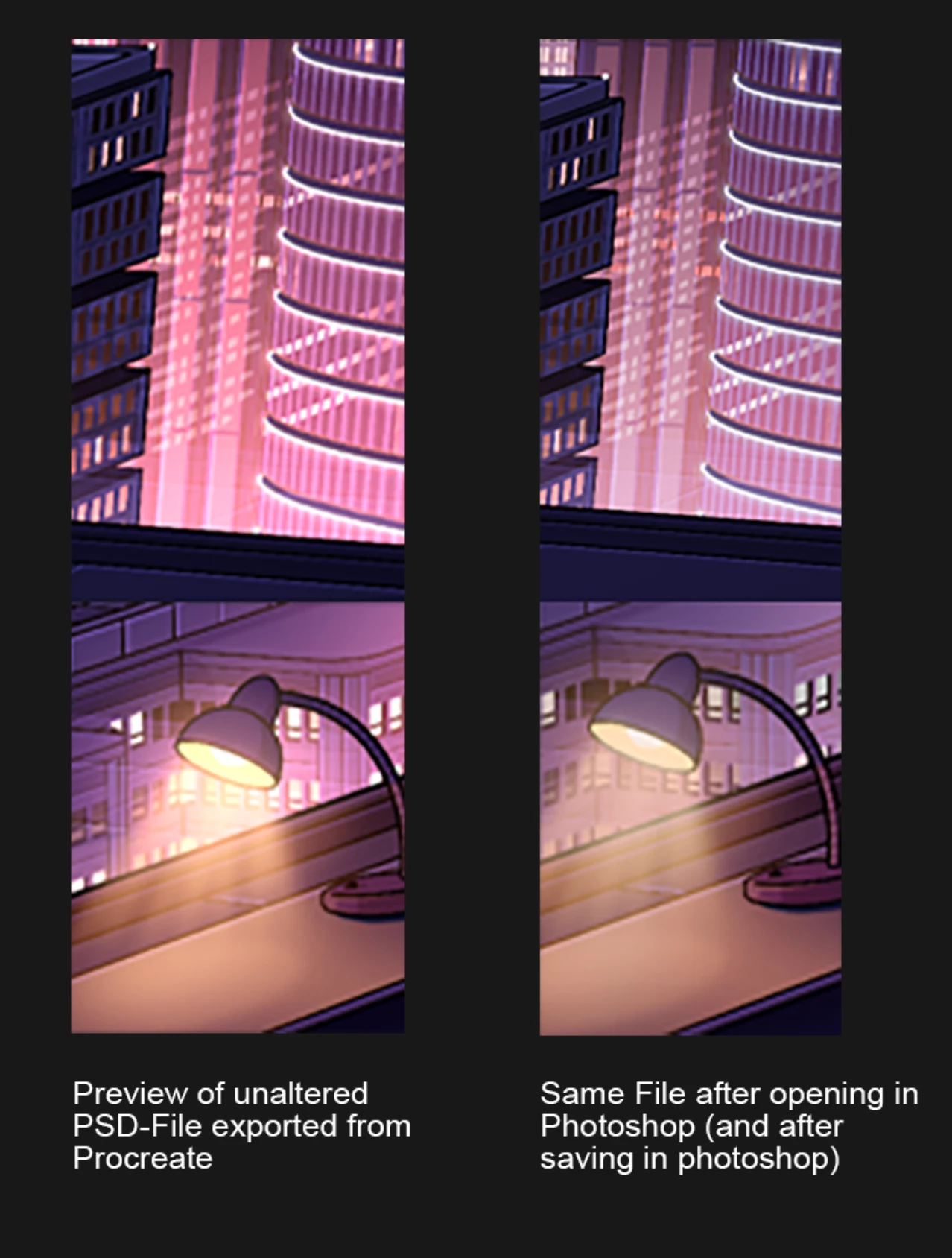


 AdChoices