
Andre_27
Inspiring
November 30, 2023
Question

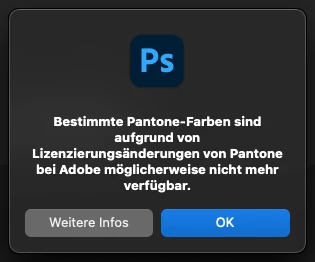
Pantone License Notification Window

  • November 30, 2023
  • 1 reply
  • 206 views

Hi there..

how can I get rid of the Pantone License Notification Window?  After being alerted 27.000 times I already know...

Thanks 🙂 Andre


This topic has been closed for replies.

1 reply

Kevin Stohlmeyer
Community Expert
Community Expert
November 30, 2023

@Andre_27 this window only appears if you have Pantone color swatches in your files or swatch library in Photoshop. Check your swatches without a document open and then check the files as they pop up.

Andre_27
Andre_27Author
Inspiring
November 30, 2023

yes I know or better said: In my library I have some reference files with fill layers resembling certain Pantone colors which are not actual pantone colors but i.e. cmyk values of some ci requirement based on Pantone colors. I think PS just alerts by having PMS or Pantone as name for a layer and then that notification window pops up. Anyways, even if there were Pantone Colors in a document, I already know that and would like to get rid of the message nonetheless... 🙂
