
Question
Pasting layers issue when copying from Indesign to Photoshop
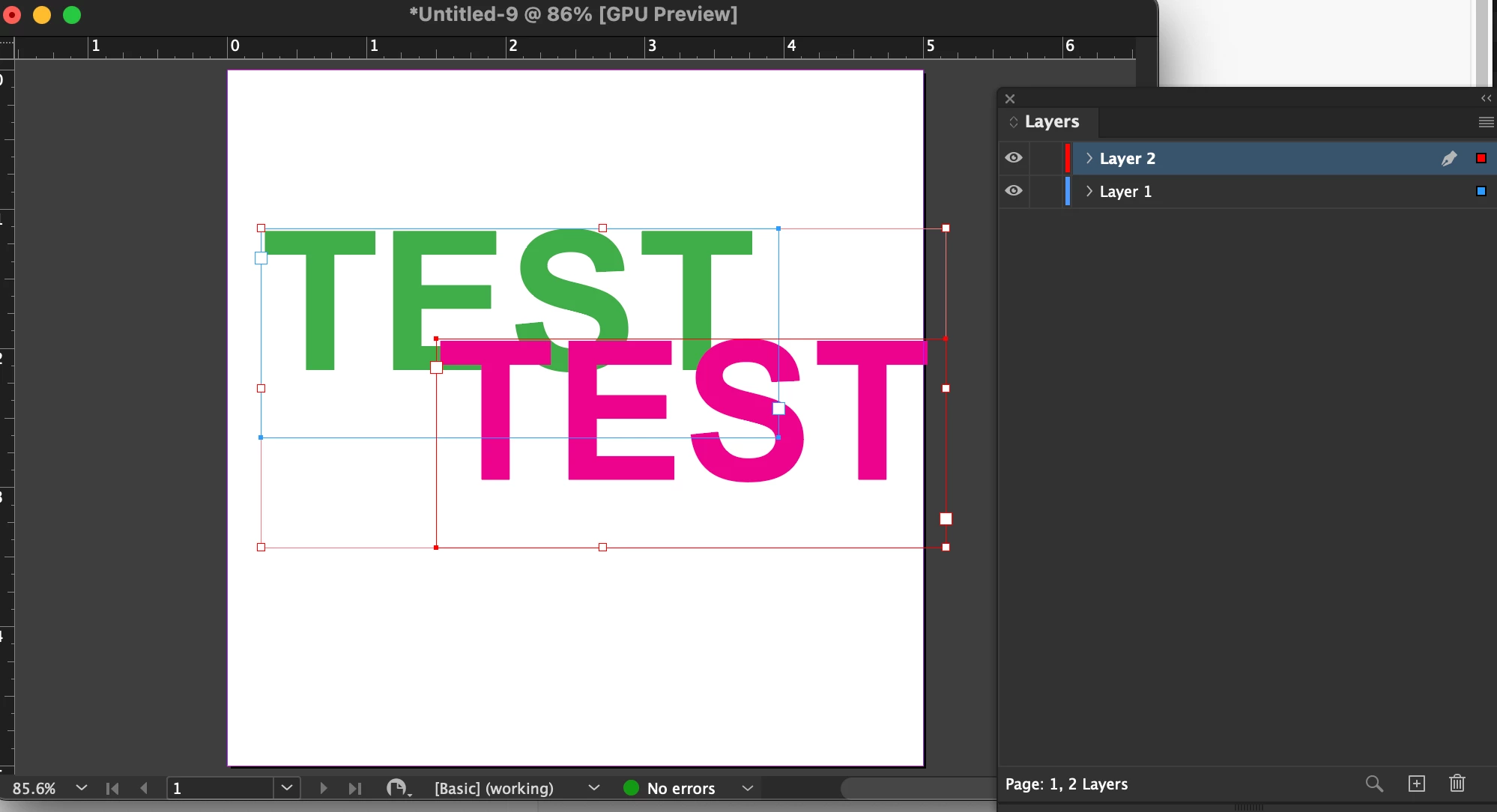
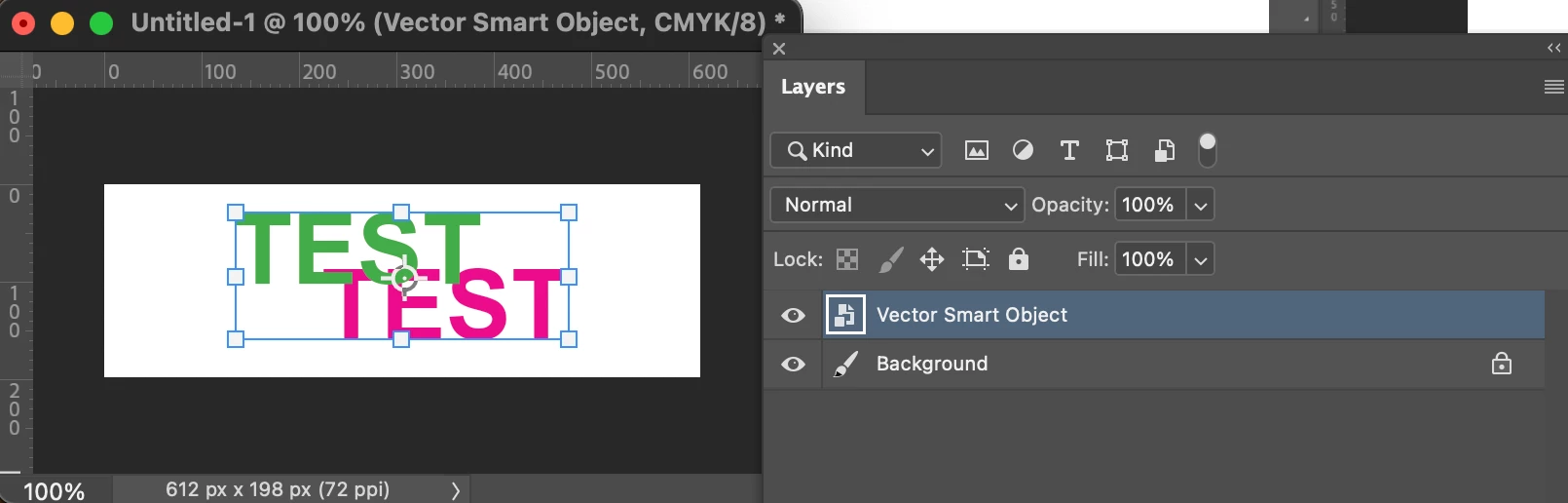
There seems to be a new bug(?) when pasting objects in layers from InDesign to Photoshop. When I have objects on certain layers and I paste it into Photoshop, for some reason the layers get reversed.
I’m including screenshots of a test showing the pink text is infront of the green text in InDesign, and when pasted into Photoshop as a vector graphic, the layers getting reverse. The only way to resolve it is to group the items in InDesign which I prefer not to do as it adds yet one more step.
I use this function a lot and it’s the first time I’ve come across it.
I tried a copy/paste from Illustrator 30.5.1 to Photoshop using the same idea and I didn’t experience the same problem.
InDesign 21.4.1
Photoshop 27.8.0
Mac Mini 2024 - Sequoia 15.7.4


 AdChoices