
Participant
May 2, 2020
Answered

Pen Pressure bug Photoshop CC 2020

  • May 2, 2020
  • 3 replies
  • 2810 views

Edit: It turns out this bug is related to the "build up" option that can be found next to the "flow" setting. To anyone also experiencing this bug, try turning that option off.


When drawing with the brush tool in Photoshop, the very first brush tip of a stroke lacks pressure sensitivity input, as if clicking with a mouse, but the rest of stroke comes out normal.


At first this bug rarely occured, but it popped up more frequently as time passed. Now, it happens for the majority of brush strokes. This seems to be the case only for CC 2020.
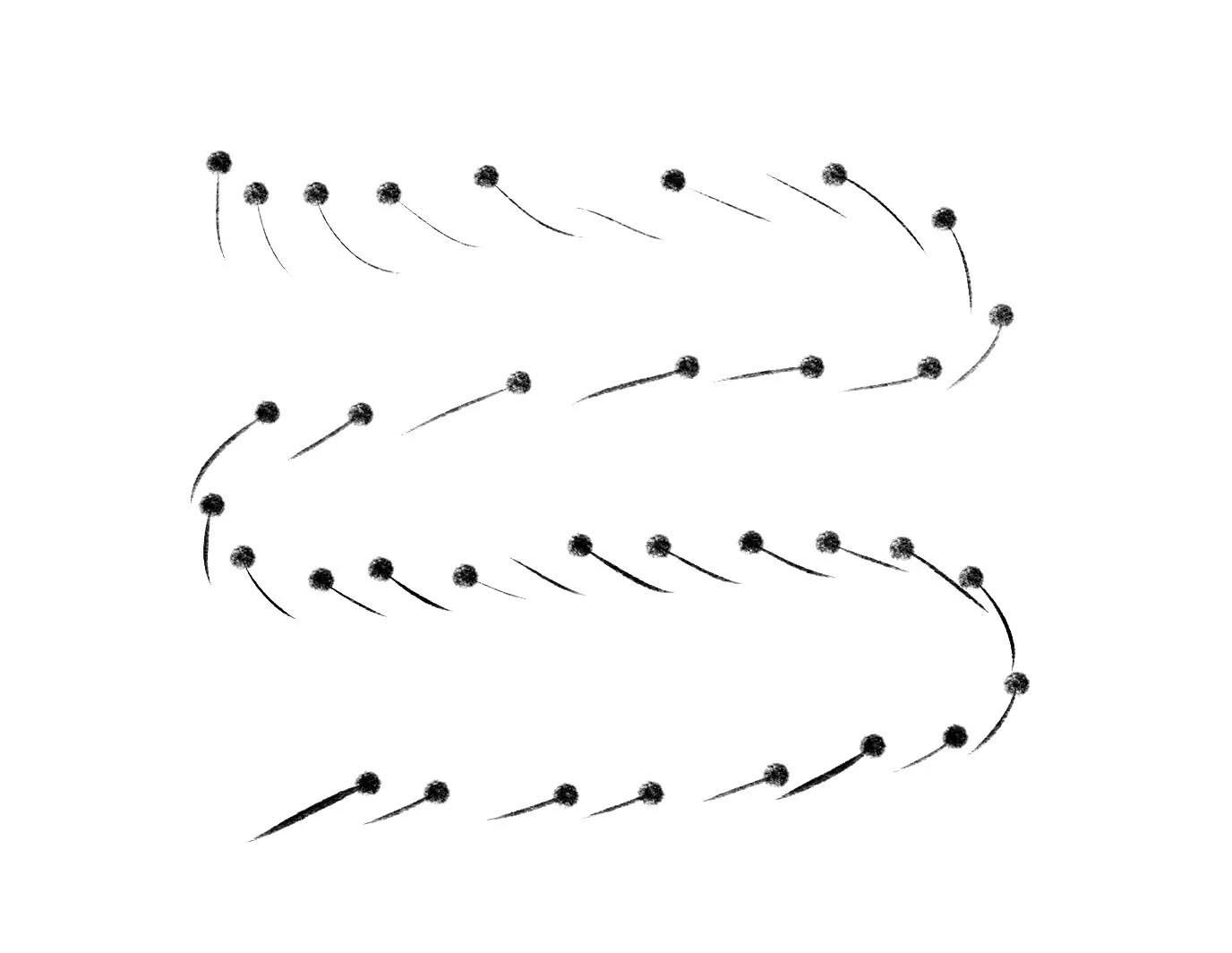
 

Any suggestions for potential fixes? If more information is needed, please let me know.


This topic has been closed for replies.
Correct answer PECourtejoie

Hi, if you are on windows, I would try to update to 21.1.3: see the release notes that mentions pen pressure: https://helpx.adobe.com/be_en/photoshop/kb/troubleshoot-fonts-photoshop.html

3 replies

Participant
June 26, 2020

I have the same problem and I can't solve the problem

Participating Frequently
December 16, 2020

I got the same issue at hand on both 2020 2021 version all updated on both of them and I can do wacom pen pressure in Maga Studio and in sktechbook new version But Adobe has cheated us ocne again with add on stuff the app does not need and take away the stuff we do need to do work in that makes us maoney for our business!!!

I posted a Live video about the Adobe errors in photoshop on Youtube.

and I am paying full price forme to use all the apps and I only use so many liek 1. Photoshop, 2. AI, 3. Character Animator, 4. Adobe After Effects 2020, 5.Adobe Premiere Pro 2020 for my Graphic design business and Youtube videos....

So yea" i make money using Photoshop and other apps, and I mostly paint in Adobe Photohsop and now these idgits here screwed that up for me, I can't no longer pint or do thick to thin lines in photoshop anymore and int my line of work its "NEEDED"!!!!

should I sue Adobe for the lost of money I am not earning now cause of this? what you think???


Participating Frequently
December 16, 2020

WOW" Adobe even cheats us on the forums board here, we can't not even edit out own damn post we make if we make mistakes and I can't see font sizes the size of 11 or smaller and there is not font size change either on this forums board, how cheap are they?  they can't code in font size changer for this or a edit post tool to edit your post??

I had that on my own website and I coded it my self using notepad!!!


PECourtejoie
Community Expert
PECourtejoieCommunity ExpertCorrect answer
Community Expert
May 19, 2020

Hi, if you are on windows, I would try to update to 21.1.3: see the release notes that mentions pen pressure: https://helpx.adobe.com/be_en/photoshop/kb/troubleshoot-fonts-photoshop.html

pinstrype
Participant
June 27, 2020

I'm running 21.2 on a mac and having this same issue.

Also I think this link goes to a page about troubleshooting fonts, not release notes on pen pressure.

Participant
July 12, 2020

I'm also having this same issue. Brand new Macbook Pro, Photoshop running 21.2, and the majority of my pen pressure strokes look like the image above. Had there been a solution to this other than turning off the build up button? 

S_Gans
Community Expert
Community Expert
May 2, 2020

Thank you for that update! I'm sure this will answer quite a few people's questions!

Adobe Community Expert / Adobe Certified Instructor