Participant
April 13, 2023
Question

Pen Tool Drawing Grayed Out

  • April 13, 2023
  • 4 replies
  • 387 views

Accessing pen tool settings (It's all grayed out)


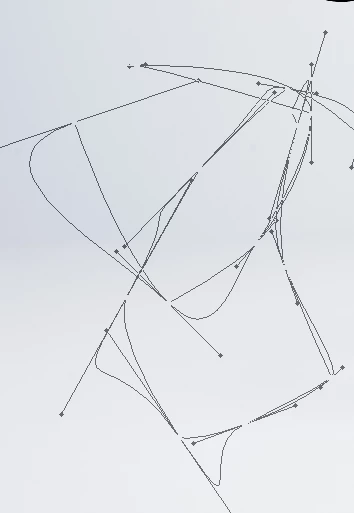
This issue randomly started up for me and I was wondering if anyone had a fix. I try drawing a path with the pen tool but it doesn't trace like it typically should. Instead I get this grayed out, very buggy version (Pictured below). If anyone has a fix or any idea of what I can do please let me know.


Photoshop version 24.3 


This topic has been closed for replies.

4 replies

CShubert
Community Manager
Community Manager
April 13, 2023

Hi @혜린289812271l10 

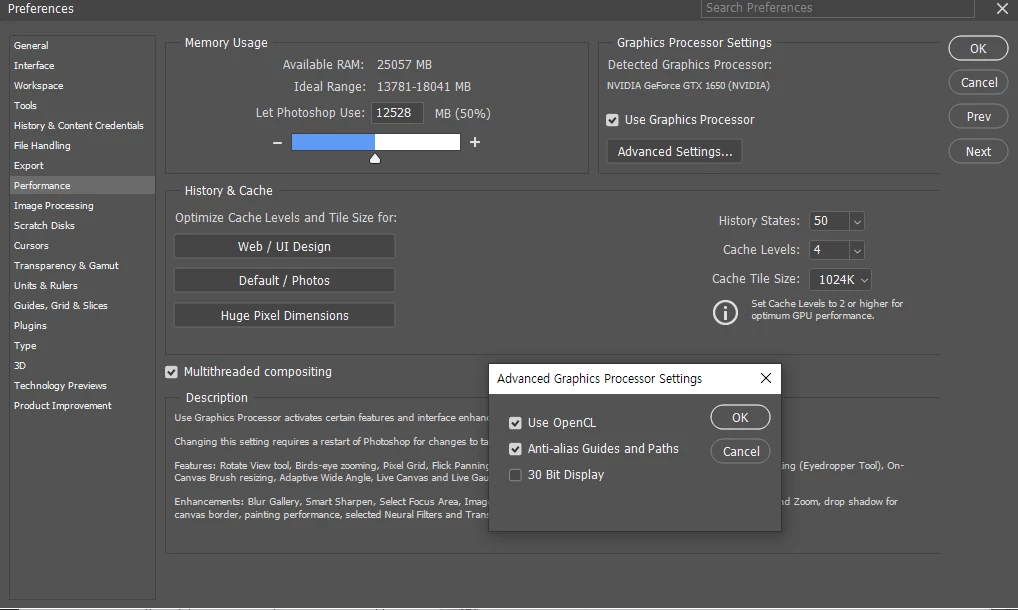
It is also suggested to set memory for Ps to 70%, does this improve the workflow?


Bojan Živković11378569
Community Expert
Community Expert
April 13, 2023

Try to change path operations to Shape from drop down list where arrow is pointing if you want to draw shape, I do not think drawing mode is greyed out. What is your problem actually? I see on second screenshot path is ok, there is no problem with path. You are drawing path because Path is chosen for drawing mode.

Participant
April 13, 2023


Bojan Živković11378569
Community Expert
Community Expert
April 13, 2023

Please capture entire Photoshop window with panels visible.

For all things weird in Photoshop the solution is often preference reset https://helpx.adobe.com/photoshop/using/preferences.html