
Question
Pen tool leaving behind dotted lines but disappears on zooming
Issue
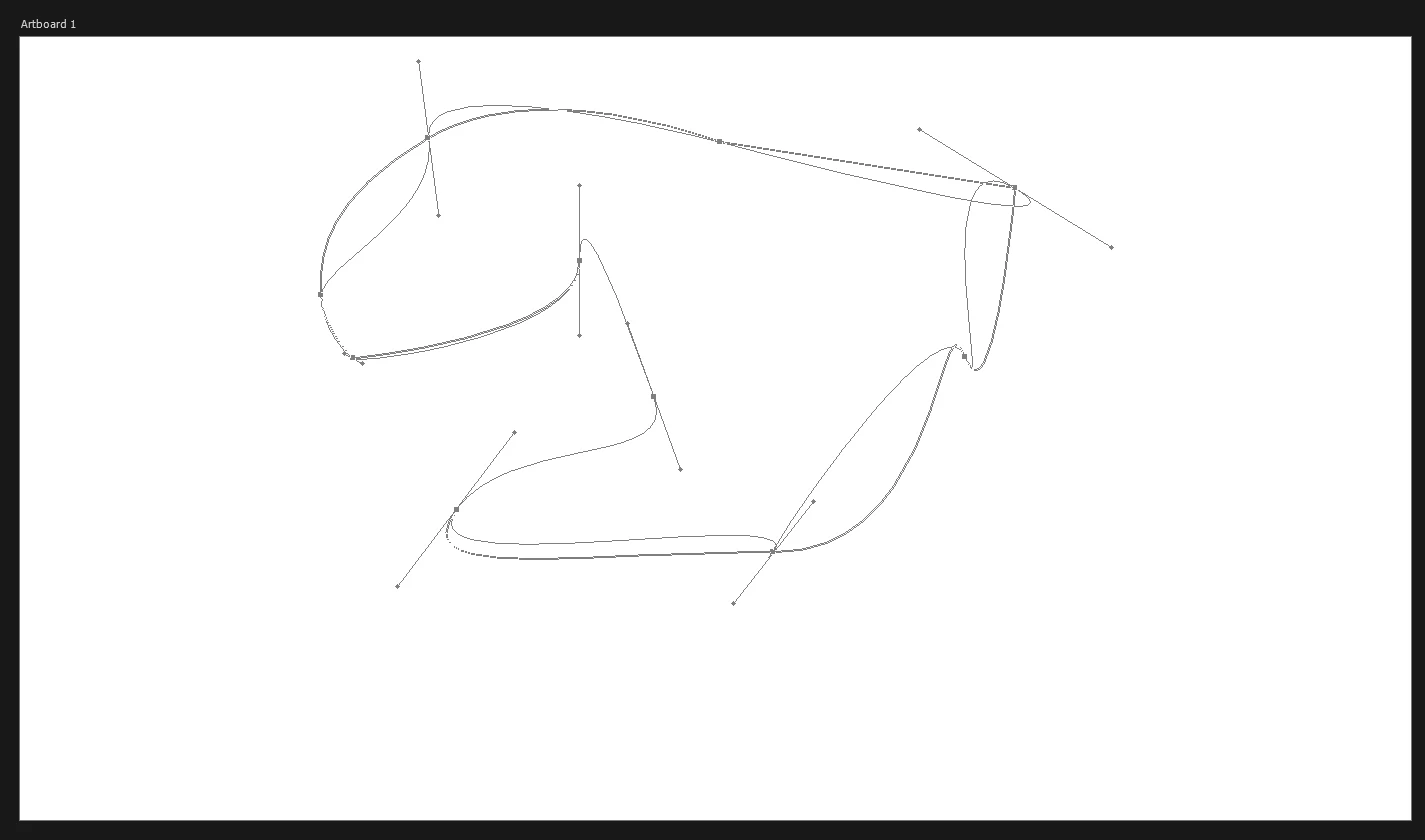
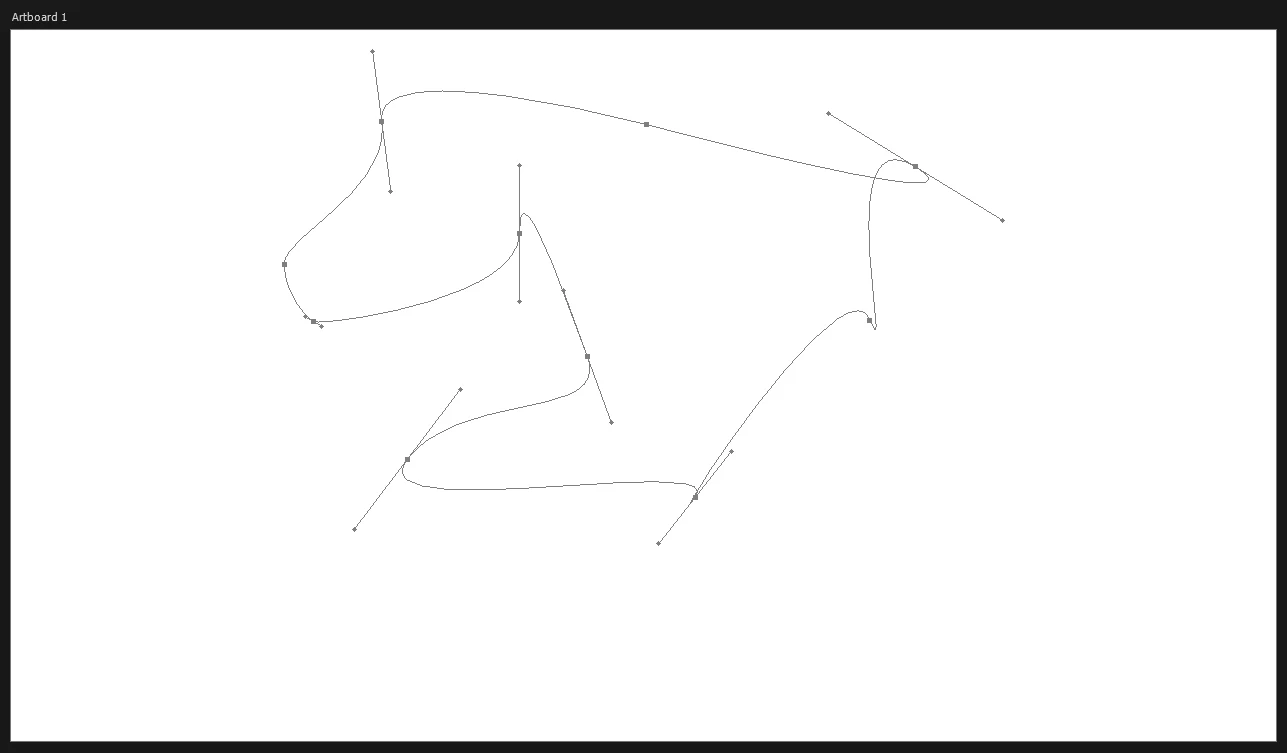
So, when I use the pen tool and curve the lines, the intital path line stays as dotted (ghost) lines but on zooming or scrolling the canvas, they disappear and the actual path is visible. The screenshots are below.
I'm having to zoom each time I do some sort of curving on the path to make the ghosted lines disappear, which is quite annoying.
Screenshots :
After creating curves before zooming the canvas
After zooming, the actual path without the previous lines
Things tried
- Uninstalling using AdobeCreativeCloudCleanerTool.exe
- Reseting the preferences on quit
- Starting PS by pressing Ctrl+Alt+Shift and deleting settings file
- Disabling native canvas in the settings
System Information
CPU : Intel(R) Core(TM) i5-2450M CPU @ 2.50GHz 2.50 GHz
RAM : 8.00 GB DDR3
OS : Windows 10 Pro
GPU : Nvidia GT 520MX
64-bit operating system, x64-based processor
Thanks for any help.


 AdChoices