
Participant
September 9, 2023
Question

Pen tool will not draw white lines (only limited selection)

  • September 9, 2023
  • 3 replies
  • 301 views

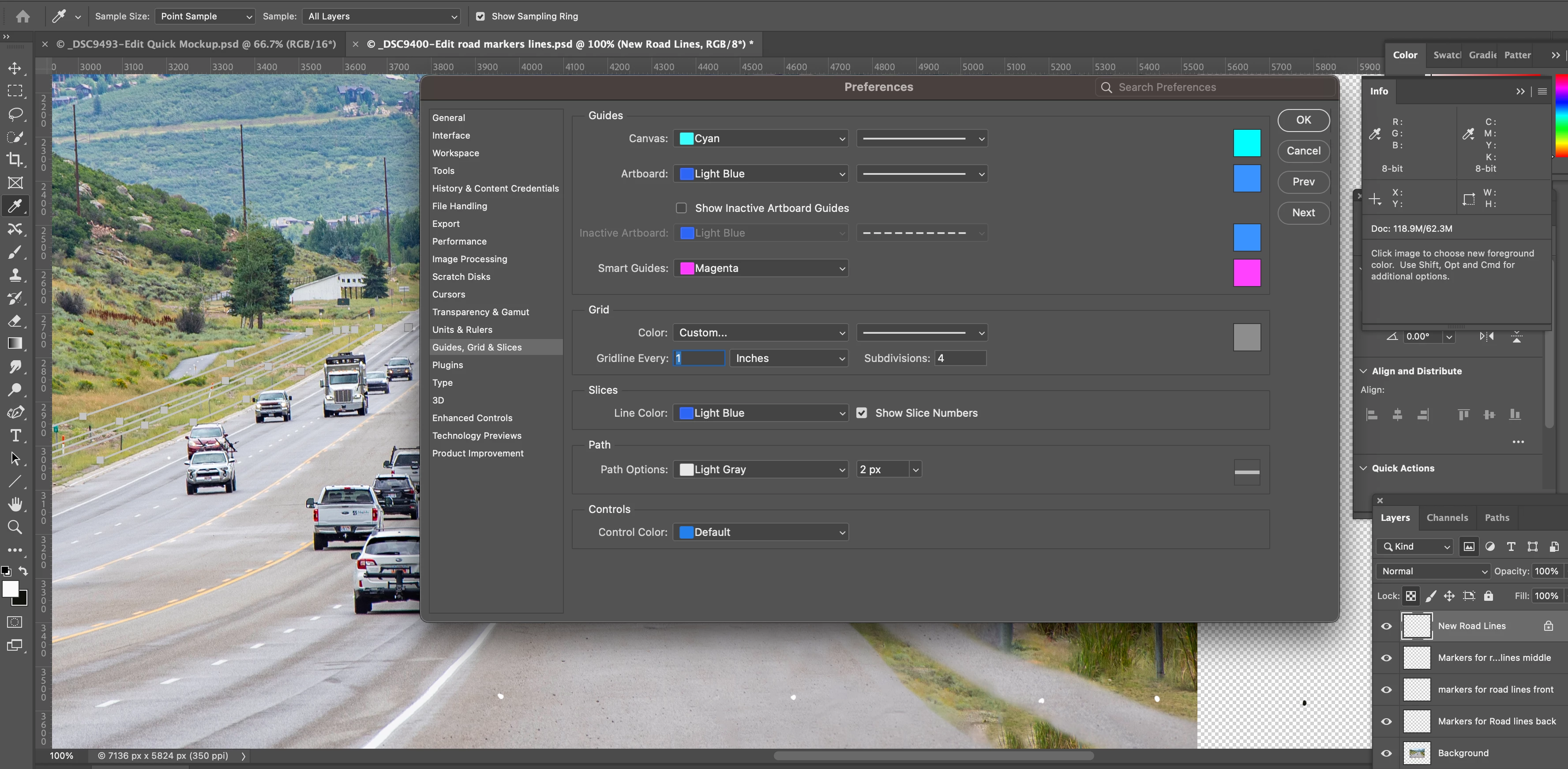
Hi guys,  Help! I'm drawing on a photograph, adding white road lines to the image. BUT, using the pen tool, white is not an option. Light gray blends into the color of the road, so is useless.

Thanks for your help.
 

    This topic has been closed for replies.

    3 replies

    Trevor.Dennis
    Community Expert
    Community Expert
    September 10, 2023

    If you are going to add road lines by stroking a workpath, you might like to set Size Jitter  to Fade to give the line some perspective. The image below is about 3000 pixels wide, and brush spacing was set to 5% and brush size 40 pixels.

    Michael Bullo
    Community Expert
    Community Expert
    September 10, 2023

    If you are wanting to put actual white lines on your document using the Pen Tool you will want to be playing with the Stroke option within the Options bar running along the top of Photoshop.


    kglad
    Community Expert
    Community Expert
    September 9, 2023

    in the future, to find the best place to post your message, use the list here, https://community.adobe.com/

    p.s. i don't think the adobe website, and forums in particular, are easy to navigate, so don't spend a lot of time searching that forum list. do your best and we'll move the post if it helps you get responses.


    <"moved from using the community">
    Participant
    September 9, 2023

    Thanks.