Answered
Perspective Crop Tool Missing
I have the crop tool but there is no arrow that allows me to select the perspective crop tool. Does anyone have any suggestions?

I have the crop tool but there is no arrow that allows me to select the perspective crop tool. Does anyone have any suggestions?
Hi Pamela
Which version of Photoshop do you have?
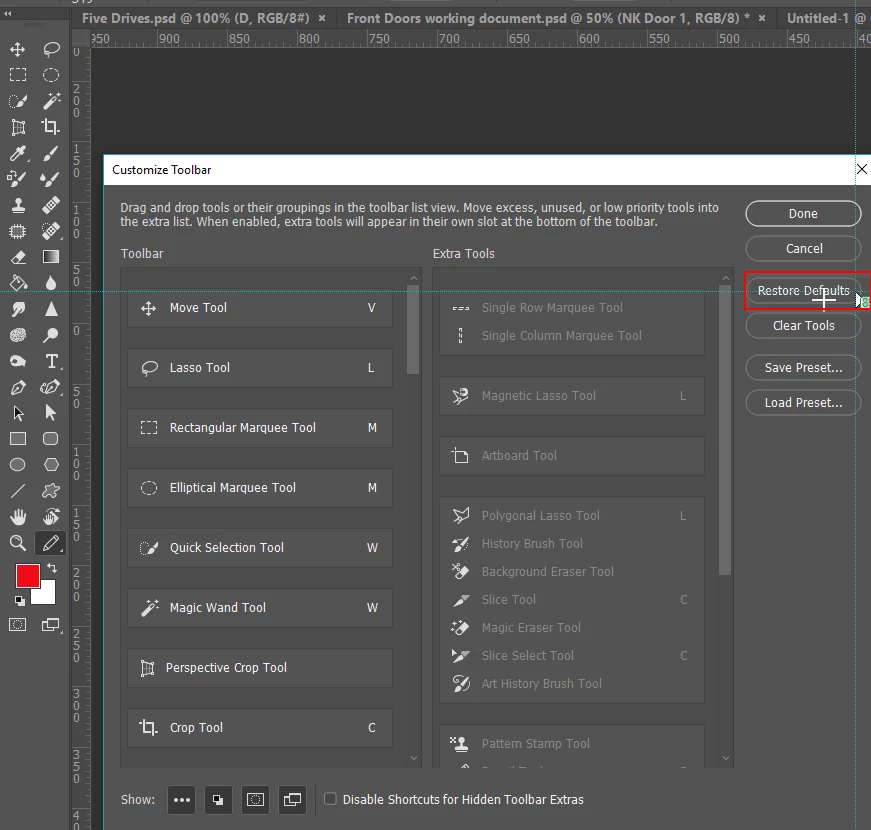
If CC2017 or later, click on the three dots at the bottom of the toolbar, and then Edit Toolbar
From there click on Restore Defaults
If that does not do the trick, come back to us.
Already have an account? Login
No account yet? Create an account
Enter your E-mail address. We'll send you an e-mail with instructions to reset your password.


 AdChoices