Hi @Art of Walls,
Thanks for the detailed follow-up and for sharing the sample files. I’ve tested this internally and can confirm the same behavior you and Semaphoric observed.
Here’s what’s going on and the best way forward:
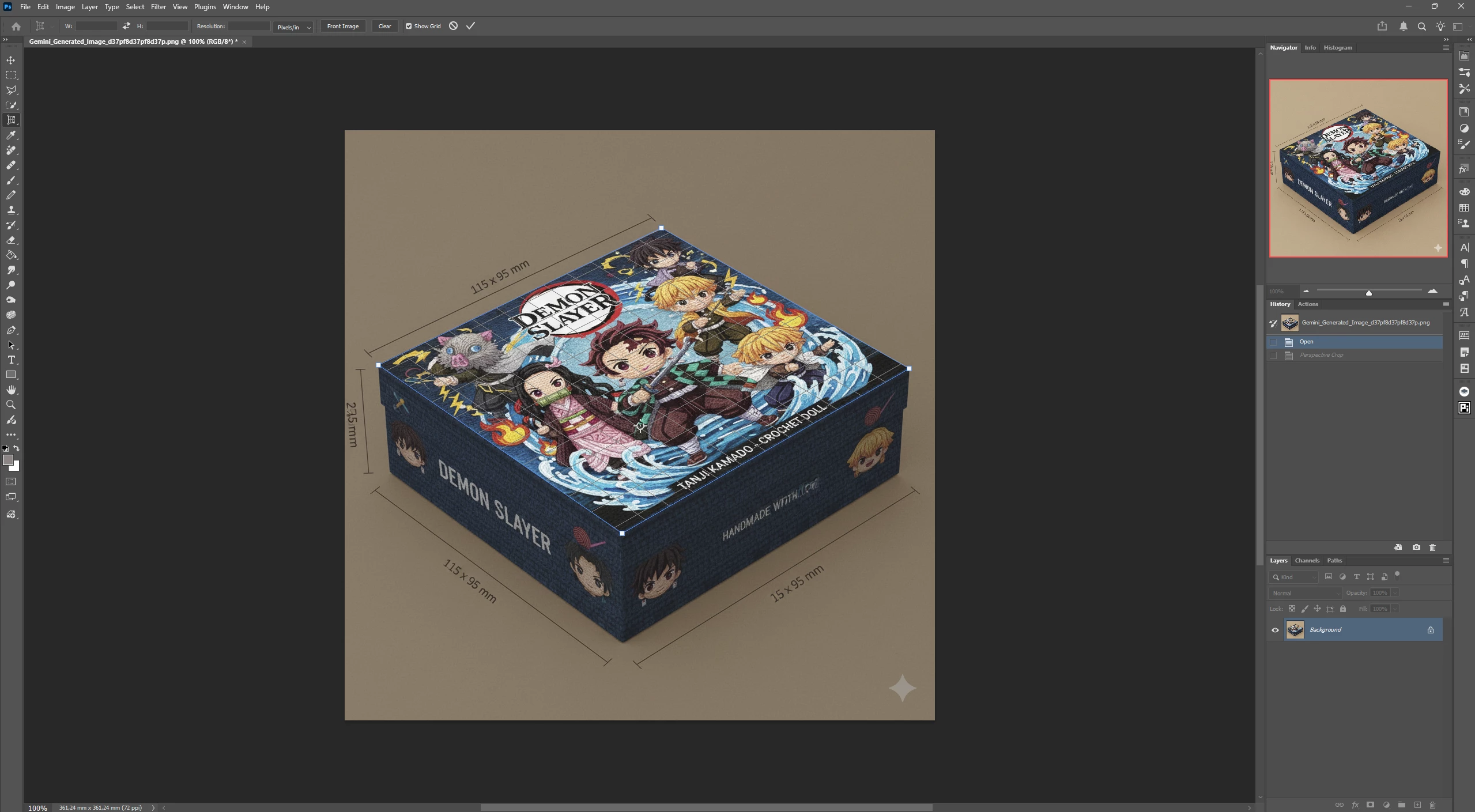
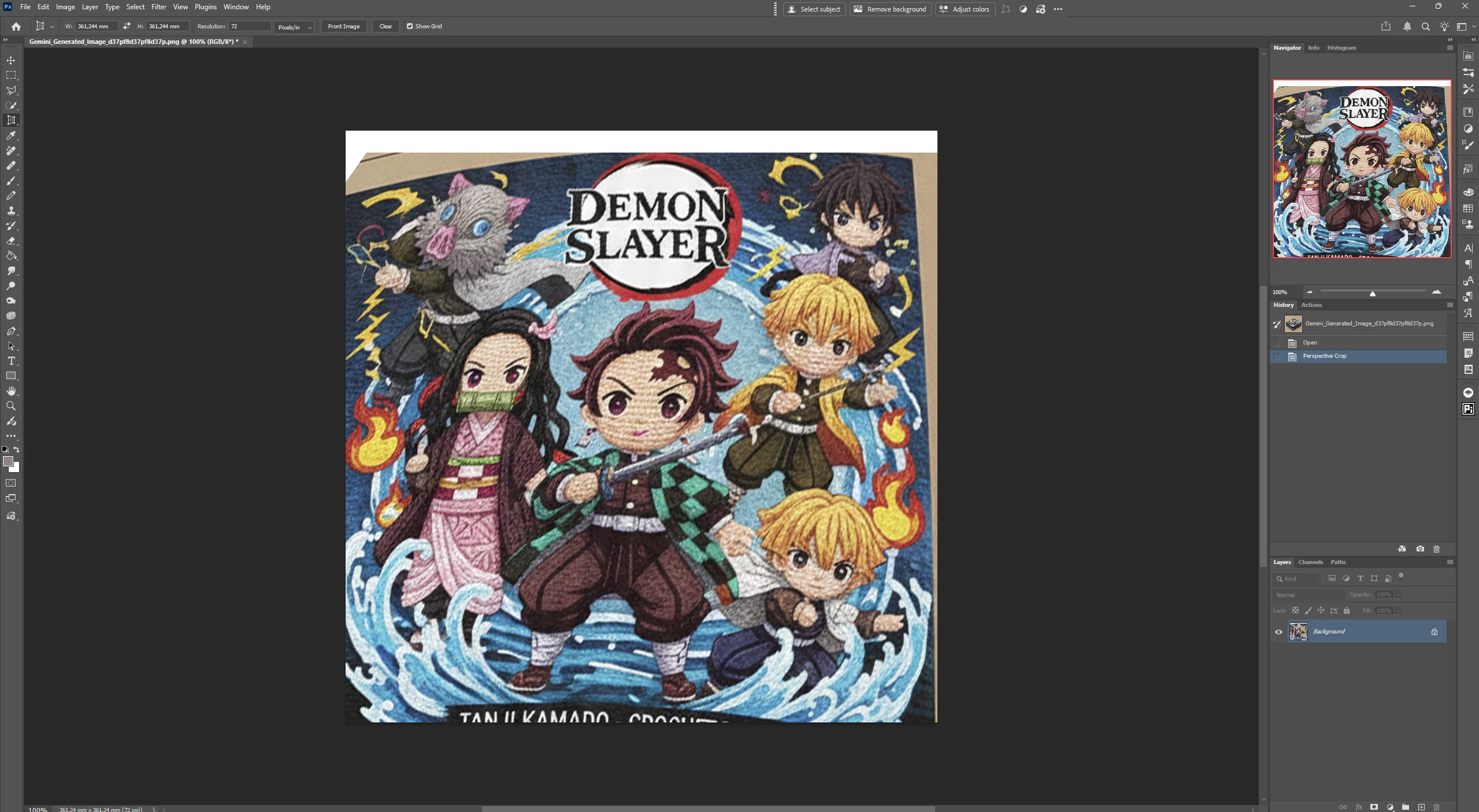
• Perspective Crop
– The Perspective Crop tool is designed to straighten and crop images based on planar perspective while trimming the canvas.
– In cases where the selected trapezoid is irregular, or the content does not align cleanly to a single flat plane, the tool can produce unexpected distortion, including curved lines.
– This matches what you’re seeing and is consistent across multiple Photoshop versions.
Anshul_Saini_2-1766791972365.png
• Perspective Warp (recommended workaround)
– Perspective Warp is better suited for this scenario.
– It works by defining planes first and then correcting perspective without forcing a crop-based transformation.
– As confirmed by Semaphoric and our own testing, Perspective Warp produces the expected straightened result with your example image.
Anshul_Saini_0-1766791881799.png
So for now, the recommended approach is to use Perspective Warp for this type of correction. I’ve also passed this comparison and your reproducible example to the product team so they can review whether Perspective Crop should handle this case differently or improve its behavior.
Thanks for taking the time to document this so clearly.
Best regards,
Anshul Saini
Thank you Anshul.
It is pretty incredible that in my 26 years of Photoshop use and many uses of the Perspective Crop Tool, I never found this issue until now. Maybe until now I used the tool on real perspective distortions and since this was an AI generated image, maybe the distortion seems real but doesn't fit the laws of perspective so the tool finds an unexpected situation , I don't know.
I use it a lot for straightening photos of paintings and it has always worked flawlessly so when this issue happened with this picture, I thought the tool was broken but I see the problem is at least in the 2021 version so it is a sleeper bug.
Perspective Warp is like going backwards for me so I guess I will be using Affinity Studio for Perspective Croping until the issue is solved.



 AdChoices