

Attiwind
Inspiring
October 24, 2022
Answered

Photo retouching with neural Filter

  • October 24, 2022
  • 2 replies
  • 574 views

Photoshop 23.5.2

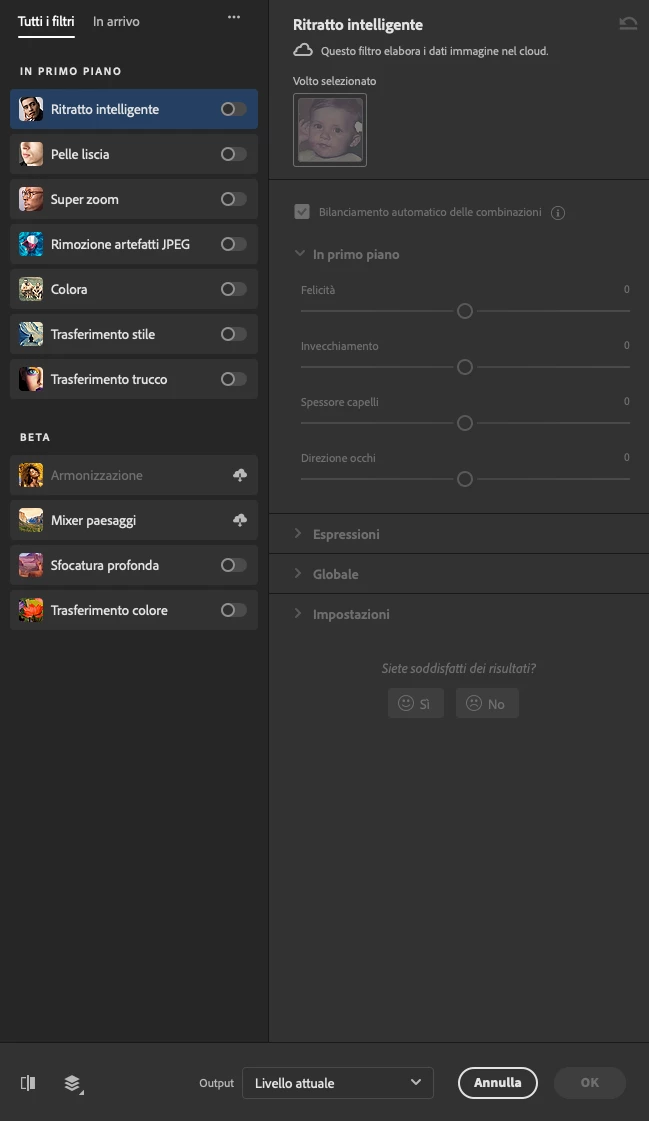
Where is the Neural Filter of photo retouching?
Correct answer Attiwind

ok, solved. I found that the filter is present in the beta version of Photoshop and not in the final one. I downloaded 24.1 and it is present.

2 replies

PhotoXoop
Participant
July 3, 2025

1. Skin Smoothing (The Insta-Ready Look)

  • Go to Filter > Neural Filters

  • Toggle on Skin Smoothing

  • Adjust Blur and Smoothness sliders

  • Instantly removes blemishes, pores, and minor imperfections—no manual brushwork needed.

2. Smart Portrait (AI-Powered Facial Tweaks)

  • Make your subject smile, adjust their gaze, or make them look younger/older.

  • Use Facial Age, Expression, and Head Direction sliders.

  • Great for fashion, portrait, or beauty photography.

⚠️ Pro Tip: Don’t overdo it unless you want your model to look like an AI clone.

3. Color Transfer

  • Want to match the color tone of another image?

  • Upload your reference image and let AI match the color palette—great for brand consistency.

4. Depth Blur

  • Adds background blur (bokeh effect) intelligently, even if your camera didn’t.

  • Mimics shallow depth of field in post-processing.

  • Super handy for product or portrait shots.

5. Photo Restoration (Beta)

  • Perfect for old, damaged, or scanned photos.

  • Automatically fixes scratches, enhances contrast, and restores details.

PhotoXoop Jewelry Retouche
Mike_Gondek10189183
Community Expert
Community Expert
October 24, 2022

Is this the one you are looking for?


Attiwind
AttiwindAuthor
Inspiring
October 24, 2022

Yes exactly

Attiwind
AttiwindAuthorCorrect answer
Inspiring
October 25, 2022

ok, solved. I found that the filter is present in the beta version of Photoshop and not in the final one. I downloaded 24.1 and it is present.
