Participant
January 6, 2022
Answered

Photorealistic drop shadow

  • January 6, 2022
  • 3 replies
  • 1911 views

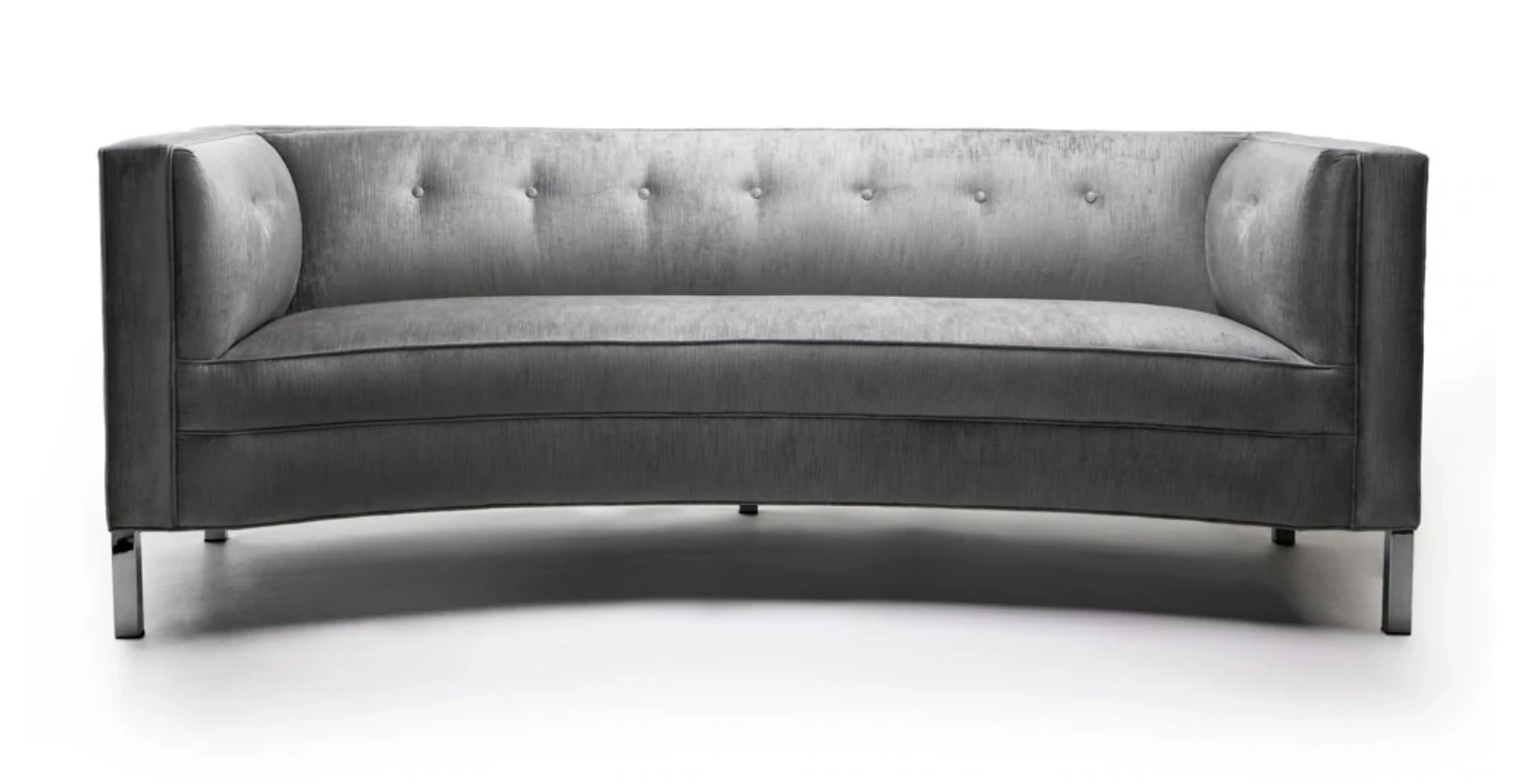
The drop shadow shown on this sofa is the result of lighting and actual photography.

Is there a way to create this within Photoshop?

I know how the basic drop shadow works, and even using multiple drop shadows.

Does Photoshop need to treat this like the a 3D image?


This topic has been closed for replies.
Correct answer davescm

@davescm can answer that better when he sees this. He's our local 3D wizard 🙂


Thanks for the tag Dag.


The alternative to painting would be to use a 3D modelling and rendering application such as Blender 3D, 3D Max, C4D or similar. It would involve creating a 3 dimensional computer model of the furniture which could then be treated in one of two ways.

a. Texture the model furniture item and the floor, light them then render both as a complete 3D scene.

or

b. Do not texture the model, but just light it. Then render with the model invisible to the camera and a plane on the floor acting only as a "shadow catcher". A shadow catcher in a 3D application only shows the rendered shadows and is otherwise transparent. This render of the shadows can then be combined with your original image to add in a realistic shadow. Of course this relies on matching the original camera angle, distance and lens. There are tools to to this in 3D - e.g FSpy for Blender.


Either of these options involve a considerable time investment in learning how to model and render in your chosen 3D application. For occasional use you may be better of just painting in the shadow by hand.


Dave



3 replies

Srishti Bali
Community Manager
Community Manager
July 14, 2026

Hi everyone! 

A big thank you to everyone who has shared their creative shadow-making techniques in this community. It's been great to see the variety of workflows and tips you've contributed!

Realistic shadows play a key role in helping a subject feel naturally grounded in a scene. Since there are multiple ways to create them in Photoshop, depending on your subject, lighting, and creative intent, we've brought together some of the most effective techniques based on workflows shared by this community, along with recommendations from our Photoshop experts.

If you're looking for inspiration or want to explore different approaches, check out this page


Hope this helps! If you have other shadow creation workflows or tips that work well for you, feel free to share them on this page. We'd love to keep learning from each other.

Thanks, Srishti Bali | Community & Engagement Strategist, Digital Imaging | Adobe
D Fosse
Community Expert
Community Expert
January 14, 2022

A realistic drop shadow is fairly complex, because parts closer to the floor will have sharper edges. That's hard to simulate without full 3 dimensional information of the real scene, which of course Photoshop can't possibly have. It doesn't "know" what's in the image.


Which is why I suspect a 3D application is the right tool for this.

Participant
January 14, 2022

3D application?  Like what?

D Fosse
Community Expert
Community Expert
January 14, 2022

@davescm can answer that better when he sees this. He's our local 3D wizard 🙂

Jumpenjax
Community Expert
Community Expert
January 6, 2022

Look up this tutorial on Plearn. It will be of some help.

Lee- Graphic Designer, Print Specialist, Photographer
Participant
January 14, 2022

No, not really.

Is there not a way to do what I seek without "painting"?