
nathanc71667347
Participant
May 22, 2020
Question

PHOTOSHOP 2020

  • May 22, 2020
  • 2 replies
  • 1134 views

hi guys would need help with the recent upgrade to photoshop 2020 from cc. 


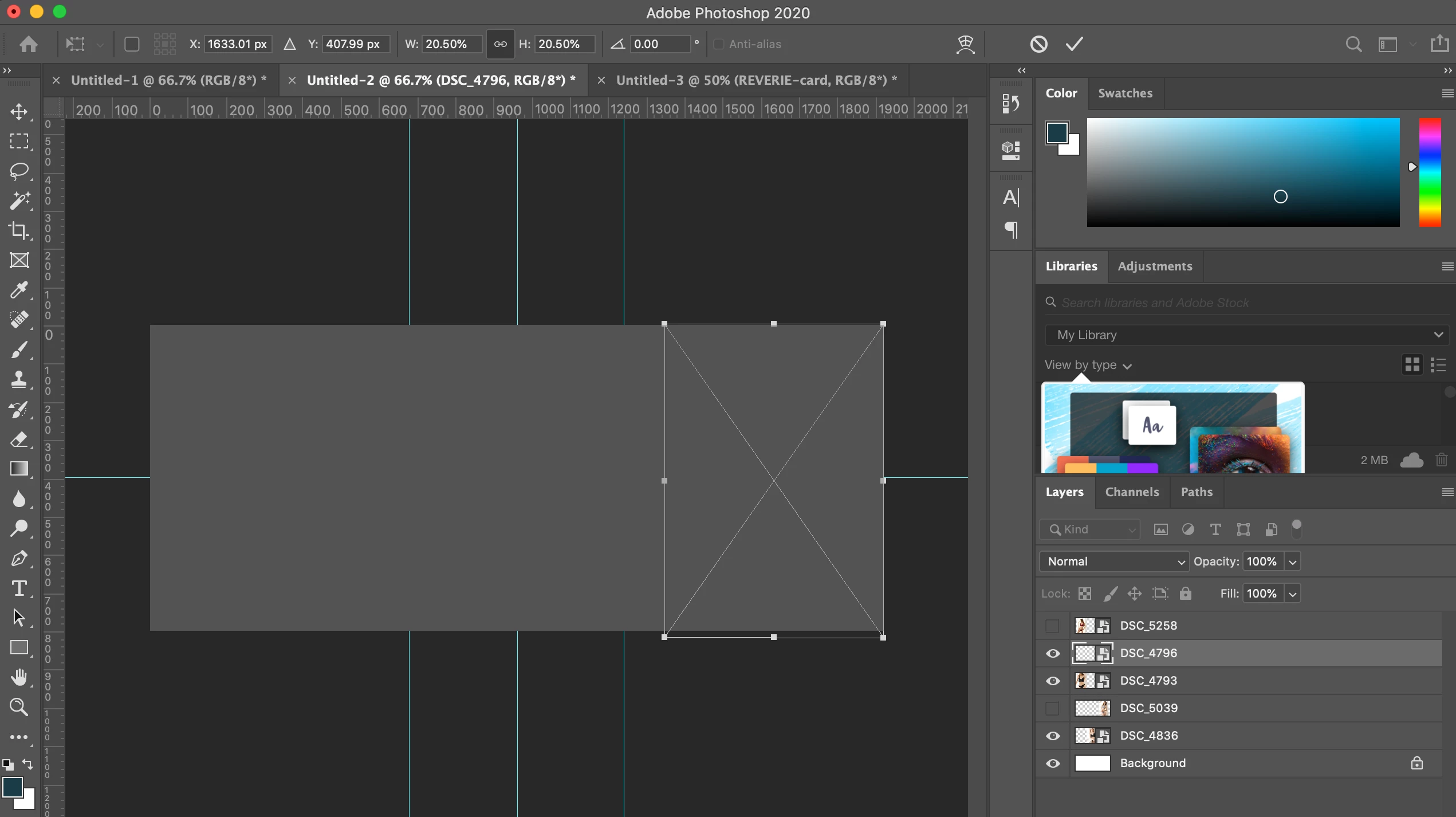
Having issues, everytime i alt tab out and in of photoshop, my artwork becomes grey out, as shown in image attached.


Having issues with free transform as well, when i try to use my arrow keys(hold down any direction) to move the object while in free transform, it does this weird zooming in/out of the image. 


Any help to rectify these problems is appreciated. Thank you
This topic has been closed for replies.

2 replies

c.pfaffenbichler
Community Expert
Community Expert
May 22, 2020

Does turning off »Use Graphics Processor« in the Performance Preferences (Photoshop > Preferences > Performance > Graphic Processor Settings) and restarting Photoshop have any bearing on the issue? 

And just to be sure: Please also hide the rulers. 


»weird zooming in/out of the image«

Please elaborate. 


Please read this (in particular the section titled "Supply pertinent information for quicker answers"):

https://community.adobe.com/t5/Community-Help/Guidelines-Tips-for-the-Adobe-Forums/td-p/4788157

nathanc71667347
Participant
May 22, 2020

This was not turned on -
Does turning off »Use Graphics Processor« in the Performance Preferences (Photoshop > Preferences > Performance > Graphic Processor Settings) and restarting Photoshop have any bearing on the issue? 


Hide the rulers so it wont grey out? attached a video here https://vimeo.com/421557358

PECourtejoie
Community Expert
Community Expert
May 22, 2020

Jeremy, I'm not sure what you show us here, the zooming when using the arrow on the keyboard?

Did you re-enable the GPU before posting this video?

PECourtejoie
Community Expert
Community Expert
May 22, 2020

Hi, could you please post the contents of help>system info, so that we get to know your OS, its version, the exact version of Photoshop you are running, the date of the GPU driver, etc.

PECourtejoie
Community Expert
Community Expert
May 22, 2020

Also, did you try to reset Photoshop's preferences by holding down Ctrl+Alt+Shift (Pc) Cmd+Opt+Shift (Mac) as you click on Photoshop's icon to start it up.

See: https://helpx.adobe.com/photoshop/using/preferences.html

If you do have access to the menu Edit>Preferences (Pc) or Photoshop>Preferences (Mac), it is possible to reset them from the General submenu.