


Participant
August 10, 2020
Answered

Photoshop 2020: Command Apply is not currently available with Realistic embroidery v2

  • August 10, 2020
  • 3 replies
  • 4630 views

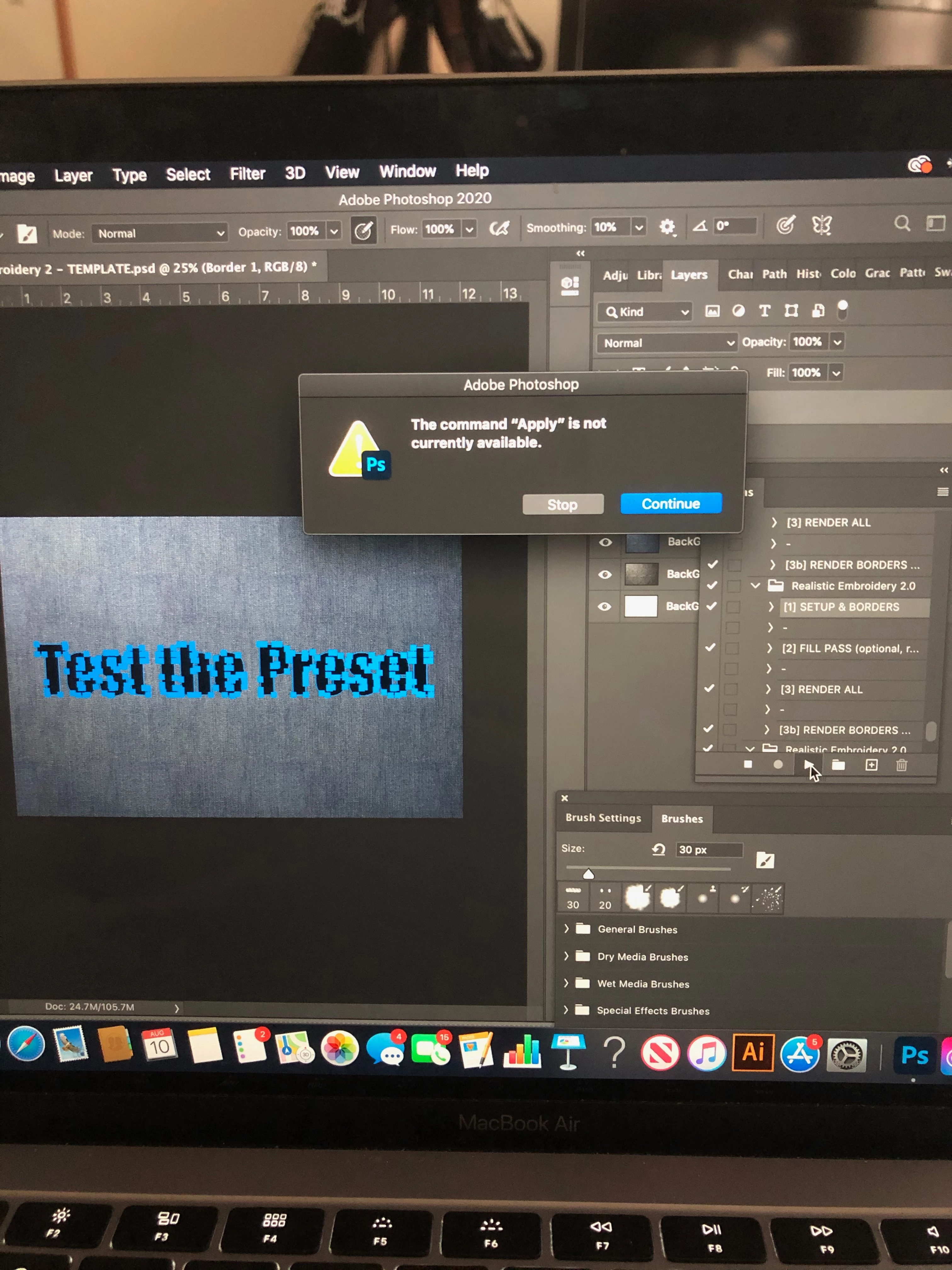
I'm trying to use realistic embroidery v2 on photoshop. I watched the tutorial and did every step it said. When I try to do the action on the selected layer. An error notification pops up and says "the command apply is not currently available." I'm not tech savy so I have no idea how to fix this.
This topic has been closed for replies.
Correct answer Tom Winkelmann

This message came up, when you missed loading the styles (Realistic Embroidery 2 - Styles.asl)...

3 replies

Participant
September 2, 2023

Did you ever get the solution? I'm having the same problem right now.

Stephen Marsh
Community Expert
Community Expert
September 3, 2023

Please post a screenshot of the action panel with all steps expanded and visible when the action fails.

Participant
September 3, 2023

Is this good?


Tom Winkelmann
Tom WinkelmannCorrect answer
Inspiring
August 11, 2020

This message came up, when you missed loading the styles (Realistic Embroidery 2 - Styles.asl)...

Participant
February 21, 2023

how can i load them?

Akash Sharma
Legend
August 11, 2020

Hi there,


Sorry that you're getting an error message " the command apply is not currently available" while Realistic Embroidery v2 in Photoshop 2020.


Which exact version of Photoshop 2020 are you using? The latest is v 21.2.1. Also, what is your operating system?


This error means that some precondition required by the action is not being met.
Like if the action/preset requires a selection and you don't have anything selected, or only works on a layer and you target a background, etc.

Check the actions themselves for instructions, or check the site where you downloaded the actions from.


Thanks, 

Akash